Blue Angular Company Profile Presentation Template: Introduce Your Organization
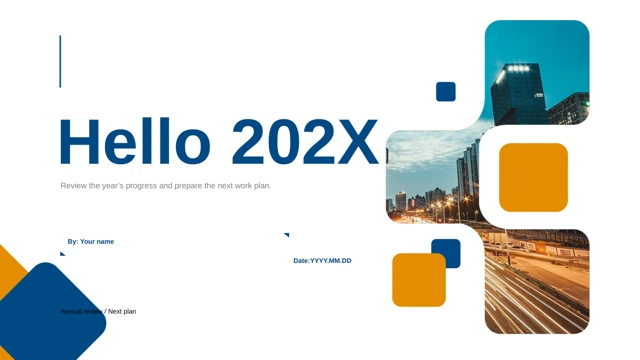
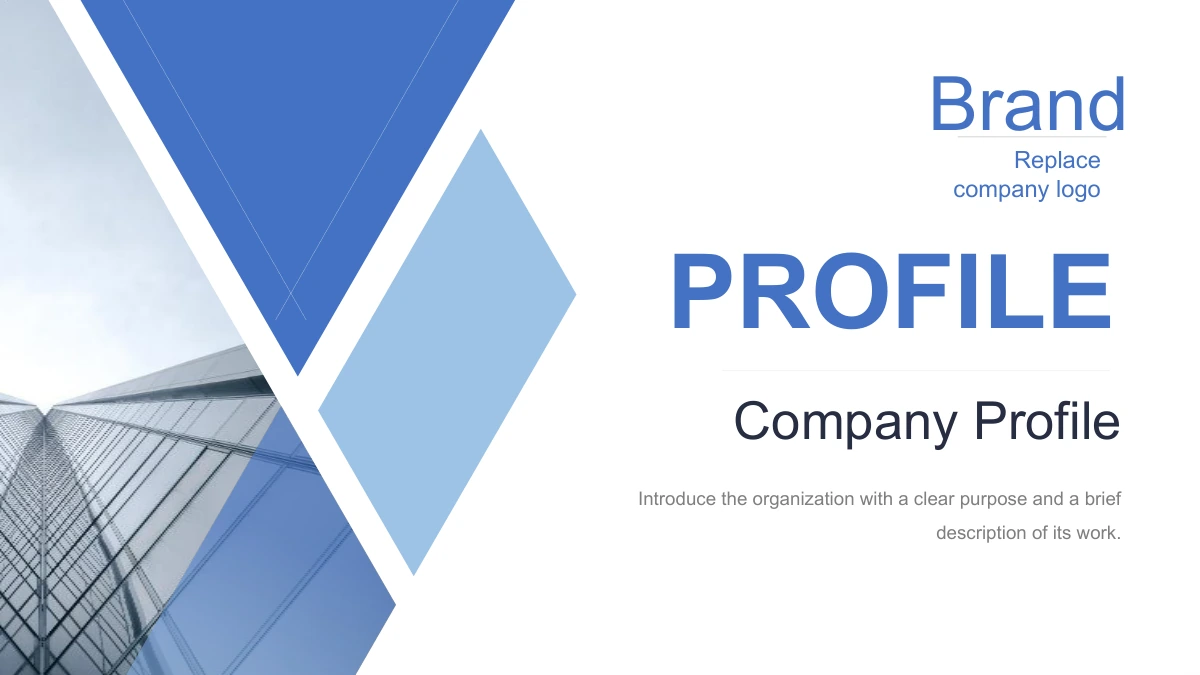
Blue Angular Company Profile Presentation Template introduces a business through blue geometric accents, office photographs and white spaces. The 16 widescreen slides use a 16:9 canvas, with an index and four sections for company background, development, people and policies, and future direction. Triangles and a diamond-shaped accent frame the building photograph on the cover and section pages. Blue Angular Company Profile Presentation Template also offers circular photo panels, rectangular picture groups, icon-led notes and three-card comparisons. Replace the neutral English guidance with approved information about your organization. Keep descriptions concise so the text remains comfortable beside the pictures. The photographs illustrate work settings; they do not establish your company’s history or identify its employees. Blue Angular Company Profile Presentation Template closes by repeating the opening cover, allowing the profile title to remain on screen while you take questions.
Key Features of Blue Angular Company Profile Presentation Template
Choose useful layouts from Blue Angular Company Profile Presentation Template for a clear company introduction.
Angular Opening Pages
Blue Angular Company Profile Presentation Template frames an angular building photo. Replace the brand label and keep your company’s opening message short.
Four Company Sections
Blue Angular Company Profile Presentation Template includes four company sections. Use the index to arrange background, progress, policies and future direction.
Two Photo Treatments
Blue Angular Company Profile Presentation Template offers round and rectangular photo panels. Check the crop and add a caption that describes your chosen picture.
Icon-Led Explanations
Blue Angular Company Profile Presentation Template uses file and media icons beside notes. These static illustrations organize a message without opening files.
Blue and Gray Frames
Blue Angular Company Profile Presentation Template frames white spaces with blue and gray bands. Check text contrast when adapting the colors for your business.
Editable English Guidance
Blue Angular Company Profile Presentation Template offers short English prompts. Add approved company details and review each slide before sharing.
How to Use Blue Angular Company Profile Presentation Template
Prepare a useful profile with Blue Angular Company Profile Presentation Template from preview to sharing.
-
Preview Every Slide
Open all 16 previews of Blue Angular Company Profile Presentation Template. Compare the section dividers, photo panels and icon notes with your content, including the repeated closing cover.
-
Download the English File
With an active paid membership, download Blue Angular Company Profile Presentation Template. There is no daily limit, and repeat downloads are available when you need another working copy.
-
Edit and Share
Add company details to Blue Angular Company Profile Presentation Template. Check text and pictures, then share the page link or export a finished profile suitable for your audience.
Blue Angular Company Profile Presentation Template FAQs
How do I download Blue Angular Company Profile Presentation Template?
Download Blue Angular Company Profile Presentation Template after signing in with an active paid membership. Members have no daily limit and can repeat downloads as needed. Blue Angular Company Profile Presentation Template provides the English PowerPoint file as an editable starting point, not a finished account of a real business. Keep a working copy of Blue Angular Company Profile Presentation Template while adding approved company information.
How are the pages of Blue Angular Company Profile Presentation Template arranged?
Blue Angular Company Profile Presentation Template has 16 slides on a 16:9 canvas. Four dividers on pages 3, 7, 10 and 13 cover background, development, people and policies, and future direction. Blue Angular Company Profile Presentation Template also includes an index, photo panels and icon notes. The last page of Blue Angular Company Profile Presentation Template repeats the opening cover rather than presenting a separate thank-you layout.
Can I change the text and colors in Blue Angular Company Profile Presentation Template?
Change the ordinary text and shape colors in Blue Angular Company Profile Presentation Template for your organization. The prompts suggest descriptions and priorities; they are sample guidance. Blue Angular Company Profile Presentation Template has no native charts, workbooks or tables. When adapting Blue Angular Company Profile Presentation Template, keep colors readable and inspect the subject crop after replacing a photograph.
Can I preview all of Blue Angular Company Profile Presentation Template before downloading?
All 16 slides of Blue Angular Company Profile Presentation Template are shown in the gallery. Enlarge the pictures to compare the angular section pages, round photo panels and blue cards. Blue Angular Company Profile Presentation Template gives each arrangement a different space for text, so check it against your intended message. Include the repeated closing cover when assessing the complete sequence of Blue Angular Company Profile Presentation Template.
Will Blue Angular Company Profile Presentation Template work in other presentation editors?
Blue Angular Company Profile Presentation Template is a PowerPoint file, and other PPTX editors may interpret spacing or picture masks differently. Test an imported copy of Blue Angular Company Profile Presentation Template against the complete previews before using it. The book, video and download icons in Blue Angular Company Profile Presentation Template are static illustrations; they do not provide interactive file or playback functions.
Which fonts does Blue Angular Company Profile Presentation Template use?
Blue Angular Company Profile Presentation Template uses Arial Regular, Arial Bold and SimHei for its English text. Fonts are not embedded in the file. Use appropriately licensed, available fonts when opening Blue Angular Company Profile Presentation Template. If substitution occurs, inspect the narrow labels and body areas for changed wrapping. Review Blue Angular Company Profile Presentation Template before exporting your finished presentation.
Is the slide content of Blue Angular Company Profile Presentation Template in English?
The ordinary editable headings and guidance in Blue Angular Company Profile Presentation Template are in English. All website language versions describe that same file. Blue Angular Company Profile Presentation Template preserves its photographs, including text already within them. Replace the prompts of Blue Angular Company Profile Presentation Template with approved company information; its captions do not verify the identities of people or workplaces pictured.
Can I use Blue Angular Company Profile Presentation Template for commercial work?
Access to Blue Angular Company Profile Presentation Template does not grant additional rights to original photographs, visible brands or fonts. Check permissions for your intended use and replace materials where necessary. Blue Angular Company Profile Presentation Template is a starting layout, and its sample guidance is not evidence of your organization’s results. Confirm the included content is suitable before distributing an edited Blue Angular Company Profile Presentation Template.
How do I share Blue Angular Company Profile Presentation Template?
Use the sharing controls or copy this page’s URL to share Blue Angular Company Profile Presentation Template. Recipients can inspect public previews; file downloads depend on their own membership. To share an edited Blue Angular Company Profile Presentation Template, check the slides and choose a suitable presentation or PDF export. Review the photographs, company information and repeated cover of Blue Angular Company Profile Presentation Template before sending it.