Autumn Harvest Portfolio Presentation Template: Olive Panels, Golden Photographs and Four Seasonal Sections
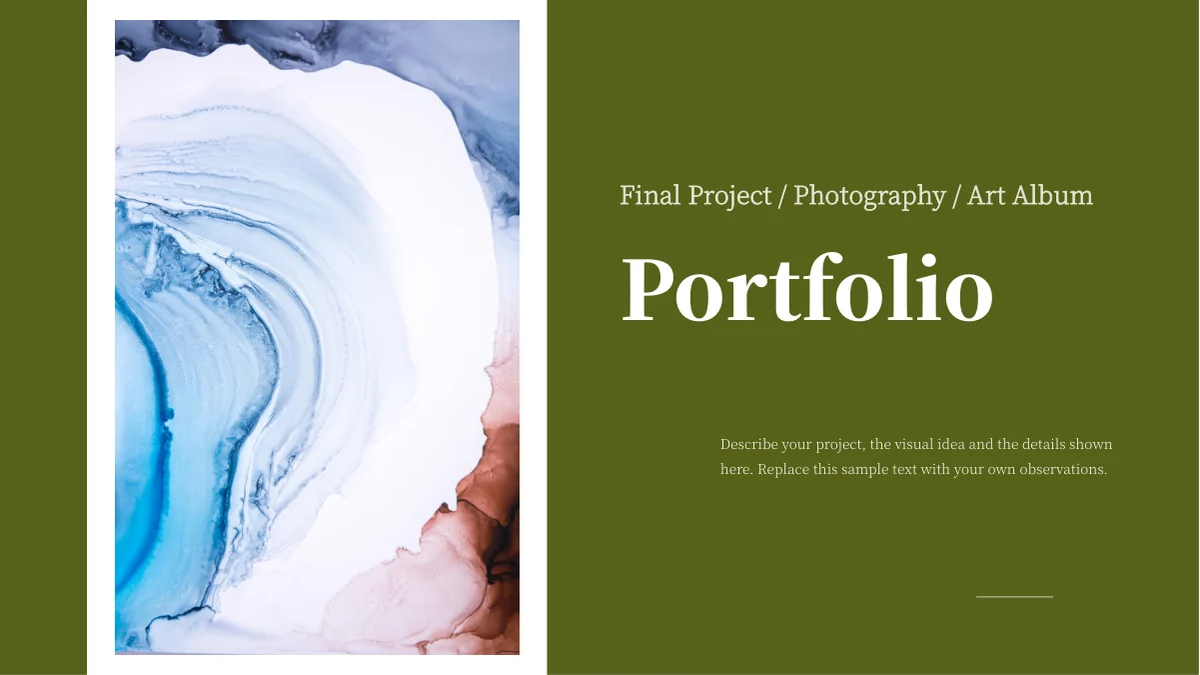
Autumn Harvest Portfolio Presentation Template pairs olive-green blocks with white space and bright photographs of flowers, fruit and harvest displays. Blue-white marbled imagery frames the cover and matching thank-you page, while golden trees introduce four numbered sections. Across 20 widescreen slides, Autumn Harvest Portfolio Presentation Template moves from a circular portrait and four-column contents page into full-height photographs, paired pictures and small image groups. Sunflowers, corn, persimmons, pumpkins and ginkgo leaves supply warm yellow and orange accents without replacing the consistent green palette. Autumn Harvest Portfolio Presentation Template gives each project room for a short introduction and separate observations, with some captions placed on green panels and others on white. Select photographs that belong together and explain what you want the viewer to notice. Replace the sample profile and project notes with accurate information; the pictures show a visual theme rather than proof of a particular location, date or photographer.
Key Features of Autumn Harvest Portfolio Presentation Template
Olive green, white space and warm photographic details.
Olive-Green and White Panels
Autumn Harvest Portfolio Presentation Template balances olive blocks with white space. Keep notes readable against both backgrounds and leave room around photographs.
Golden Tree Section Dividers
Autumn Harvest Portfolio Presentation Template repeats a golden tree scene across four numbered dividers. Match their headings to your selected image groups.
Harvest and Flower Photography
Autumn Harvest Portfolio Presentation Template includes corn, persimmons, pumpkins and flower studies. Choose related images and explain the details connecting them.
Large Pictures and Small Groups
Autumn Harvest Portfolio Presentation Template mixes tall photos, paired images and a three-picture row. Check crops and preserve the subject in every frame.
Separate Project Observations
Autumn Harvest Portfolio Presentation Template pairs a project introduction with supporting notes. Describe different visual choices instead of repeating the summary.
Matching Cover and Thank-You Page
Autumn Harvest Portfolio Presentation Template frames the cover and ending with blue-white marbled imagery. Keep their titles and notes consistent with your photo story.
How to Use Autumn Harvest Portfolio Presentation Template
Select a photo story, write useful observations and check the final sequence.
-
Select a Seasonal Photo Story
Browse all 20 pages of Autumn Harvest Portfolio Presentation Template. Choose a related set of images and align the four contents entries with the sections you intend to keep.
-
Download and Add Your Observations
Get Autumn Harvest Portfolio Presentation Template with an active paid plan; daily and repeat downloads are unlimited. Edit a copy and replace the sample profile, project names and notes.
-
Check Crops and Text Contrast
Review Autumn Harvest Portfolio Presentation Template at presentation size. Check picture crops, short captions and text on green panels, then compare the export with your edited slides.
Questions About Autumn Harvest Portfolio Presentation Template
How do I download Autumn Harvest Portfolio Presentation Template?
Sign in with an active paid plan to download Autumn Harvest Portfolio Presentation Template. Daily and repeat downloads are unlimited. Keep the supplied Autumn Harvest Portfolio Presentation Template and edit a separate working copy. Start by choosing a photographic connection, such as warm colors, close-up details or a documented harvest project. Autumn Harvest Portfolio Presentation Template has more than one type of layout, so match the page to the explanation rather than filling every available frame. Write a short project introduction before editing Autumn Harvest Portfolio Presentation Template, then decide which supporting notes will add useful detail. Replace the sample profile in Autumn Harvest Portfolio Presentation Template with accurate information. Use Autumn Harvest Portfolio Presentation Template to explain your own selection and contribution; a source portrait or photograph does not establish who made the work, where it was taken or whether it belongs to your project.
How many pages are in Autumn Harvest Portfolio Presentation Template?
Autumn Harvest Portfolio Presentation Template includes 20 slides in a 16:9 format. The cover is followed by a profile introduction and a contents page with four numbered columns. Autumn Harvest Portfolio Presentation Template places matching section dividers on pages 4, 8, 12 and 16, each using golden trees behind an olive panel. Between those dividers, Autumn Harvest Portfolio Presentation Template varies the scale and arrangement of its photographs. The final page of Autumn Harvest Portfolio Presentation Template is a thank-you layout that returns to the blue-white marbled image from the cover. You can shorten Autumn Harvest Portfolio Presentation Template or change the section order to suit your material. Keep the contents labels in Autumn Harvest Portfolio Presentation Template aligned with the dividers and avoid leaving an empty section. The four-part structure provides an organizing framework; it does not require every chapter to discuss the same number of photographs.
Can I replace the pictures in Autumn Harvest Portfolio Presentation Template?
Replace images in Autumn Harvest Portfolio Presentation Template with photographs you have permission to use. The source combines sunflowers and other flowers with corn, persimmons, pumpkins, fruit and golden leaves. Autumn Harvest Portfolio Presentation Template includes tall edge crops, rectangular images, a circular profile photo and smaller groups, so check proportions before inserting replacements. Keep the subject visible when cropping Autumn Harvest Portfolio Presentation Template; a flower center, hanging fruit or the edge of a basket may be relevant to your explanation. Words already inside a photograph in Autumn Harvest Portfolio Presentation Template are part of that picture rather than separate slide text. Avoid stretching images in Autumn Harvest Portfolio Presentation Template and do not treat a source person as a member of your own team. Build a consistent sequence in Autumn Harvest Portfolio Presentation Template, while making the origin and your role in each photograph clear.
Can I preview all of Autumn Harvest Portfolio Presentation Template?
Every page of Autumn Harvest Portfolio Presentation Template is shown in the gallery. Use the thumbnails and arrow controls to compare the full-height pictures with the smaller groups and the repeated golden-tree dividers. Enlarge Autumn Harvest Portfolio Presentation Template to inspect captions, the circular portrait and text placed on olive panels. Compare the length of your planned notes with the available space in Autumn Harvest Portfolio Presentation Template before editing. Shorten or separate a long paragraph instead of crowding the image. The gallery represents the supplied Autumn Harvest Portfolio Presentation Template, not later changes to your working copy. Review your edited Autumn Harvest Portfolio Presentation Template at its intended viewing size. Check the three-image row in Autumn Harvest Portfolio Presentation Template and the paired pictures near the end, making sure that each caption still points to the right image after any rearrangement.
Does Autumn Harvest Portfolio Presentation Template include charts or spreadsheets?
Autumn Harvest Portfolio Presentation Template is a photographic portfolio rather than a data deck. It includes no native charts, tables or embedded spreadsheet workbooks. The four large numbers on the contents page of Autumn Harvest Portfolio Presentation Template identify sections, not measurements. Use the green and white note areas in Autumn Harvest Portfolio Presentation Template to discuss a subject, framing choice, color relationship or project decision that you can explain accurately. If you add dates, locations or production figures to Autumn Harvest Portfolio Presentation Template, check them against your own records rather than infer them from the pictures. A photograph of a crop does not establish a yield or a particular growing season. You may add an appropriate chart to your working copy of Autumn Harvest Portfolio Presentation Template, but keep it clearly labeled and readable within the image-led layout.
Which fonts does Autumn Harvest Portfolio Presentation Template use?
Autumn Harvest Portfolio Presentation Template uses Source Han Sans SC Regular, Heavy, Normal and ExtraLight, plus Source Han Serif SC ExtraLight and Heavy. Fonts are not embedded in the PPTX. Check the matching fonts on your editing computer before adapting Autumn Harvest Portfolio Presentation Template. Light body text and large serif titles give the pages different levels of emphasis, so a substitution can alter both line length and visual weight. Compare Autumn Harvest Portfolio Presentation Template with the gallery after entering your own text. Keep titles concise and inspect the smaller notes on green panels rather than reducing them until they become difficult to read. Review the contents columns and the final thank-you page in Autumn Harvest Portfolio Presentation Template for changed spacing. Check both your working Autumn Harvest Portfolio Presentation Template and the exported version for missing characters, unexpected line breaks and text that overlaps a neighboring photograph.
Is Autumn Harvest Portfolio Presentation Template supplied in English?
The finished Autumn Harvest Portfolio Presentation Template uses English headings and neutral sample project notes. The website translations describe the same PowerPoint file, rather than a different native deck for each language. Replace the sample profile and observations in Autumn Harvest Portfolio Presentation Template with your own accurate information. The copy is guidance for presenting photographs, not a verified biography or a record of who took the source pictures. Other editors may import Autumn Harvest Portfolio Presentation Template, but fonts, crops and text spacing can differ. Compare an imported Autumn Harvest Portfolio Presentation Template with the gallery and use PowerPoint as the reference when checking layout. Keep image captions concise and consistent throughout Autumn Harvest Portfolio Presentation Template. Clearly distinguish a photograph you created, a permitted illustrative image and an example included only to discuss a visual technique.
Can I use Autumn Harvest Portfolio Presentation Template commercially?
Check the relevant conditions for Autumn Harvest Portfolio Presentation Template, its photographs, fonts and any material you add. A paid download does not establish every reuse or redistribution right. Keep genuine image credits or required attribution when adapting Autumn Harvest Portfolio Presentation Template. Photographs in Autumn Harvest Portfolio Presentation Template may contain people, places or lettering that are part of the original image; do not imply that these endorse your project. Do not present source photographs as your own commissioned work. Separate your commentary from any necessary credit in Autumn Harvest Portfolio Presentation Template, making clear what you selected, edited or created. If you plan to share an editable Autumn Harvest Portfolio Presentation Template file, verify redistribution conditions separately from permission to display a finished presentation. Use your own permitted photographs when the intended use of a source image is uncertain.
How should I share Autumn Harvest Portfolio Presentation Template?
Share this public page when recommending Autumn Harvest Portfolio Presentation Template, so recipients can inspect all pages and download through their own eligible accounts. Keep an editable copy of Autumn Harvest Portfolio Presentation Template for future changes to photographs and project notes. Before exporting Autumn Harvest Portfolio Presentation Template, review the four contents entries against their section dividers and remove sample copy that no longer matches the images. Check that each pair or group of pictures in Autumn Harvest Portfolio Presentation Template has a clear relationship and that the notes identify different details. Run through Autumn Harvest Portfolio Presentation Template from the marbled cover to the matching thank-you page. Inspect the export for changed crops, small pale text or inconsistent spacing. Finally, test the presentation on the intended screen, where a caption that looked clear on a laptop may need more contrast or fewer words.