Business Etiquette Training Presentation Template: business photos and fine-line grey layouts
Business Etiquette Training Presentation Template uses white space, pale grey panels and fine-line circular artwork around business photographs. Its 25 slides begin with a graphic cover, an introduction and four-item contents. Business Etiquette Training Presentation Template has four numbered chapter dividers covering principles, professional appearance, introductions and greetings. Picture-and-text pages alternate with icon rows, numbered lists and four-card layouts. In Business Etiquette Training Presentation Template, the separate percentage graphics are manual examples, while one stacked column chart links to an embedded workbook. The grey palette highlights the photographs; section numbers and captions distinguish each part. Business Etiquette Training Presentation Template supplies English text for adaptation to your setting. Review the guidance, change date placeholders and keep only supported claims and figures. The photographs and arrangements remain in a 16:9 PowerPoint file.
Key Features of Business Etiquette Training Presentation Template
Four chapters, business photographs and fine-line accents.
Fine-Line Grey Artwork
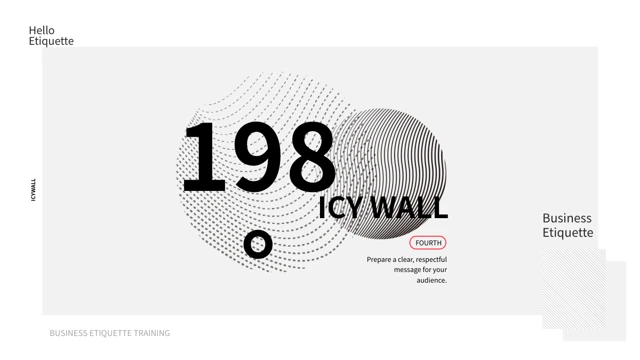
Business Etiquette Training Presentation Template pairs pale panels with circular line patterns. Keep text concise and check small grey captions on your screen.
Four Chapter Dividers
Business Etiquette Training Presentation Template has four dividers for principles, appearance, introductions and greetings. Match the chapter order to your lesson.
Business Photo Layouts
Business Etiquette Training Presentation Template uses business portraits and photos in circles and rectangles. Replace images and captions without stretching.
Numbered Preparation Lists
Business Etiquette Training Presentation Template provides five-item and four-item checklists. Give each item a clear action and remove details that do not fit.
Editable Stacked Columns
Business Etiquette Training Presentation Template has a stacked column chart with two series. Change its workbook separately from the manual percentage examples.
Icon-Led Explanation Cards
Business Etiquette Training Presentation Template groups short explanations with icons and grey cards. Give each card one point and use consistent terms throughout.
How to Use Business Etiquette Training Presentation Template
Choose the lesson sequence, adapt the wording and review the file.
-
Choose the Lesson Pages
Browse all 25 pages of Business Etiquette Training Presentation Template. Select the chapters, photo pages and checklists you need; remove unrelated examples from your working copy.
-
Adapt the Guidance and Figures
Download Business Etiquette Training Presentation Template with an active paid plan. Replace the wording and date labels, then update the chart workbook and manual figures with your information.
-
Check Text and Presentation Size
Review Business Etiquette Training Presentation Template in order. Check grey captions, photograph crops and chapter labels; inspect the exported PDF before presenting your finished lesson.
Questions about Business Etiquette Training Presentation Template
What is in Business Etiquette Training Presentation Template?
Business Etiquette Training Presentation Template contains 25 slides in a 16:9 PowerPoint file. The cover and introduction lead to a four-item contents page. Business Etiquette Training Presentation Template then uses four numbered dividers for principles, appearance, introductions and greetings. Between them, Business Etiquette Training Presentation Template provides photo layouts, icon-led explanations, checklists and sample percentage graphics. One native stacked column chart appears near the end, followed by a thank-you page. Business Etiquette Training Presentation Template is a starting layout for your lesson, so choose the pages that fit your setting rather than assuming every example must stay in the final presentation.
Is the text in Business Etiquette Training Presentation Template translated into English?
Business Etiquette Training Presentation Template replaces ordinary Chinese slide text with concise English wording for the lesson. Original photographs and graphic positions remain. Some Chinese writing is part of a photographed background in Business Etiquette Training Presentation Template; those image pixels are preserved rather than redrawn. The website language does not change the text inside the downloaded copy of Business Etiquette Training Presentation Template. Read each example, adapt it to your audience and remove any statement that does not suit your setting. Before presenting Business Etiquette Training Presentation Template, check that the contents, section headings and closing words match the lesson you intend to give.
Can I replace the photos in Business Etiquette Training Presentation Template?
Business Etiquette Training Presentation Template keeps its business photographs as image objects with their original crops. Save a copy of Business Etiquette Training Presentation Template and replace a picture in PowerPoint, then check it inside its circle or rectangular frame. Do not stretch a new photograph to fill the space. Business Etiquette Training Presentation Template does not identify the people in the sample pictures or establish a relationship with an organization shown in a background. Use your own accurate captions and images you are entitled to share. In Business Etiquette Training Presentation Template, keep important faces and other details away from a crop that would conceal them.
Are all the graphics in Business Etiquette Training Presentation Template linked to data?
Business Etiquette Training Presentation Template has one native stacked column chart with two series and four month categories, linked to an embedded workbook. Edit that data through PowerPoint’s chart tools. The separate percentage displays in Business Etiquette Training Presentation Template use shapes and text, so updating the workbook will not change them. Business Etiquette Training Presentation Template supplies example values, not verified business measurements. If you keep a figure, replace it with information you can support and add a clear unit, period and source. After editing Business Etiquette Training Presentation Template, compare the displayed columns and manual labels with your own records before presenting them.
How should I adapt the lesson in Business Etiquette Training Presentation Template?
Business Etiquette Training Presentation Template includes examples about professional appearance, introductions, visits and handshakes. Adapt these to the actual event, organization and audience you are addressing. In Business Etiquette Training Presentation Template, treat the guidance as material to review, rather than rules that apply everywhere. Customs and expectations can differ between settings. Business Etiquette Training Presentation Template does not establish a legal requirement or certify someone’s conduct. Write clear, practical examples for your own lesson and remove unsupported generalizations. Read Business Etiquette Training Presentation Template from start to finish so the preparation lists, photo captions and spoken explanations use the same terms.
How do the checklists in Business Etiquette Training Presentation Template work?
Business Etiquette Training Presentation Template has a five-item preparation row and a four-card reception layout. Each contains ordinary text for a short heading and explanation. In Business Etiquette Training Presentation Template, replace the examples with actions that are useful for your own lesson, such as preparing materials or confirming who will greet visitors. Keep the distinction between an action and its explanation clear. Business Etiquette Training Presentation Template also includes icon-led rows where you can present related points. After editing Business Etiquette Training Presentation Template, read the items together and remove repeated instructions or steps that are out of order.
Which fonts does Business Etiquette Training Presentation Template use?
Business Etiquette Training Presentation Template uses Source Han Sans SC Regular and Bold in the final downloadable copy, with no font files embedded. Install the fonts before editing Business Etiquette Training Presentation Template, or choose a substitute and inspect the text boxes. Business Etiquette Training Presentation Template includes narrow captions and large section labels, so check both after changing a font or phrase. The small grey text also needs a review on your intended screen. Keep an editable copy of Business Etiquette Training Presentation Template and inspect the exported PDF for missing characters, clipped words and unexpected line breaks.
How can I download Business Etiquette Training Presentation Template?
Business Etiquette Training Presentation Template is available to members with an active paid plan. Sign in and use the PPTX download button on this page. Paid members can download Business Etiquette Training Presentation Template without a daily limit, including repeat downloads. Review all 25 previews before choosing the file. Keep a working copy of Business Etiquette Training Presentation Template before changing the lesson wording, pictures or chart values. The file is supplied in PowerPoint format, so you can edit it directly. Downloading Business Etiquette Training Presentation Template does not require you to create a new lesson with an AI presentation generator.
What should I check before sharing Business Etiquette Training Presentation Template?
Business Etiquette Training Presentation Template needs a final review of its lesson wording, picture crops and example figures. Replace date placeholders and remove any guidance that you do not intend to present. Check Business Etiquette Training Presentation Template at the size your audience will see, especially the small grey captions. Business Etiquette Training Presentation Template does not grant additional rights to the original design or sample photographs; follow the applicable original terms and use material you can share. Keep an editable copy and inspect your export. Send the Business Etiquette Training Presentation Template page link when someone needs to preview or obtain the template themselves.