Chalk Doodle Open Lesson Presentation Template: sketch marks that connect classroom ideas
Chalk Doodle Open Lesson Presentation Template uses chalk-like strokes to connect 24 widescreen slides. A white outlined bulb opens the deck against a green-to-blue cover; pale content pages carry blue headings, green sketch marks and yellow accents. Four numbered dividers in Chalk Doodle Open Lesson Presentation Template separate flexible chapters, with generic headings you can rename around your teaching outline. The layouts move from short icon notes to a pinwheel, a split head silhouette and a four-part circular diagram. Chalk Doodle Open Lesson Presentation Template also provides a SWOT page, opposing speech frames and a sketched pyramid. These are arrangements for explaining ideas, rather than linked data charts or evidence for a teaching theory. Near the end, three connected notes lead to a conclusion, followed by a question page and matching closing slide. Select the pages that support your lesson, replace the sample wording and leave room around the textured green footer.
Key Features of Chalk Doodle Open Lesson Presentation Template
Chalk textures, clear sections and space to explain.
A chalk-style opening
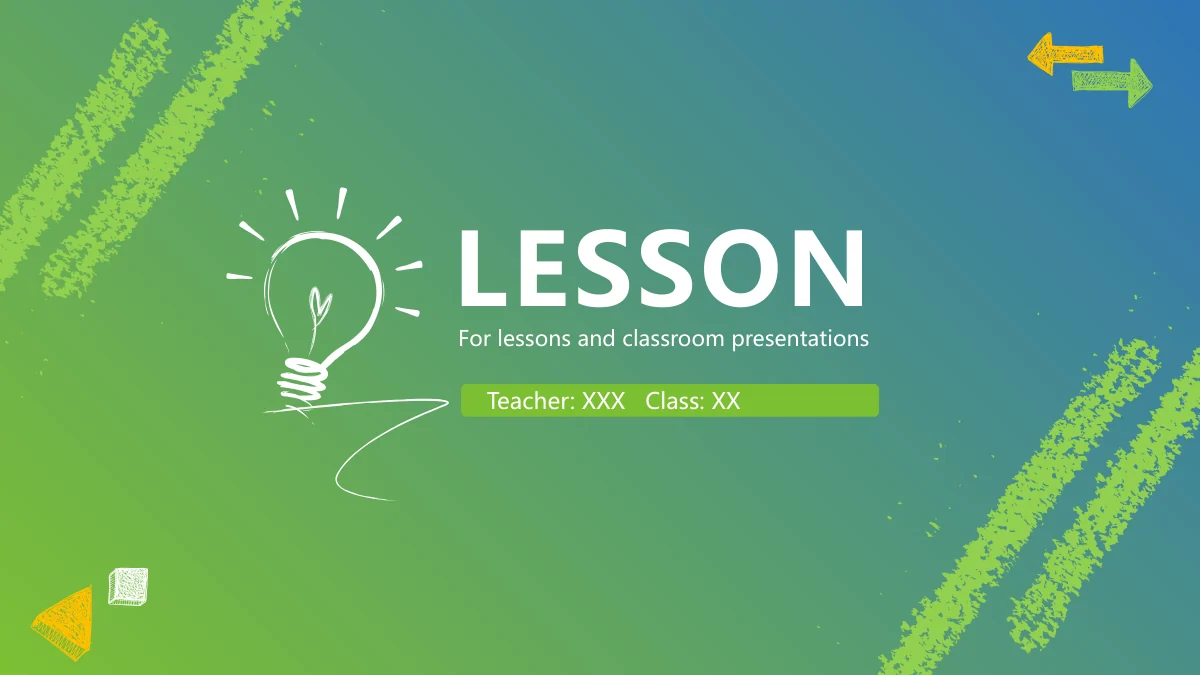
Chalk Doodle Open Lesson Presentation Template pairs a white bulb with a green-to-blue cover. Keep lesson titles short so the sketched corners have room.
Four numbered chapters
Chalk Doodle Open Lesson Presentation Template marks four chapters with sketched digits and chevrons. Name the contents entries around your own teaching outline.
Ideas in small groups
Chalk Doodle Open Lesson Presentation Template places notes around a pinwheel, three-lobe shape and four-part circle. Use each group to explain one clear point.
Two views side by side
Chalk Doodle Open Lesson Presentation Template pairs notes with a split head and opposing speech frames. Explain two views without implying scientific proof.
A sketch framework for SWOT
Chalk Doodle Open Lesson Presentation Template sets S, W, O and T between four text areas. Add relevant observations and evidence to guide the discussion.
A page for questions
Chalk Doodle Open Lesson Presentation Template offers a megaphone question page before the matching closing slide. Leave time for learners to respond.
How to Use Chalk Doodle Open Lesson Presentation Template
Build a lesson around the pages you need.
-
Plan the four sections
Start with the contents of Chalk Doodle Open Lesson Presentation Template. Name four chapters, then select diagrams and notes that explain your subject. Leave time for the question page.
-
Save a clean copy
Download Chalk Doodle Open Lesson Presentation Template using an active paid account. Keep a clean file separate from your lesson copy, so you can return to the layouts for another class.
-
Replace notes and test
Fill Chalk Doodle Open Lesson Presentation Template with short explanations. Keep text above the textured footer, compare chapter labels and rehearse the deck on your classroom screen.
Questions About Chalk Doodle Open Lesson Presentation Template
How do I download Chalk Doodle Open Lesson Presentation Template?
Sign in with an active paid plan and choose the download button on the page for Chalk Doodle Open Lesson Presentation Template. Paid members can download Chalk Doodle Open Lesson Presentation Template repeatedly without a daily limit. Keep the downloaded file as a clean starting point and save your lesson under a separate name. Before editing Chalk Doodle Open Lesson Presentation Template, decide which of its four chapters you need and which diagram layouts help explain the topic. Remove pages you will not use. When returning to Chalk Doodle Open Lesson Presentation Template for another class, start from the clean file to avoid carrying over old names, examples or comments.
How many pages are in Chalk Doodle Open Lesson Presentation Template?
Chalk Doodle Open Lesson Presentation Template contains 24 slides in a 16:9 format. After the cover and contents, Chalk Doodle Open Lesson Presentation Template introduces four chapters on pages 3, 8, 13 and 18. A question page appears on page 23, followed by a closing slide. The four chapters of Chalk Doodle Open Lesson Presentation Template contain different layouts, including icon notes, paired text and diagrams. You can shorten the sequence rather than filling every page. The page count of Chalk Doodle Open Lesson Presentation Template describes the available designs, not a required lesson length. Choose the order and number of pages in Chalk Doodle Open Lesson Presentation Template around your teaching goals.
Can I change the text and colours in Chalk Doodle Open Lesson Presentation Template?
The text and shapes in Chalk Doodle Open Lesson Presentation Template can be adapted in PowerPoint. Replace the chapter headings first, then give each note a short title. Chalk Doodle Open Lesson Presentation Template uses blue headings and green or yellow accents, so keep labels readable when changing the palette. The chalk-like marks in Chalk Doodle Open Lesson Presentation Template provide decoration; they do not need a paragraph beside every stroke. Shorten long explanations before reducing the type size. In paired layouts of Chalk Doodle Open Lesson Presentation Template, balance the amount of text on both sides. Check the completed Chalk Doodle Open Lesson Presentation Template for repeated placeholders and notes that reach the green footer.
Can I see all of Chalk Doodle Open Lesson Presentation Template before downloading?
Yes. The gallery for Chalk Doodle Open Lesson Presentation Template shows all 24 pages from the English PowerPoint file. Preview Chalk Doodle Open Lesson Presentation Template to compare the numbered dividers with its diagrams and short-note layouts. Enlarge pages with small headings and check the space above the textured footer. Chalk Doodle Open Lesson Presentation Template can look spacious with the example notes but become crowded when you add longer explanations. Use the gallery of Chalk Doodle Open Lesson Presentation Template to choose layouts, then inspect your edited copy separately. Rehearse Chalk Doodle Open Lesson Presentation Template on the intended screen, checking the question page and closing slide as well as the main chapters.
Can another presentation editor open Chalk Doodle Open Lesson Presentation Template?
Chalk Doodle Open Lesson Presentation Template uses the PowerPoint (.pptx) format. Some other presentation editors can import this format, but Chalk Doodle Open Lesson Presentation Template has not been verified in every application. Check sketched shapes, fonts, line spacing and grouped objects after opening Chalk Doodle Open Lesson Presentation Template elsewhere. The circular diagram, pinwheel and pyramid in Chalk Doodle Open Lesson Presentation Template are manually arranged graphics, with no linked chart workbook. Their sizes do not establish numerical values. Compare any imported version of Chalk Doodle Open Lesson Presentation Template with the preview and inspect its export before using it for a class. Keep the original PowerPoint file so you can return to it.
Which fonts are used in Chalk Doodle Open Lesson Presentation Template?
Chalk Doodle Open Lesson Presentation Template uses Microsoft YaHei in regular and bold, plus Segoe UI. The chalk digits and many sketch marks in Chalk Doodle Open Lesson Presentation Template are graphics, so changing a text font will not necessarily change their appearance. Some original font data is embedded, but new characters may require fonts installed on your computer. Open Chalk Doodle Open Lesson Presentation Template on the machine you will use to teach and check its headings and notes. If a font changes in Chalk Doodle Open Lesson Presentation Template, inspect spacing on every affected page. Review the PDF exported from Chalk Doodle Open Lesson Presentation Template before distributing or presenting it.
Is the downloadable Chalk Doodle Open Lesson Presentation Template in English?
The downloadable Chalk Doodle Open Lesson Presentation Template is in English, including its cover, chapter headings, slide-layout text and file thumbnail. The 24 previews for Chalk Doodle Open Lesson Presentation Template come from that same English file. Localised website pages for Chalk Doodle Open Lesson Presentation Template describe the design; they do not supply a separate deck in each language. The notes in Chalk Doodle Open Lesson Presentation Template give examples for editing rather than a complete lesson script. Replace them with explanations for your own subject and learners. Before sharing a presentation made with Chalk Doodle Open Lesson Presentation Template, check the contents, question page and closing class details for wording left over from the examples.
Can I use Chalk Doodle Open Lesson Presentation Template for commercial work?
Review the applicable terms and source permissions before using Chalk Doodle Open Lesson Presentation Template in paid training or client work. A paid account grants access to the download; it does not by itself establish unrestricted rights to every element of Chalk Doodle Open Lesson Presentation Template. Check any font or graphic permissions relevant to how you plan to distribute Chalk Doodle Open Lesson Presentation Template. Replace material when its rights are uncertain. If you add a school logo or a learner photograph to Chalk Doodle Open Lesson Presentation Template, confirm permission for that material too. Do not resell or redistribute Chalk Doodle Open Lesson Presentation Template as a template without an express licence allowing it.
How should I share Chalk Doodle Open Lesson Presentation Template?
Share the public link for Chalk Doodle Open Lesson Presentation Template when others need to preview the design or download it with their own accounts. Use the sharing options on the page for Chalk Doodle Open Lesson Presentation Template to copy its address or open a supported social service. For your edited class presentation, keep the PowerPoint working file and inspect any PDF export of Chalk Doodle Open Lesson Presentation Template before sending it. Check the four chapter names against the contents, remove personal details you do not intend to share and review the question page. Confirm the relevant permissions before distributing files based on Chalk Doodle Open Lesson Presentation Template.