Watercolor Planets Presentation Template: painted planets for imaginative explanations
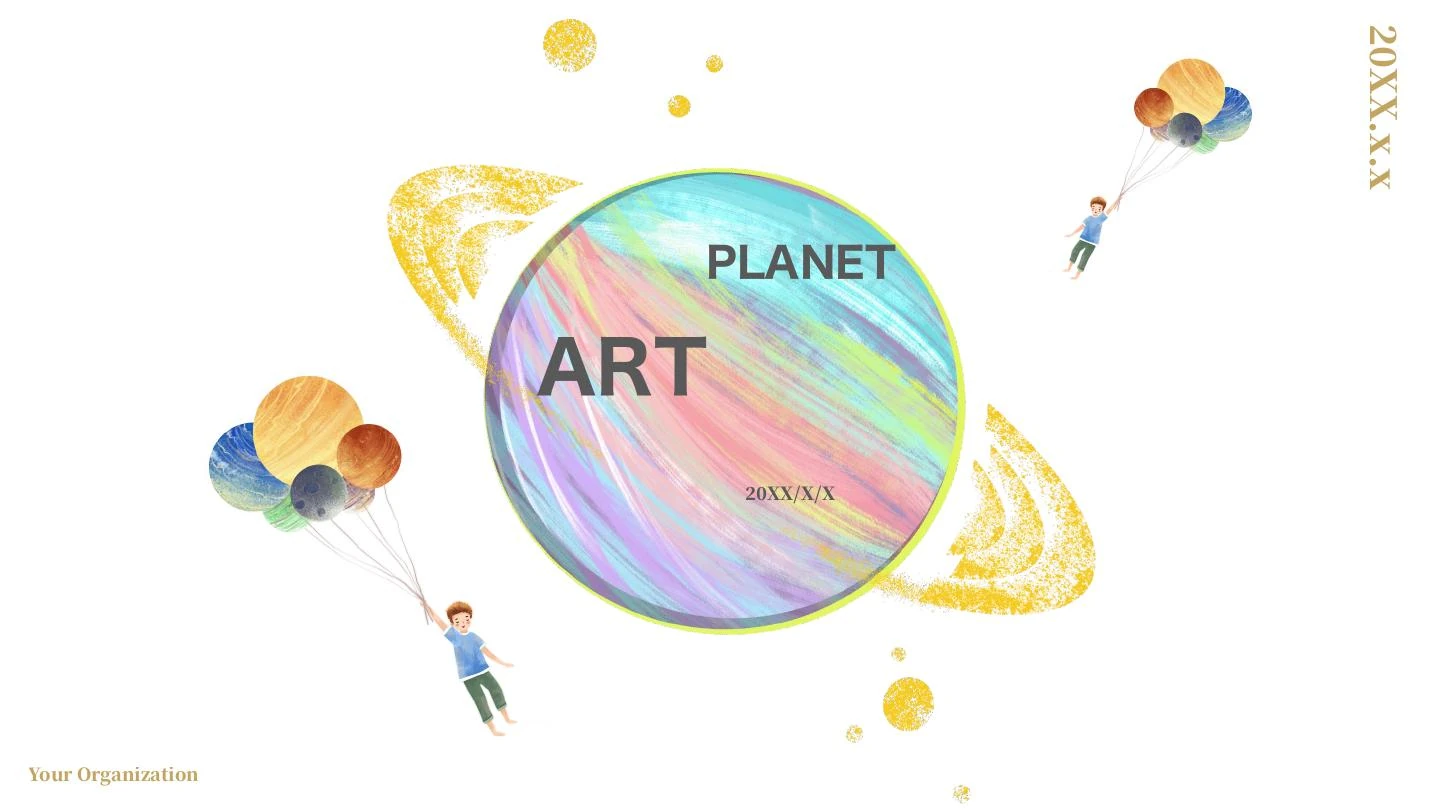
Watercolor Planets Presentation Template places painted planets, golden star textures and a boy lifted by planet balloons on white pages. Watercolor Planets Presentation Template begins with a four-topic contents page and one PART 01 divider, then moves through explanation layouts and comparisons. Four connected circles, planet cards, seven phone nodes and a lightbulb with gears provide places for short ideas. Watercolor Planets Presentation Template has 19 widescreen slides, with two native line charts and a grouped column chart beside separate drawn bars and percentage labels. A paper-plane route has four numbered points; a ten-point timeline uses alternating blue and gold peaks. These are sample layouts and imaginative planet illustrations, not measured results or a precise star map. Watercolor Planets Presentation Template ends with a chart-and-notes page. Replace the prompts, date and figures, choose the pages, and check manually drawn proportions separately from workbook data.
Key Features of Watercolor Planets Presentation Template
Painted planets, connected ideas and editable chart layouts.
Watercolor Planets and Balloons
Watercolor Planets Presentation Template combines painted planets, golden stars and a boy with planet balloons. Keep short headings clear of the illustrated edges.
Four Topics, One Part Divider
Watercolor Planets Presentation Template offers four contents topics and one PART 01 divider. Match the topic labels and page order to your own explanation.
Three Native Chart Objects
Watercolor Planets Presentation Template has two line charts and one grouped column chart. Update their workbooks and inspect series, labels and the comparison.
Manual Proportion Diagrams
Watercolor Planets Presentation Template includes drawn bars and percentages. Check each label and shape length by hand; workbook edits do not update these diagrams.
Circles, Phones and Idea Gears
Watercolor Planets Presentation Template links circles, seven phone nodes and gears in a lightbulb. Give each note one clear idea and keep links easy to follow.
Routes and a Ten-Point Timeline
Watercolor Planets Presentation Template includes a paper-plane route and ten timeline peaks. Replace dates and notes, then check that points match your sequence.
How to Use Watercolor Planets Presentation Template
Choose your pages, replace the examples and check every label.
-
Preview the Illustrated Sequence
Browse all 19 pages of Watercolor Planets Presentation Template. Compare the planet artwork, diagrams and chart pages with your outline, then select layouts that explain your own ideas.
-
Download and Replace the Examples
Download Watercolor Planets Presentation Template with an active paid plan. Open a PowerPoint copy, replace prompts, update chart data and separately edit the manual labels and diagram notes.
-
Check Charts and Drawn Proportions
Review Watercolor Planets Presentation Template on your intended screen. Check chart series, manual percentages, text and fonts, inspect a PDF and keep an editable copy for later updates.
Questions about Watercolor Planets Presentation Template
How do I download Watercolor Planets Presentation Template?
Sign in with an active paid plan and use the download button to save Watercolor Planets Presentation Template. Paid members have unlimited daily and repeat downloads. Watercolor Planets Presentation Template is supplied as an English PowerPoint (.pptx), with native text, shapes, three chart objects and illustration pictures. Keep an original copy of Watercolor Planets Presentation Template before editing and work in a separate file. Replace the sample headings, date, notes and data with your own verified material. The prompts in Watercolor Planets Presentation Template guide the arrangement of ideas; they do not establish verified statistics, a finished lesson or completed project results.
How many slides are in Watercolor Planets Presentation Template?
Watercolor Planets Presentation Template contains 19 slides in a 16:9 format. A four-topic contents page is followed by one PART 01 divider; the source does not include four separate chapter dividers. Watercolor Planets Presentation Template combines connected circles, proportion examples, a paper-plane route, four planet cards, a seven-node phone diagram and a lightbulb with gears. The timeline in Watercolor Planets Presentation Template has ten alternating peaks with sample date labels. Keep the useful pages of Watercolor Planets Presentation Template or duplicate an appropriate layout for extra explanations, then update the contents and sequence. The supplied file finishes with a chart-and-notes page rather than a Thank You closing.
Can I edit text, diagrams and charts in Watercolor Planets Presentation Template?
PowerPoint can edit the native text, shapes and three charts in Watercolor Planets Presentation Template. Two are line charts, and one is a grouped column chart. Update the associated workbooks in Watercolor Planets Presentation Template, then check the selected series, category labels and chart appearance against your intended comparison. Separate percentage labels, role bars, routes and timeline peaks in Watercolor Planets Presentation Template are drawn shapes or text, not additional native charts. Their labels and lengths need manual checking and do not update from workbook data. The watercolor planets and boy in Watercolor Planets Presentation Template remain picture artwork; replace an illustration as an image if a different visual is needed.
Can I preview every page of Watercolor Planets Presentation Template?
Yes. The gallery shows all 19 pages of Watercolor Planets Presentation Template, including the contents, single divider, diagrams, timeline and final chart page. Use thumbnails, arrows or an enlarged preview to compare the arrangements with your outline. The gallery represents the same English Watercolor Planets Presentation Template supplied for download, and the design can be viewed before buying download access. Inspect narrow labels, circle notes and manual percentages in Watercolor Planets Presentation Template at the size your audience will see them. If a point requires several paragraphs, spread the explanation across pages of Watercolor Planets Presentation Template instead of filling the illustrated corners or covering a planet ring.
Can another presentation editor open Watercolor Planets Presentation Template?
An editor with PPTX import may open Watercolor Planets Presentation Template, but fonts, chart support and shape spacing can vary. Compare the imported Watercolor Planets Presentation Template with PowerPoint and the gallery before presenting. Check both line charts, the grouped column chart and their workbook data, then review the separate percentages and bars as manual objects. Watercolor Planets Presentation Template also uses rings, picture transparency, connected circles and a timeline with overlapping peaks. Inspect those details after import. Review a PDF of Watercolor Planets Presentation Template for missing characters, shifted notes, altered chart series and labels that become hidden behind another object.
Which fonts does Watercolor Planets Presentation Template use?
Watercolor Planets Presentation Template retains source references including Arial, Calibri, Roboto condensed, Simply City Light, 思源宋体 CN, 三极趣味广告体, 方正兰亭黑_GBK, 宋体 and 等线, with Calibri Light among theme references. No font files are embedded in Watercolor Planets Presentation Template. An application may use available substitutes when a referenced font is missing, so the same file need not look identical on every device. Choose fonts you are permitted to use and inspect Watercolor Planets Presentation Template on the intended screen. Check the cover, narrow labels, chart text and small diagram notes throughout Watercolor Planets Presentation Template, particularly when a short prompt is replaced by longer text.
Are the slides in Watercolor Planets Presentation Template translated into every site language?
The website descriptions of Watercolor Planets Presentation Template are localised, while the downloadable headings, editing prompts and chart labels are English. All language pages provide the same Watercolor Planets Presentation Template file. The watercolor planet illustrations remain pictures, and their depicted rings, colours and balloon arrangements are artistic choices rather than a precise astronomical model. Original chart numbers and workbook formulas in Watercolor Planets Presentation Template remain examples to replace with verified data. Translate your own explanations in a working copy of Watercolor Planets Presentation Template, keep labels concise and check the complete sequence for wrapping before sharing with an audience using another language.
Can I use Watercolor Planets Presentation Template commercially?
The source design, illustration and font permissions for Watercolor Planets Presentation Template have not been independently verified. A paid plan gives download access; it does not confirm commercial or redistribution rights for every asset in Watercolor Planets Presentation Template. Check the permissions needed for your intended use and retain genuine attribution where required. The planets, balloon boy and example diagrams in Watercolor Planets Presentation Template are design material, not evidence of scientific accuracy or project results. Replace uncertain assets in Watercolor Planets Presentation Template with material you are authorised to use before delivering work to a client, distributing a finished presentation or offering the source file to others.
How do I share Watercolor Planets Presentation Template?
Use the sharing controls or copy this page URL to share Watercolor Planets Presentation Template. Other people can inspect the gallery and download under their own account conditions. Before sharing a finished presentation made with Watercolor Planets Presentation Template, remove private information, replace sample data and confirm illustration and font permissions. Check chart comparisons, manually drawn proportions and the topic sequence, then inspect a PDF of Watercolor Planets Presentation Template on the intended screen. Keep an editable working copy of Watercolor Planets Presentation Template so that dates, workbook values, labels and explanations can be updated for a later version.