

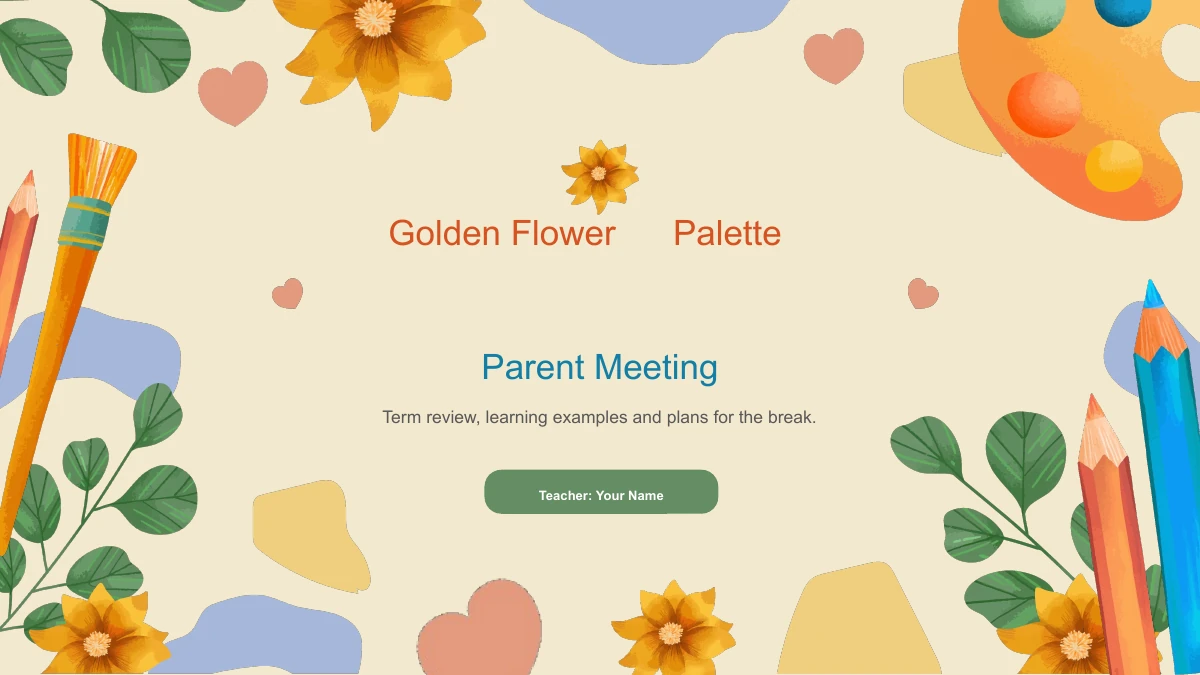
Parents Meeting: golden flowers around a term-end conversation
Golden flowers, green leaves and painting tools frame this 15-slide parents meeting deck. Cream backgrounds leave room for notes, while orange and blue chapter numbers mark Term Review, Learning Review, Holiday Plans and Family Support. Plan your parents meeting around these four topics, choosing from two-point reflections, colored panels and six short notes around a palette. A native column chart lets you compare your own figures; replace its sample data and explain the source and units. Keep the parents meeting focused on your class by replacing the teacher name and sample prompts. Text, shapes and chart data are editable, while the floral illustrations remain images. Review the parents meeting slides for clear labels and readable notes before sharing.
Parents Meeting Features in Golden Flower Palette
Four chapters, floral borders and a chart you can edit.
Floral Parents Meeting Design
Golden flowers and green leaves surround these parents meeting slides. Paint palettes and colored pencils repeat at the edges, leaving a clear area for your notes.
Four Parents Meeting Topics
Plan your parents meeting around Term Review, Learning Review, Holiday Plans and Family Support. Numbered chapter pages clearly mark each new topic.
Editable Parents Meeting Chart
Compare your own figures during the parents meeting with a native column chart. Open its worksheet to replace the sample categories, series labels and values.
Short Points Around a Palette
Two-, four- and six-point layouts offer ways to organize parents meeting notes. Keep each point concise so the paint palette and nearby labels remain clear.
Space for Holiday Plans
Use the colored panels to explain holiday plans at your parents meeting. Separate the main priority from supporting notes, then replace the suggested examples.
Room for Family Discussion
A four-part advice layout helps close your parents meeting with specific discussion points. Add questions families can answer and leave time to hear their views.
How to Use These Parents Meeting Slides
Choose the topics and add information about your class.
-
Plan the Parents Meeting Sequence
Browse all 15 parents meeting previews. Follow the four chapter dividers, compare the chart and note layouts, and decide which pages fit the time you have for discussion with families.
-
Download the Parents Meeting PPTX
Sign in with an active paid plan to download the parents meeting PPTX. Members can download it again without a daily limit. Keep a working copy before adding your class information.
-
Edit the Parents Meeting Examples
Edit the parents meeting text and chart worksheet in PowerPoint. Add your own figures, names and holiday dates, then check every slide and any exported PDF carefully before sharing it.
Golden Flower Parents Meeting Questions
How do I download the parents meeting template?
Sign in with an active paid membership and choose Download PPTX. Members have unlimited daily downloads and can download this parents meeting file again.
What does the parents meeting file include?
The parents meeting deck has 15 widescreen slides: a cover, agenda, four dividers, eight content layouts and a closing page.
Which parts of the parents meeting slides can I edit?
Edit parents meeting text, shapes and the native column chart in PowerPoint. Use its worksheet for data; painted illustration details remain part of the images.
Can I preview all the parents meeting slides?
Yes. The parents meeting gallery shows all 15 pages. Use its arrows or thumbnails and inspect the chart labels and six-note palette layout.
Which editor should I use for the parents meeting slides?
Use PowerPoint for the parents meeting PPTX. Google Slides and Keynote are untested; check fonts, illustrations, animation and the chart after importing elsewhere.
Which font do the parents meeting slides use?
These English parents meeting slides use Arial. If it is substituted, check line breaks and chart labels; keep longer comments in your speaking notes.
Does the parents meeting download follow the website language?
Every website language supplies the same English parents meeting PPTX and previews. Website copy and image explanations are localized; translate slide text in your working copy.
Can I use the parents meeting template commercially?
A paid download does not extend rights to source illustrations or fonts. Check permissions for your intended parents meeting use and keep relevant credits.
How should I share my parents meeting slides?
Review the parents meeting in slideshow mode and check any PDF export. Share the template page link to recommend the design; use editable copies only where permitted.