Learn Together Presentation Template: Choose What Your Learners Need
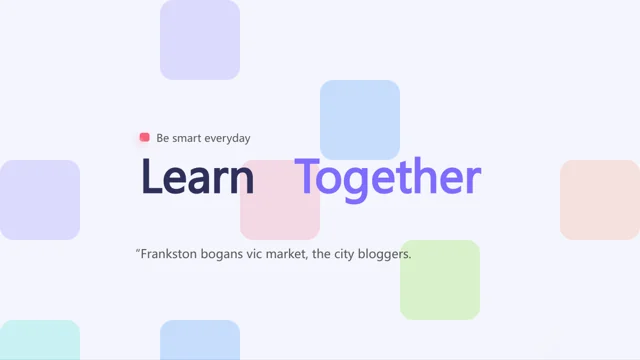
Learn Together Presentation Template is a collection of educational layouts rather than a finished course. Its 100 slides use purple, pink and blue with geometric, minimalist styling. Learn Together Presentation Template includes preschool, high-school and college sections, questions, diagrams and class information. Begin with a learning goal and choose a focused sequence. The student names, grades, percentages and lesson prices in Learn Together Presentation Template are placeholders; replace them with suitable, authorized teaching material.
Key Features of Learn Together Presentation Template
Questions and diagrams at a glance.
Educational sections
Choose a suitable educational section in Learn Together Presentation Template.
Question pages
Ask a clear question with Learn Together Presentation Template.
Connected ideas
Match Learn Together Presentation Template diagrams to your lesson.
Numerical examples
Replace sample grades and percentages in Learn Together Presentation Template.
Class information
Use Learn Together Presentation Template for goals or class orientation.
Soft geometric styling
Check contrast in the soft palette of Learn Together Presentation Template.
How to Use Learn Together Presentation Template
Start with a goal and keep a focused lesson.
-
Choose lesson pages
Choose explanation and activity pages in Learn Together Presentation Template.
-
Download and adapt
Download Learn Together Presentation Template with a paid plan. Daily downloads are unlimited.
-
Teach and review
Edit Learn Together Presentation Template and test questions on your classroom screen.
Questions About Learn Together Presentation Template
How do I download Learn Together Presentation Template?
An active paid plan is required to download Learn Together Presentation Template. Paid members have unlimited daily downloads.
Is Learn Together Presentation Template a complete course?
No. Learn Together Presentation Template contains 100 layouts in 16:9 format. Supply your own lesson content and sequence.
Can I use only a few pages of Learn Together Presentation Template?
Yes. Choose the pages of Learn Together Presentation Template that support your learning goal and delete unrelated sections from your copy.
Are preschool pages in Learn Together Presentation Template suitable for every child?
The label is not a teaching review. Assess vocabulary, density and activities in Learn Together Presentation Template for your actual learners.
Can I add real student details to Learn Together Presentation Template?
Use only information you may include and share. Student names, grades and totals in Learn Together Presentation Template are placeholders.
Which fonts does Learn Together Presentation Template use?
Learn Together Presentation Template uses Arial, ScoutCond Bold, Wingdings, 微软雅黑. Check line breaks and labels after changing fonts.
Are the lessons in Learn Together Presentation Template translated?
Learn Together Presentation Template retains English source slides. Write your lesson in the required language and review question length.
Can I use Learn Together Presentation Template in a paid course?
Check the source license and image permissions before distributing Learn Together Presentation Template. Membership adds no usage rights; retain required attribution.
How can another teacher preview Learn Together Presentation Template?
Share the page link for the original layouts of Learn Together Presentation Template. Send your edited lesson separately for teaching feedback.