Red Corner Job Application Presentation Template: Present Your Experience and Plan
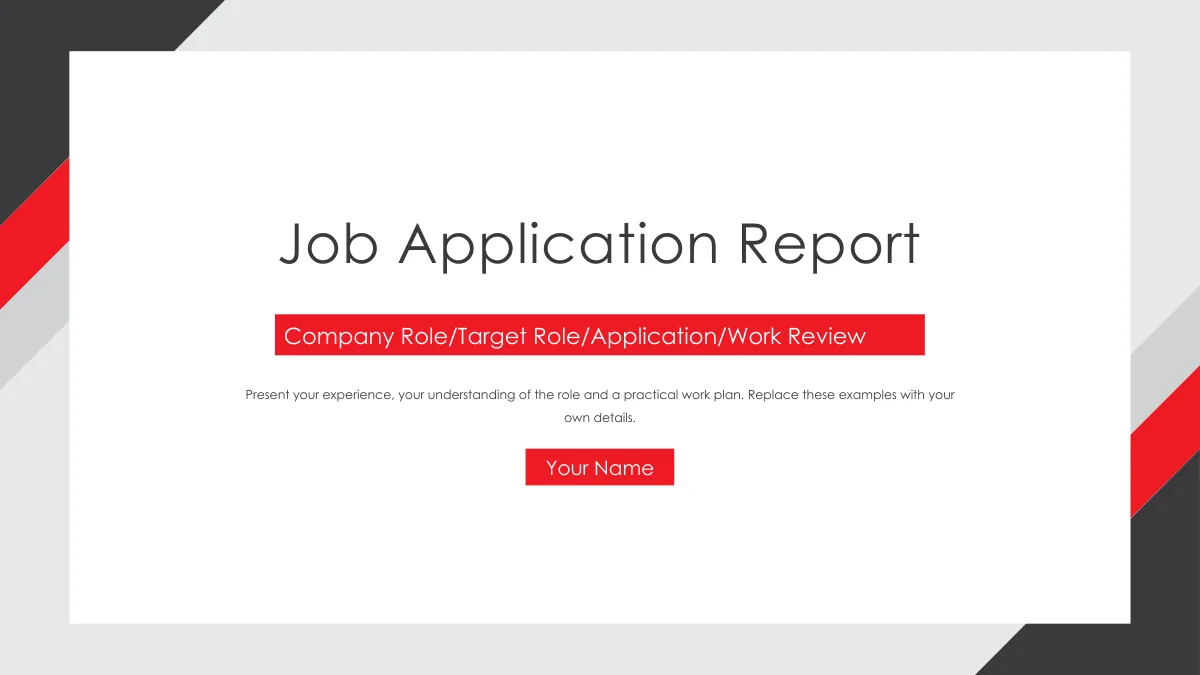
Red Corner Job Application Presentation Template: red corners, charcoal panels and a white frame give your application a clear visual structure. The 16 slides move through a personal profile, an explanation of the role, your strengths and a practical plan. A circular office photograph sits beside editable profile fields; the work-history page provides three entries with dates and short notes. Red Corner Job Application Presentation Template also uses six-icon grids, grouped squares and a central strengths circle to separate related points. The final planning page connects four numbered actions along a line, while a Thank You page closes the sequence. Use Red Corner Job Application Presentation Template to connect your background with the work you want to do. Replace the sample names, dates and prompts with accurate details, and choose examples that support each point. The office and planner photographs provide visual context; they do not document your own experience.
Key Features of Red Corner Job Application Presentation Template
Red Corner Job Application Presentation Template brings your background, role understanding and next actions into one clear sequence.
Red and Charcoal Corners
Red Corner Job Application Presentation Template frames white pages with red and charcoal corners. Match this angular style with short titles and focused points.
Four Parts of Your Application
Red Corner Job Application Presentation Template separates profile, role, strengths and planning. Its four numbered dividers make the order easy to follow.
A Personal Profile Panel
Red Corner Job Application Presentation Template pairs an office photo with a dark profile panel. Replace name, education and location fields with your details.
Three Work History Entries
Red Corner Job Application Presentation Template includes three role entries beside a planner photo. Add accurate dates and a responsibility or result for each.
Icons for Role and Strengths
Red Corner Job Application Presentation Template uses icon grids, grouped squares and a central circle. Give each area a useful example rather than a long list.
A Four-Action Role Plan
Red Corner Job Application Presentation Template links four numbered circles with a line. Set out practical actions and explain how you will check their progress.
How to Use Red Corner Job Application Presentation Template
Preview Red Corner Job Application Presentation Template, download the English file and build your own application.
-
Preview the Whole Application
Browse all 16 pages of Red Corner Job Application Presentation Template. Compare the profile, three work entries and four-action plan, then select layouts that support your own application.
-
Download Your Working Copy
Sign in with an active paid plan to download Red Corner Job Application Presentation Template. Daily downloads are unlimited, including repeats. Keep a clean copy and edit a separate file.
-
Replace, Review and Share
Edit Red Corner Job Application Presentation Template with your details, dates and examples. Check text fit and the four plan actions, then save the PPTX or export a PDF to share your application.
Red Corner Job Application Presentation Template FAQ
How do I download Red Corner Job Application Presentation Template?
Download Red Corner Job Application Presentation Template with an active paid plan. Daily downloads are unlimited and repeat downloads are allowed. Red Corner Job Application Presentation Template is supplied as an English PPTX. Save a clean copy of Red Corner Job Application Presentation Template before editing, so you can return to the original layouts. Choose the sections of Red Corner Job Application Presentation Template that fit the role and add your own information.
How many slides are in Red Corner Job Application Presentation Template?
Red Corner Job Application Presentation Template has 16 slides in 16:9 format. Dividers on pages 3, 6, 10 and 13 introduce the profile, role, strengths and plan. Red Corner Job Application Presentation Template opens with a report cover and contents; page 16 says Thank You. The count of Red Corner Job Application Presentation Template includes all four dividers. Keep or remove pages of Red Corner Job Application Presentation Template according to the time available.
Can I change the text, colors and diagrams?
Ordinary text and native shapes in Red Corner Job Application Presentation Template can be edited. Adjust the red corners, dark panels and labels to suit your content. Red Corner Job Application Presentation Template contains manual icon layouts and a four-action line, with no native chart or linked workbook. Change the text around those shapes directly. Photographs in Red Corner Job Application Presentation Template are images; replace them as images when needed.
Can I see every slide before downloading?
The preview shows all 16 pages of Red Corner Job Application Presentation Template in their original order. Enlarge the personal profile panel and work-history page in Red Corner Job Application Presentation Template to judge the space for names and dates. Compare the six-icon grid with the circle layout before choosing a strengths page. The complete gallery of Red Corner Job Application Presentation Template also shows the final plan and closing. Download Red Corner Job Application Presentation Template once the sequence suits your outline.
Can I edit Red Corner Job Application Presentation Template in another presentation app?
An editor that supports PPTX may open Red Corner Job Application Presentation Template. Import behavior varies, so check corner shapes, grouped icons, photo crops and text wrapping. Keep the original Red Corner Job Application Presentation Template while testing your chosen app. Review the narrow profile fields and divider titles after changing fonts. Export your edited Red Corner Job Application Presentation Template as a PDF when a fixed layout is useful for sharing.
Which font does Red Corner Job Application Presentation Template use?
The final English text in Red Corner Job Application Presentation Template uses Century Gothic Regular. Fonts are not embedded in Red Corner Job Application Presentation Template. Use the matching face or choose a replacement and check every page. Short profile fields in Red Corner Job Application Presentation Template need particular attention because a wider font can force a name or label onto another line. Compare your edited Red Corner Job Application Presentation Template with the preview before presenting.
Are the slides translated when I change the website language?
The language selector translates the website description of Red Corner Job Application Presentation Template. Every language provides the same English PPTX. Editable headings and prompts in Red Corner Job Application Presentation Template are English. Original printing in office and planner photographs remains part of the images. To make a different language deck from Red Corner Job Application Presentation Template, translate its editable text and review the fit. The website translation does not create another PPTX.
Can I use Red Corner Job Application Presentation Template for commercial work?
Review the terms that apply to Red Corner Job Application Presentation Template and any materials you retain. Paid access to Red Corner Job Application Presentation Template does not grant additional rights to third-party photographs or brands. Original creator information remains in the file. Names, dates and institutions in Red Corner Job Application Presentation Template are placeholders rather than a verified biography. Check your own content and any replacement photographs before distributing an edited Red Corner Job Application Presentation Template.
How can I share Red Corner Job Application Presentation Template?
Use the share buttons on the Red Corner Job Application Presentation Template page or copy its page link. A colleague can review the full preview of Red Corner Job Application Presentation Template; downloading requires their own active paid plan. Share your finished application as an edited PPTX or exported PDF. Keep the Red Corner Job Application Presentation Template page link separate from your personal details. Red Corner Job Application Presentation Template supplies the starting layout, while your finished file contains your own information.