Sky Blue Angles Teaching Review Presentation Template: connect classroom work with next steps
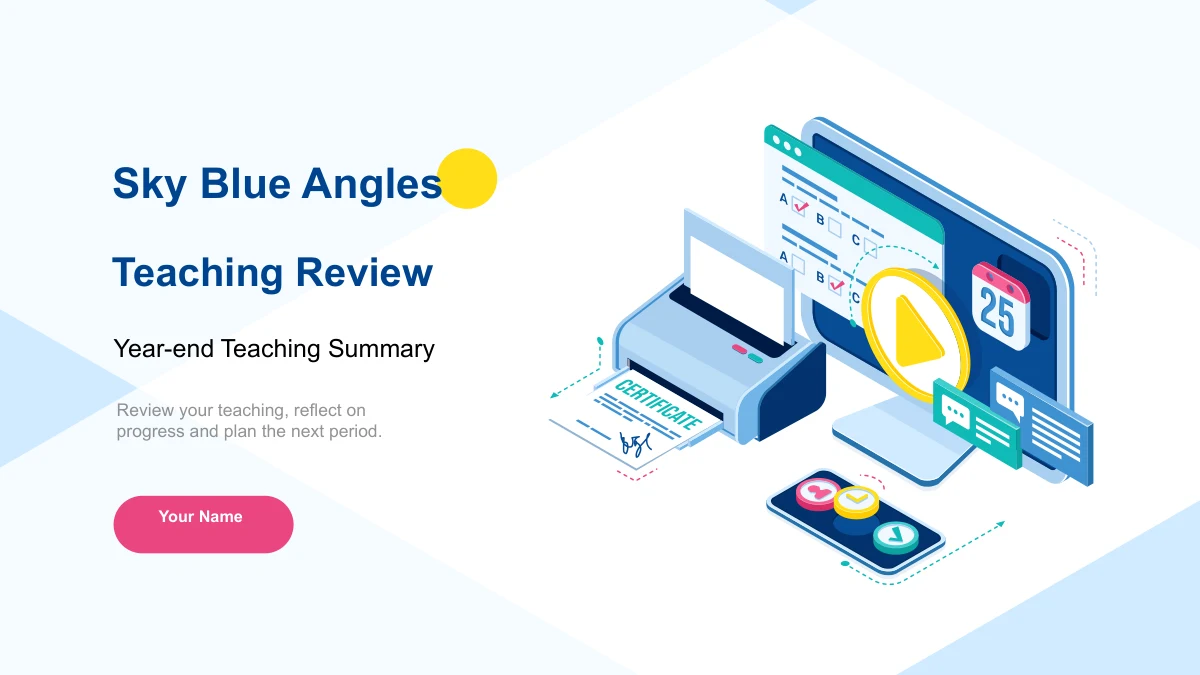
Sky Blue Angles Teaching Review Presentation Template offers a structured way to reflect on a teaching period. Pale blue diagonal corners leave clear white space for your main points, while pink labels and small yellow dots mark important details. The 20 widescreen slides move through Teaching Work, Achievements, Teaching Experience and Teaching Plans. Begin with what you did, use photos and a two-series column chart to show supporting evidence, then explain what you learned and what comes next. Three-card layouts suit short examples; hexagons, linked circles and branching notes help organize reflection without a long paragraph. The supplied English prompts and figures are examples, so add your own teaching context and verified results. Keep each section focused on a few useful points, choose layouts that fit the evidence you have, and finish with specific priorities for the next period.
Key Features of Sky Blue Angles Teaching Review Presentation Template
Blue corners, pink accents and room for reflection.
Sky-Blue Corners and Pink Labels
Pale diagonal corners frame white pages. Pink bars, rounded labels and small yellow dots connect the cover, chapter dividers and closing teaching-review slide.
Four Review Chapters
Teaching Work, Achievements, Teaching Experience and Teaching Plans provide four stages. Matching dividers help your audience follow the review and its next steps.
Photos beside Short Examples
Desk, laptop and teamwork photos sit in cards or beside text. Use the three-card pages to compare approaches and the wider photo layout to explain one example.
Editable Column Chart
A native column chart compares two series across four categories. Edit its workbook data and labels, then use the side notes to explain what the comparison means.
Reflection through Diagrams
Hexagons, people icons and branching points organize teaching experience. The separate 98% and 74% labels are examples to replace with figures from your review.
Priorities and an Action Sequence
Two blue-and-pink callouts give priorities their own space. A four-stage Prepare, Teach, Observe and Review sequence helps turn a broad plan into clear actions.
How to Use Sky Blue Angles Teaching Review Presentation Template
Review the year, add evidence and plan ahead.
-
Preview the Review Structure
Browse all 20 slides and map your notes to the four chapters. Choose photo cards for examples, the chart for comparisons, and the planning pages for the actions you want to take next.
-
Download and Add Your Evidence
Download the PPTX with an active paid membership. Replace the prompts, presenter name and example figures. Update the chart workbook and explain the meaning of each series and category.
-
Check and Share Your Review
Check the chart, photo crops and short diagram labels in your presentation app. Rehearse the transition from results to priorities, then export or share the version your usage terms allow.
Questions about Sky Blue Angles Teaching Review Presentation Template
How do I download Sky Blue Angles Teaching Review Presentation Template?
An active paid membership provides access to the English PowerPoint file, with unlimited daily and repeat downloads. Save a working copy before replacing the prompts so you can reuse the supplied layouts for a later teaching review.
How many slides are included?
There are 20 slides in a 16:9 format: a cover, contents page, four chapter dividers, supporting layouts and a Thank You page. The four chapters cover teaching work, achievements, experience and plans. They form a review framework rather than a completed report about a particular school or teacher.
Can I edit the text, colors and chart?
Yes. Editable text and shapes can be adjusted, and the native clustered column chart has two series and four categories linked to an embedded workbook. Replace its data and labels together. The 98% and 74% figures on the hexagon page are independent text examples, not linked chart values. Photographs remain images.
Can I see the whole presentation before downloading?
The gallery displays all 20 pages in their original order. Check the photo cards, chart, reflection diagrams and planning sequence before choosing the layouts you need. The previews show the same English Sky Blue Angles design supplied in the download.
Does it work in Google Slides or Keynote?
The file is supplied as a PowerPoint PPTX. Google Slides and Keynote compatibility has not been tested. If you import it, check the chart and workbook behavior, grouped shapes, picture crops, fonts and animation order in that application before presenting.
Which font does the English file use?
Editable English text uses Arial, including bold text where needed. No font files are embedded. Make sure Arial is available, then check wrapping after replacing the prompts, especially in the small photo cards, hexagon labels and colored planning callouts.
Is the downloaded presentation in English?
Yes. The downloadable slides, chapter headings, chart labels and teaching prompts are in English. All localized website pages link to this same English PPTX. Replace Your Name and the sample content with your own material; the review statements and figures are not verified results.
What should I check before commercial use?
Membership gives download access but does not extend rights to third-party materials. Check the applicable source and redistribution terms before commercial use or sharing an editable file. Make sure you may use any photos, classroom examples or learner work you add, and avoid including private student information.
How can I share my finished teaching review?
Share this template page when colleagues want to inspect the design. Where your usage terms permit, send your edited presentation or export after checking every page. Keep a separate editable copy so you can update the evidence and priorities for the next teaching period.