Ultra Modern Presentation Template: bold lettering and a varied photo sequence
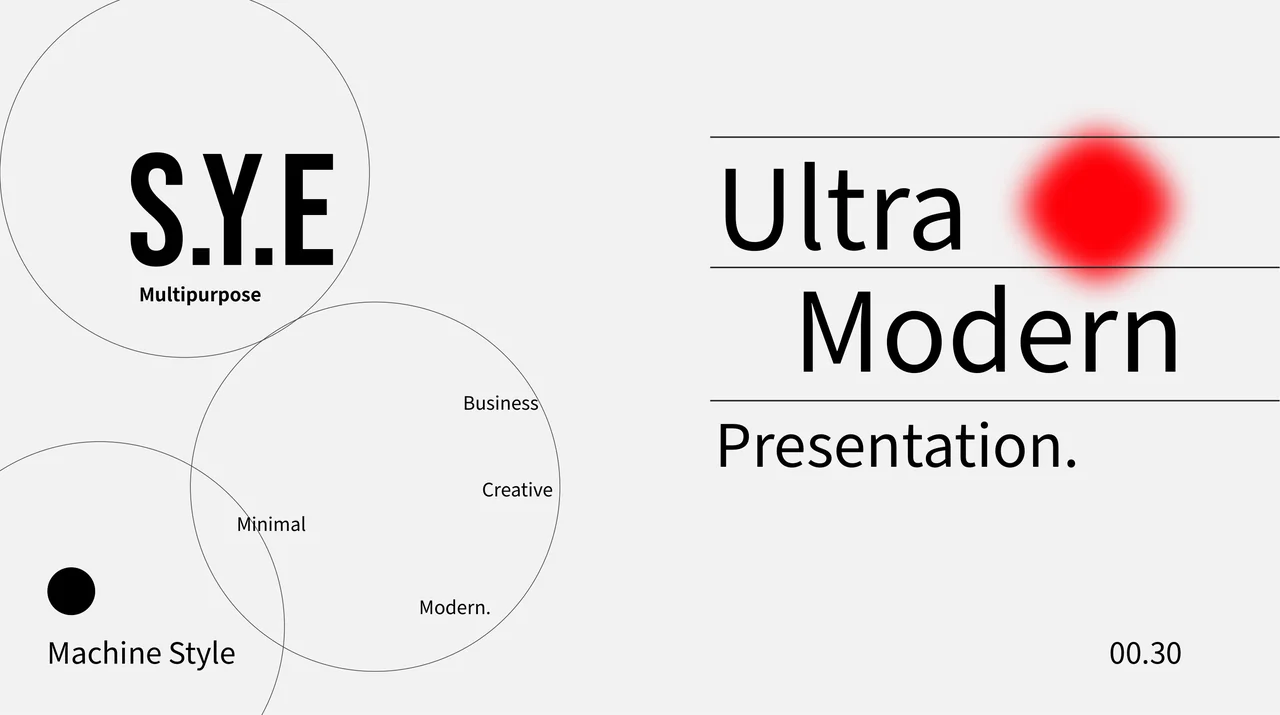
Ultra Modern Presentation Template pairs pale-grey pages with fine circles, blurred red accents and large black lettering. Its 30-page sequence moves through introductions, studio and work layouts, image comparisons, schedule prompts and static phone mockups. Ultra Modern Presentation Template combines tall portraits, small photo strips and a collage with editable areas for explaining your own work. A native line chart appears on a reporting page alongside photographs and supporting text. In Ultra Modern Presentation Template, scattered S.Y.E and LYS letterforms, arrows and thin rules create a consistent visual rhythm. The original page ratio is 1.79:1. Ultra Modern Presentation Template supplies English guidance to replace with accurate project details; the sample names, dates and figures are not verified information about your organization. Choose a useful order, write short captions and check the relationship between each picture and its text before sharing.
Key Features of Ultra Modern Presentation Template
Large type, fine outlines and photographs in varied proportions.
Circles and Blurred Accents
Ultra Modern Presentation Template uses fine circles and blurred red accents on pale pages. Keep new text clear of these details and check the small captions.
Large Lettering and Rules
Ultra Modern Presentation Template combines headings, S.Y.E and LYS letters with thin rules. Keep titles short enough to fit without crowding nearby objects.
Portraits and Photo Collages
Ultra Modern Presentation Template arranges portraits, narrow strips and a collage. Retain picture proportions and use captions to identify your own contribution.
Native Line Chart
Ultra Modern Presentation Template has a line chart and workbook. Replace its three-series data, then check categories, the legend and labels against your results.
Schedules and Project Prompts
Ultra Modern Presentation Template pairs time, place and date layouts with project text. Use checked details and keep the proposed sequence easy to follow.
Static Phone Mockups
Ultra Modern Presentation Template ends with two phone mockup pages. Their screens are static artwork; add your own screenshots instead of using them as working forms.
How to Use Ultra Modern Presentation Template
Select the work, replace the examples and review the sequence.
-
Choose the Work to Present
Browse all 30 pages of Ultra Modern Presentation Template. Select photo and text layouts for your projects, decide their order and keep the native chart only when it supports your explanation.
-
Replace the Source Examples
Download Ultra Modern Presentation Template with an active paid plan. Save a copy, add project text and images, update the chart data, and replace sample names, dates and schedule labels.
-
Review the Finished Sequence
View Ultra Modern Presentation Template at presentation size. Check picture crops, title spacing, chart labels and the static mockups, then inspect the exported PDF before sharing your work.
Questions about Ultra Modern Presentation Template
What is included in Ultra Modern Presentation Template?
Ultra Modern Presentation Template contains 30 PowerPoint slides in the original 1.79:1 format. The pages combine large black type, pale backgrounds, circles, arrows and photographs. Ultra Modern Presentation Template includes introduction and studio layouts, work comparisons, a photo collage, schedule prompts and two static phone mockup pages. Ultra Modern Presentation Template also contains one native line chart with a linked workbook. The supplied wording guides you in describing your own material; it is not a completed business report or verified portfolio. Browse Ultra Modern Presentation Template page by page to compare the text areas and picture proportions with the work you want to present.
Can I replace the photographs in Ultra Modern Presentation Template?
Ultra Modern Presentation Template uses photographic picture objects in tall, wide and narrow areas. In Ultra Modern Presentation Template, some photographs overlap rules, letters or outlined frames, so check the visible edge and crop after replacing a picture. Ultra Modern Presentation Template does not verify the identity of the photographed people or the location of a scene. A sample image does not establish that you created the pictured work. Follow the applicable terms for your replacement images, and retain their proportions rather than stretching them. Review Ultra Modern Presentation Template at presentation size to make sure the intended subject remains clear.
How do I edit the chart in Ultra Modern Presentation Template?
Ultra Modern Presentation Template includes a native line chart on the reporting page. It contains three series, four categories and a linked embedded workbook. Open the chart data in PowerPoint before entering your checked results. In Ultra Modern Presentation Template, changing a nearby paragraph does not update the chart values. Replace the sample category and series labels with descriptions that match your data, then inspect the legend and axis labels. Ultra Modern Presentation Template retains its original numerical examples for you to replace; they are not results for your organization. Review the chart in Ultra Modern Presentation Template alongside the supporting text so that both explain the same comparison.
How should I adapt the schedule in Ultra Modern Presentation Template?
Ultra Modern Presentation Template provides pages with time, place, date and numbered prompts. These are examples for arranging your own details, not a confirmed event schedule. In Ultra Modern Presentation Template, decide which pages your audience needs before adding a location or a time. State the relevant date clearly and use a consistent format throughout the sequence. Ultra Modern Presentation Template does not book a venue, calculate a duration or verify the original sample amounts. Check the labels against your actual plan, including the order of the numbered items. Review Ultra Modern Presentation Template from beginning to end after rearranging the schedule pages.
Are the phone mockups in Ultra Modern Presentation Template interactive?
Ultra Modern Presentation Template ends with two pages that show a phone frame and a sample screen picture. They are static presentation artwork. In Ultra Modern Presentation Template, the visible user-name fields, password fields, buttons and social symbols do not create a working login or application. You can replace the screen picture with a screenshot that helps explain your own project. Ultra Modern Presentation Template keeps the original image lettering and source marks inside the supplied artwork. Keep an appropriate crop inside the phone frame, and use a caption to explain what the audience is seeing. Preview Ultra Modern Presentation Template after replacement to check alignment and readability.
Can I change the style of Ultra Modern Presentation Template?
Ultra Modern Presentation Template uses large black lettering, fine circles, thin rules and blurred colour accents on a pale ground. Select an object before editing it to distinguish text, a shape and image artwork. In Ultra Modern Presentation Template, changing a shape colour does not recolour a photograph or replace lettering stored inside a picture. Keep the title short when it sits close to a photo or frame. Ultra Modern Presentation Template also uses decorative S.Y.E and LYS letterforms; consider how their spacing relates to the surrounding layout before changing them. Check Ultra Modern Presentation Template at the intended display size after adjusting the palette or typography.
Which fonts does Ultra Modern Presentation Template use?
Ultra Modern Presentation Template uses Source Han Sans SC Regular and Bold, with Bebas Neue for the decorative lettering in its prepared English file. No font files are embedded in the PPTX. Open Ultra Modern Presentation Template on your editing computer and inspect the large headings, narrow labels and decorative letterforms before exporting. A different font may change the spacing or line breaks even when the text stays the same. In Ultra Modern Presentation Template, check the chart labels separately from the nearby slide text. Lettering inside a photograph or static phone screen remains part of the image and does not follow a text font change. Save an editable copy of Ultra Modern Presentation Template and inspect the exported PDF for missing characters or words that no longer fit their original areas.
How do I download Ultra Modern Presentation Template?
Ultra Modern Presentation Template is available to members with an active paid plan. Sign in and use the PPTX download button on this detail page. Paid members can download Ultra Modern Presentation Template without a daily limit, including repeat downloads. Browse all 30 preview pages before selecting the file. Save a working copy of Ultra Modern Presentation Template before replacing pictures, headings, chart data or project details. You can edit the downloaded PowerPoint file directly without generating a new presentation first. Ultra Modern Presentation Template provides an initial visual sequence for your own project information and a selection of photo, reporting and schedule layouts.
What should I check before sharing Ultra Modern Presentation Template?
Ultra Modern Presentation Template needs a final review of titles, photo captions, chart data and schedule details after editing. Replace the remaining sample wording and check that each page supports the work you want to explain. View Ultra Modern Presentation Template at presentation size, especially narrow captions, static phone screenshots and the chart legend. Ultra Modern Presentation Template does not grant an additional licence to the original photographs or source artwork. Follow the applicable original terms and distinguish your own work from visual references. Share the Ultra Modern Presentation Template page link when another person needs to preview or obtain the template for themselves.