Blue Desk Work Review Presentation Template: Results with Context
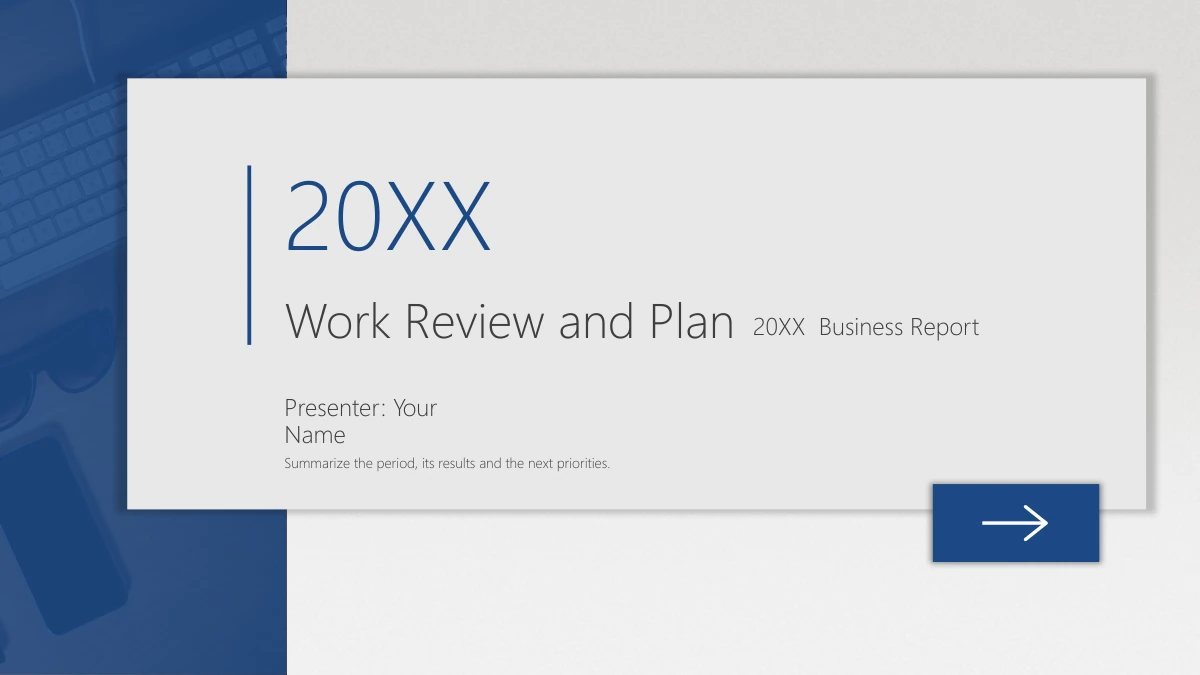
Use Blue Desk Work Review Presentation Template to turn a work period into an account of your results, evidence and next steps. A blue-tinted desk photograph anchors the left edge, while raised cards and shadows give each topic its own space. Blue Desk Work Review Presentation Template moves through lessons, results, data analysis and a next plan, with four numbered dividers separating the discussion. The 19-slide file includes photo panels, icon-led notes, a line chart, four doughnut charts and a column comparison with triangular picture fills. Keep the central percentage labels separate from the chart figures when editing. Blue Desk Work Review Presentation Template supplies English prompts rather than a completed report: add your own period, sources, outcomes and responsibilities. Desk photographs are illustrative, and their original physical lettering remains. Review every page of Blue Desk Work Review Presentation Template before downloading so you can choose suitable layouts.
Key Features of Blue Desk Work Review Presentation Template
A desk-inspired structure for lessons, evidence, comparisons and a practical next plan.
Blue Desk Backdrop and Raised Cards
Blue Desk Work Review Presentation Template uses a blue desk strip and pale cards with soft shadows. Keep good contrast as you adapt the headings and notes.
Four Stages for a Work Review
Blue Desk Work Review Presentation Template separates lessons, results, analysis and a next plan with numbered dividers. Choose details that support each stage.
Six Native Charts with Workbooks
Blue Desk Work Review Presentation Template includes a line chart, four doughnuts and a column comparison. Edit their workbook labels and values for your review.
Separate Center Percentage Labels
Blue Desk Work Review Presentation Template places manual percentages inside its four doughnuts. Update these text labels separately from the chart data.
Photo Panels and Icon-Led Notes
Blue Desk Work Review Presentation Template pairs desk photos with concise icon-led notes. Describe your evidence without treating the pictures as project proof.
A Practical Plan and Discussion
Blue Desk Work Review Presentation Template ends with action cards and a Thank You slide. Add priorities, owners and review points that fit your own work.
How to Use Blue Desk Work Review Presentation Template
Preview the full sequence, download with a paid membership, then edit and share your work.
-
Preview All 19 Slides
Browse every page of Blue Desk Work Review Presentation Template. Compare the lesson cards, photo panels and chart pages, then decide which layouts suit the work period you will explain.
-
Download the English PPTX
Use a valid paid membership to download Blue Desk Work Review Presentation Template. Daily downloads are unlimited, including repeat downloads; save an editable copy for your own report.
-
Edit, Check and Share
Replace the prompts and sample figures in Blue Desk Work Review Presentation Template. Check chart labels, manual percentages and photo crops, then save the PPTX or export a PDF to share.
FAQs About Blue Desk Work Review Presentation Template
How do I download Blue Desk Work Review Presentation Template?
Blue Desk Work Review Presentation Template is available to valid paid members. Open the download control on this page to get the English PPTX. Daily downloads of Blue Desk Work Review Presentation Template are unlimited, including repeat downloads. Save an original copy before editing Blue Desk Work Review Presentation Template, so you can reuse the layouts for another period and begin with a clean file when needed.
How many pages does Blue Desk Work Review Presentation Template include?
Blue Desk Work Review Presentation Template has 19 slides, with numbered dividers on pages 3, 7, 11 and 15. Blue Desk Work Review Presentation Template groups lessons, results, data analysis and a next plan, then closes with Thank You. Its chart section contains six native charts with six embedded workbooks. Use Blue Desk Work Review Presentation Template in full or select the pages that suit the length of your review.
Can I change the text and colors in Blue Desk Work Review Presentation Template?
Blue Desk Work Review Presentation Template has editable headings, prompts, labels and shapes. Replace its guidance with your own account, and keep text contrast clear when adjusting colors. The photographs in Blue Desk Work Review Presentation Template can be replaced; check their crops afterward. The doughnut center percentages in Blue Desk Work Review Presentation Template are separate text objects, so update them by hand alongside the chart figures.
Can I preview the complete Blue Desk Work Review Presentation Template?
Yes. This page shows all 19 slide previews for Blue Desk Work Review Presentation Template in file order. Look closely at the chart pages of Blue Desk Work Review Presentation Template, the dividers and the planning cards. Judge the spacing, photo placement and text capacity of Blue Desk Work Review Presentation Template before downloading. Previewing Blue Desk Work Review Presentation Template helps you choose useful pages and plan what to add for your audience.
Will Blue Desk Work Review Presentation Template work in other presentation editors?
Blue Desk Work Review Presentation Template is an editable PPTX. Test a copy in another compatible presentation editor and compare it with the previews. Check the fonts, soft shadows, photo crops and chart labels in Blue Desk Work Review Presentation Template, since applications can display them differently. Recheck the charts and embedded data in Blue Desk Work Review Presentation Template before presenting or exporting your finished review.
Which fonts does Blue Desk Work Review Presentation Template use?
Blue Desk Work Review Presentation Template uses Microsoft YaHei Light for visible English text and chart labels. This font is not embedded in Blue Desk Work Review Presentation Template. If your editor substitutes a font in Blue Desk Work Review Presentation Template, inspect narrow headings for changed wrapping. The original light-font styling remains in Blue Desk Work Review Presentation Template, so compare the edited pages with the previews as well as checking the font name.
Is the text inside Blue Desk Work Review Presentation Template translated into every website language?
Blue Desk Work Review Presentation Template downloads as the same English PPTX from every website language version. The page for Blue Desk Work Review Presentation Template translates its description and picture explanations rather than supplying 15 separate files. Blue Desk Work Review Presentation Template contains English editable sample guidance, which you can rewrite for your audience. Original lettering printed on objects in the photographs remains part of those images in Blue Desk Work Review Presentation Template.
Can I use Blue Desk Work Review Presentation Template for commercial work?
Blue Desk Work Review Presentation Template can help you prepare a work review within the terms of your download access. Check applicable rights before using or distributing third-party material in Blue Desk Work Review Presentation Template. Your download does not grant additional rights to photographed brands, photographs or fonts. Use verified business information, and replace material needing separate permission when adapting Blue Desk Work Review Presentation Template for clients.
How can I share Blue Desk Work Review Presentation Template with others?
Use the share buttons or send the link to this Blue Desk Work Review Presentation Template page so others can preview it and obtain their own eligible download. After editing Blue Desk Work Review Presentation Template, save your presentation or export a PDF to share the review. Before distributing the editable Blue Desk Work Review Presentation Template file or included material, check the applicable access and third-party rights.