Sky Architecture Portfolio Presentation Template: white buildings, blue skies and a restrained photo album
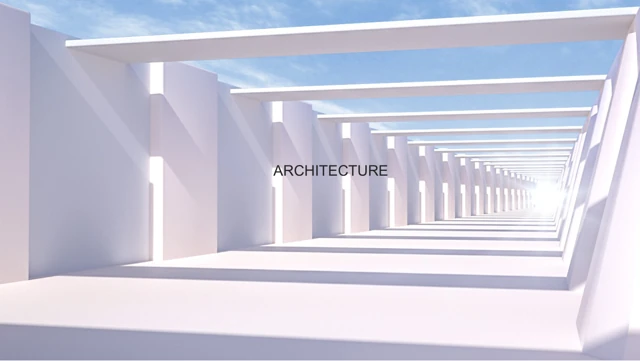
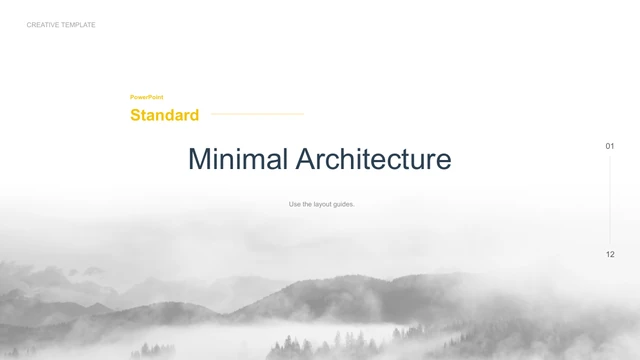
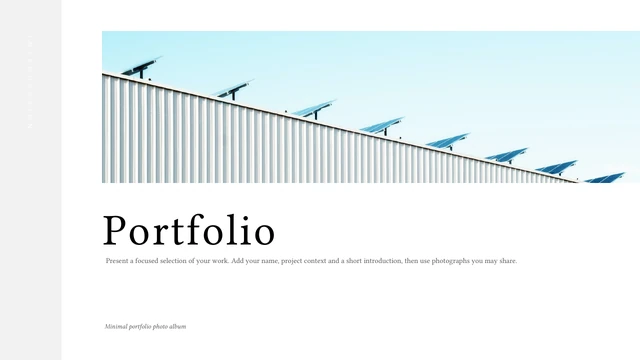
Sky Architecture Portfolio Presentation Template places pale blue building photographs on white pages. Grey edge bands, thin rules and italic headings give the image layouts a quiet rhythm. The Portfolio opening and Thank You closing use matching roof photographs. Sky Architecture Portfolio Presentation Template contains 10 widescreen slides. A full-width photo page sits alongside square image-and-note layouts, tall architectural views and a three-photo composition. Short captions and larger text areas let you explain a selected project without turning the album into a long report. Sky Architecture Portfolio Presentation Template is a starting point for presenting your own work. Choose images that show a useful view or detail, then add the project context and your contribution. Keep headings brief and check each crop against the building lines. Review all pages before downloading to decide which layouts suit your photographs.
Key Features of Sky Architecture Portfolio Presentation Template
Pale blue photos, white space and varied architectural views.
Matching Photo Bookends
Sky Architecture Portfolio Presentation Template repeats the roof image on opening and closing pages. Keep a consistent view to connect your first and final message.
A Wide Image Page
Sky Architecture Portfolio Presentation Template gives one image a wide panel. Keep the caption brief and check that the key building detail survives the crop.
Tall Architectural Views
Sky Architecture Portfolio Presentation Template uses tall images beside notes. Add an upright view or detail and keep building lines clear when checking the crop.
A Three-Photo Composition
Sky Architecture Portfolio Presentation Template pairs a large photo with two smaller views. Use related images and let each caption explain a different detail.
Quiet Rules and Sidebars
Sky Architecture Portfolio Presentation Template uses fine rules and pale grey bands around white space. Keep labels short so the photos stay in focus.
Image and Project Notes
Sky Architecture Portfolio Presentation Template pairs photos with short notes. Explain your role and project context with verified details, replacing sample copy.
How to Use Sky Architecture Portfolio Presentation Template
Choose the views, save a copy and add your own project story.
-
Choose Views for Your Portfolio
Browse all 10 pages of Sky Architecture Portfolio Presentation Template. Compare wide, tall and three-photo layouts with your images, then select views and details that explain your work.
-
Save the English PowerPoint
Download Sky Architecture Portfolio Presentation Template with an active paid plan. Save an English PPTX working copy; paid members have no daily limit and can download the same file again.
-
Replace Images and Project Notes
Edit Sky Architecture Portfolio Presentation Template in PowerPoint. Add your photos, captions and verified project notes, keep author credits, and check fonts, crops and spacing before sharing.
Questions about Sky Architecture Portfolio Presentation Template
How do I download Sky Architecture Portfolio Presentation Template?
Sign in with an active paid plan and use the download button on the Sky Architecture Portfolio Presentation Template page. Paid members have no daily download limit and may download the same file again. Save an untouched copy of Sky Architecture Portfolio Presentation Template before editing. Use a separate Sky Architecture Portfolio Presentation Template working file so the original image panels, roof bookends and caption layouts remain available when choosing a new project sequence.
How many slides are in Sky Architecture Portfolio Presentation Template?
Sky Architecture Portfolio Presentation Template contains 10 slides in a 16:9 widescreen format. The opening and closing surround pages built around architectural photographs and short project notes. You can keep fewer pages of Sky Architecture Portfolio Presentation Template or reorder them around your own work. A contents page or chapter structure is not supplied; arrange Sky Architecture Portfolio Presentation Template to suit the views and project details you want to present.
Can I change the text, colours and photographs in Sky Architecture Portfolio Presentation Template?
Native text and shapes in Sky Architecture Portfolio Presentation Template can be edited in PowerPoint. The building photographs in Sky Architecture Portfolio Presentation Template are separate image assets, so replace each image rather than trying to edit the building inside it. Sky Architecture Portfolio Presentation Template has no native data charts or linked workbook. When adapting Sky Architecture Portfolio Presentation Template, check the frame, crop and caption together; a new photograph may need a different crop to keep the important view visible.
Can I see every page of Sky Architecture Portfolio Presentation Template before downloading?
Yes. The gallery shows all 10 pages of Sky Architecture Portfolio Presentation Template, including the matching roof photographs, wide photo layout, tall panels and three-photo page. Enlarge the preview of Sky Architecture Portfolio Presentation Template to inspect the small captions and pale sidebar labels. Compare your images with the original panel shapes. Previewing Sky Architecture Portfolio Presentation Template helps you decide which pages explain your work clearly, rather than filling every available layout.
Can another presentation editor open Sky Architecture Portfolio Presentation Template?
Sky Architecture Portfolio Presentation Template is supplied as a PowerPoint .pptx file. Editors that import PPTX can open Sky Architecture Portfolio Presentation Template, but missing fonts, line breaks, italic headings and photograph crops may change. Test Sky Architecture Portfolio Presentation Template in your intended app before editing the full album. Check a PDF export at presentation size as well. Format compatibility does not guarantee that Sky Architecture Portfolio Presentation Template will look identical in every editor.
Which fonts does Sky Architecture Portfolio Presentation Template declare?
Sky Architecture Portfolio Presentation Template includes source declarations for 汉仪中等线, Arial, Times New Roman, 等线, 等线 Light and 微软雅黑, plus theme references. No font files are embedded in Sky Architecture Portfolio Presentation Template. Missing font families in Sky Architecture Portfolio Presentation Template can be substituted, changing the heading style or caption breaks. Choose correctly licensed fonts and review Sky Architecture Portfolio Presentation Template after any replacement. Website previews use renderer substitutes, so they cannot guarantee the same font appearance on your device.
Are the downloaded slides of Sky Architecture Portfolio Presentation Template translated?
Sky Architecture Portfolio Presentation Template provides one English PowerPoint file with concise editing prompts. Chinese labels and meaningless Latin placeholders are replaced with English, while the original photographs remain. The 15 website languages describe the same Sky Architecture Portfolio Presentation Template download; changing the site language does not translate the file. Replace the prompts in Sky Architecture Portfolio Presentation Template with your preferred language and check character coverage, captions and line breaks.
Can Sky Architecture Portfolio Presentation Template be used commercially?
Commercial permissions for the original design, architectural photographs and fonts in Sky Architecture Portfolio Presentation Template have not been verified. Paid membership grants access to Sky Architecture Portfolio Presentation Template, not a commercial licence for every resource. The source notes in Sky Architecture Portfolio Presentation Template credit YUGUANG DESIGN; retain genuine author references. Before distributing an edited Sky Architecture Portfolio Presentation Template, confirm the relevant rights and replace photographs with your own or appropriately licensed images where necessary.
How should I share Sky Architecture Portfolio Presentation Template?
Share the public Sky Architecture Portfolio Presentation Template page so others can review the gallery and download conditions. If the relevant permissions allow it, send your version of Sky Architecture Portfolio Presentation Template as a PDF for viewing or a PPTX for further editing. Check that sample captions and notes are replaced by verified project details and required image credits. Keep a Sky Architecture Portfolio Presentation Template working copy and preserve genuine creator attribution.