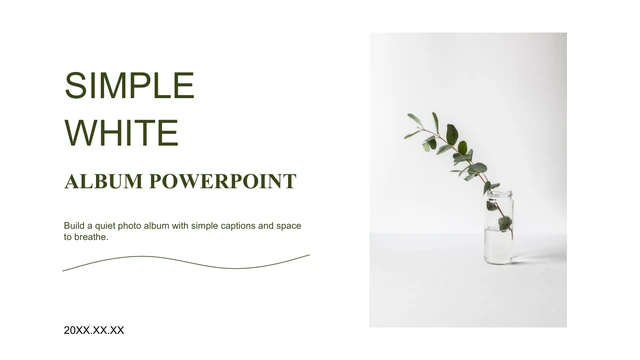
Book and Flower Photography Presentation Template: Books, Blooms and White Space
Book and Flower Photography Presentation Template pairs books and flowers with white pages, grey panels and light photographic tones. Book and Flower Photography Presentation Template contains 21 widescreen slides, with matching opening and ending scenes of stacked books, a clock and flowers. Book and Flower Photography Presentation Template mixes open-book scenes, floral still lifes, cups, plants and stationery with framed collages and short captions. Page 10 links five circular photographs with thin lines; it is a manual visual sequence, not a data chart. Other pages use example dates and an aesthetic label, without identifying an actual journey or shoot. Some source photos contain Chinese, Russian or English writing within the photographed scene; those details remain part of the image. Select pictures for your own story, identify your contribution and replace the sample explanations. Keep captions accurate and avoid claiming the source photographs as work you created.
Key Features of Book and Flower Photography Presentation Template
Soft still lifes, circular crops and space for a concise photo story.
Book and Flower Still Lifes
Book and Flower Photography Presentation Template shows books, flowers, cups and stationery in soft light. Give each image a clear role in your photo story.
White Pages and Grey Panels
Book and Flower Photography Presentation Template combines white space with grey shapes and thin frames. Keep short captions readable beside light photographs.
Five Circular Photo Links
Book and Flower Photography Presentation Template links five circular pictures on page 10. Edit crops and captions separately; the lines do not calculate data.
Framed Photo Collages
Book and Flower Photography Presentation Template offers paired pictures and a four-image floral collage. Choose related scenes and keep important details visible.
Caption and Date Layouts
Book and Flower Photography Presentation Template sets example dates beside photos. Add verified years and captions or remove unnecessary date fields.
Small Decorative Accents
Book and Flower Photography Presentation Template uses leaf, paper-plane and other graphic accents. Keep them decorative and connect each caption to its photograph.
How to Use Book and Flower Photography Presentation Template
Select your pictures, write accurate captions and review the full sequence.
-
Select a Photo Story
Review all 21 pages of Book and Flower Photography Presentation Template. Choose relevant pictures and layouts, identify the work you created and give each selected page one short message.
-
Download and Write Captions
Get Book and Flower Photography Presentation Template with an active paid plan and unlimited daily downloads. Save a copy, replace examples and write captions that explain your photographic role.
-
Check Dates and Image Meaning
Check Book and Flower Photography Presentation Template caption accuracy, date examples and circular crops. Preserve genuine photographed writing, then compare the export with your editable copy.

Questions About Book and Flower Photography Presentation Template
How do I download Book and Flower Photography Presentation Template?
Sign in with an active paid plan to download Book and Flower Photography Presentation Template. Daily and repeated Book and Flower Photography Presentation Template downloads are unlimited. The Book and Flower Photography Presentation Template file is supplied as PowerPoint (.pptx), so save a working copy before changing titles, captions or picture arrangements. Browse the complete Book and Flower Photography Presentation Template preview to find layouts that suit your own photo selection. Keep an original Book and Flower Photography Presentation Template copy for reference when reorganizing the sequence. The file is a visual starting point rather than proof that you photographed its source scenes, designed the pictured products or have an association with any book publisher or camera brand visible in an image.
How many pages and picture layouts are in Book and Flower Photography Presentation Template?
Book and Flower Photography Presentation Template contains 21 original 16:9 slides with matching opening and ending photographic backgrounds. The Book and Flower Photography Presentation Template pages include paired images, overlapping collages, a four-image floral arrangement, circular crops and picture-and-caption layouts. Page 10 of Book and Flower Photography Presentation Template connects five circular pictures in a manual sequence with nearby text. Choose the Book and Flower Photography Presentation Template layouts that support your photo story and arrange them in a useful order; the final presentation can contain fewer than 21 slides. Review the Book and Flower Photography Presentation Template captions after moving pictures so a description remains close to the image it actually explains instead of inheriting a misleading sample label.
Can I present Book and Flower Photography Presentation Template source photographs as my own work?
Book and Flower Photography Presentation Template includes source photographs of books, flowers, cups, plants, stationery, a camera and other still-life objects. These Book and Flower Photography Presentation Template images do not establish your authorship, ownership or participation in a pictured scene. Use your own identified photographs in Book and Flower Photography Presentation Template when presenting a portfolio, or label retained source images as illustrative material. Do not invent a Book and Flower Photography Presentation Template photographer, photographed location, book author or brand relationship. Review applicable image terms before distributing a revised file, and distinguish your caption or layout work from the source photograph itself. A Book and Flower Photography Presentation Template camera picture does not imply that its maker endorses your presentation or that you used that camera to produce the images.
Are the Book and Flower Photography Presentation Template dates and location labels verified?
Book and Flower Photography Presentation Template uses sample date fields, including 20XX and 201X year placeholders and a decorative 20/04 tile. These Book and Flower Photography Presentation Template values do not establish when a photograph was taken, a trip occurred or a project was completed. The source aesthetic label near a map-pin graphic in Book and Flower Photography Presentation Template does not identify a verified place or photographer. Replace a Book and Flower Photography Presentation Template date or label with checked information, or remove it if the caption needs no such detail. Review the Book and Flower Photography Presentation Template opening, ending and picture captions together, and do not interpret decorative numbers as verified shooting records, coordinates or a timeline linked to live data.
Do the Book and Flower Photography Presentation Template circular picture links work as a chart?
Book and Flower Photography Presentation Template page 10 uses five cropped photographs, connecting lines and short text blocks as a manually arranged layout. The Book and Flower Photography Presentation Template file contains no native charts, embedded workbooks or native tables for calculating or updating that sequence. Change each Book and Flower Photography Presentation Template picture, circle crop, line and caption as a separate object where editable. The connecting line does not determine a route, generate a sequence or prove a data relationship between scenes. Use the Book and Flower Photography Presentation Template page to guide an audience through related pictures or ideas, then check the reading order and label meaning. Avoid describing decorative Book and Flower Photography Presentation Template circles as a measured process, a travel map or an automatic visualization.
Is all writing inside Book and Flower Photography Presentation Template pictures translated into English?
Book and Flower Photography Presentation Template provides English editable presentation text, while photographed writing remains within the source images. Some Book and Flower Photography Presentation Template book titles and pages contain Chinese, Russian or English text, and genuine publisher or product marks remain visible. Changing a Book and Flower Photography Presentation Template caption does not alter those picture pixels or make every printed page English. Keep genuine writing within retained Book and Flower Photography Presentation Template photographs rather than erase it or claim it is your original artwork. If a pictured page does not suit your story, replace the entire image with an appropriate picture you can use. Distinguish a Book and Flower Photography Presentation Template photographed quotation or book title from text you have verified and written for the presentation.
Which fonts does Book and Flower Photography Presentation Template use?
Book and Flower Photography Presentation Template uses Source Han Sans SC Regular and Bold in the final PowerPoint file. The Book and Flower Photography Presentation Template fonts are not embedded, so install these fonts or choose suitable substitutes before editing. A Book and Flower Photography Presentation Template photograph may contain printed lettering or a product mark that is part of its image rather than editable font text. Replacing a Book and Flower Photography Presentation Template caption font will not change writing within those photographs. After any font substitution, inspect narrow caption areas, short year fields and text near circular pictures throughout Book and Flower Photography Presentation Template. Check line breaks, alignment and contrast on the intended screen, especially where light photographs and grey panels sit beside small text.
Can I change Book and Flower Photography Presentation Template colors and image arrangements?
Book and Flower Photography Presentation Template offers editable titles, captions and native shapes alongside picture objects. Recolor native Book and Flower Photography Presentation Template grey panels, lines and frames while keeping enough contrast beside the light photographs. A book, flower or camera within a Book and Flower Photography Presentation Template photo remains part of an image rather than separately editable objects. After replacing Book and Flower Photography Presentation Template pictures, check rectangular and circular crops, overlapping frames and the four-image floral page at your intended display size. Keep paragraph text short where the layout is narrow. Remove a redundant Book and Flower Photography Presentation Template decoration or page instead of covering an important photographic detail with more text.
What should I check before sharing Book and Flower Photography Presentation Template?
Run through the Book and Flower Photography Presentation Template sequence for sample descriptions, date fields and unsupported claims about image authorship. Verify Book and Flower Photography Presentation Template captions and your stated role separately from genuine writing within the photographs. Check that Book and Flower Photography Presentation Template decorative pins, numbers and connecting lines are not mistaken for actual locations or measured results. Inspect small text, white-space balance and image crops on the intended display. Compare each Book and Flower Photography Presentation Template exported page with the editable file, keep a private working copy and share a finished export or the appropriate language-specific Book and Flower Photography Presentation Template page link.