Bunave Portfolio Presentation Template: mountain photographs in an editorial frame
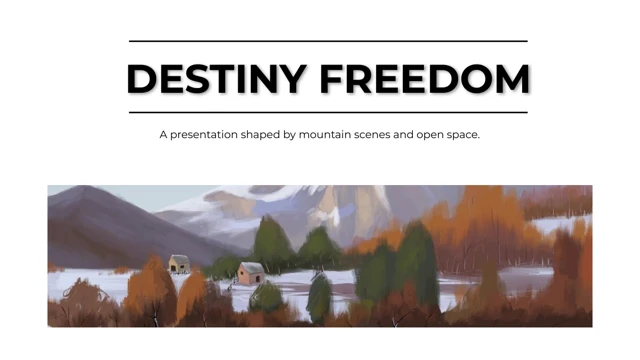
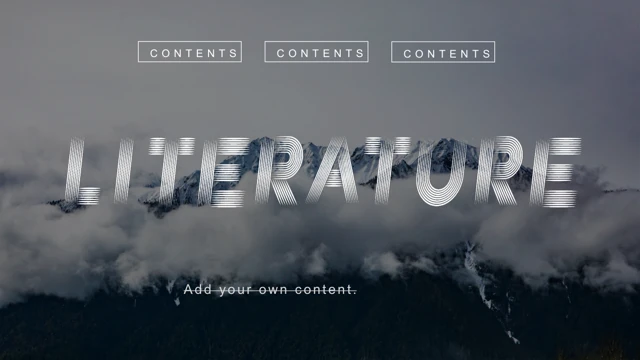
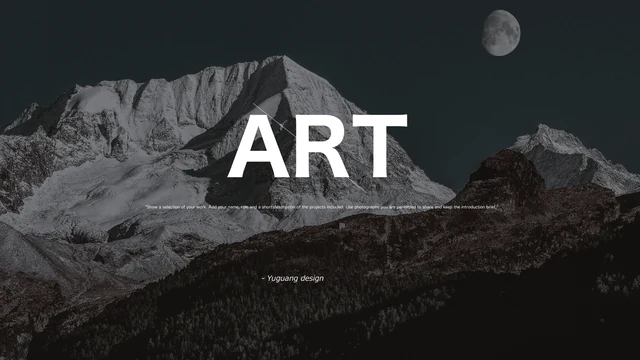
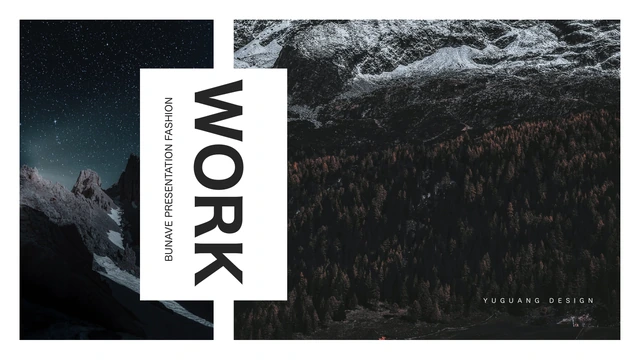
Bunave Portfolio Presentation Template frames mountain photographs with white margins, dark headings and caption panels. The 11-page sequence opens and closes with paired landscape images and a tall central title panel. Bunave Portfolio Presentation Template varies the rhythm inside: broad horizontal crops, narrow vertical strips and offset image groups give each project its own frame. A square photograph sits over a diamond outline; another page aligns three tall images alongside the text. Bunave Portfolio Presentation Template also combines a tall image with smaller views, leaving room to explain the subject and your role. Snow, forests, cloud and night-sky scenes are retained as sample photographs, not evidence of your own projects. Bunave Portfolio Presentation Template has no contents page, numbered chapters or data charts. Select layouts around your actual work, replace the editing prompts with a concise account and use permitted photographs. Check the sequence before presenting.
Key Features of Bunave Portfolio Presentation Template
Mountain imagery, bold headings and varied photo crops.
Matching Opening and Closing
Bunave Portfolio Presentation Template pairs two mountain images around a vertical white title panel. Use brief opening and closing words that fit the tall frame.
White Panels and Bold Headings
Bunave Portfolio Presentation Template uses white caption areas and heavy black headings. Keep titles short and let the surrounding white space support the image.
Horizontal Image Pairing
Bunave Portfolio Presentation Template stacks wide mountain crops above and below a caption panel. Choose images with a clear focal point at these proportions.
Square Picture and Diamond Outline
Bunave Portfolio Presentation Template places a square photo over a thin diamond outline. Replace the picture while checking the original frame and crop.
Three Tall Photographs
Bunave Portfolio Presentation Template aligns three vertical mountain pictures next to project text. Give the images a coherent order and keep the notes concise.
Offset Photo Groups
Bunave Portfolio Presentation Template combines tall and smaller photos in staggered groups. Use these layouts to connect a main view with useful supporting detail.
How to Use Bunave Portfolio Presentation Template
Select the layout, replace the examples and check the story.
-
Plan the Photo Sequence
Browse all 11 pages of Bunave Portfolio Presentation Template. Choose wide, square or vertical frames that suit your images, then arrange the project stories before writing captions.
-
Download and Personalize
Download Bunave Portfolio Presentation Template with an active paid plan; daily and repeat downloads are unlimited. Save a copy, replace the sample pictures and add your own project notes.
-
Review and Share
Inspect Bunave Portfolio Presentation Template on your intended screen. Check image crops, type and credits, export a PDF, reopen it and read every page before sharing your finished work.
Questions about Bunave Portfolio Presentation Template
How do I download Bunave Portfolio Presentation Template?
Sign in with an active paid plan and use the download button for Bunave Portfolio Presentation Template. Daily and repeat downloads are unlimited for paid members. Bunave Portfolio Presentation Template is an English PowerPoint (.pptx). Edit a working copy; save the original Bunave Portfolio Presentation Template before replacing photos, titles or notes. File access does not license the retained photographs or design.
How many pages does Bunave Portfolio Presentation Template include?
Bunave Portfolio Presentation Template has 11 slides in 16:9. Matching opening and closing combine two mountain views with a central vertical title panel. Bunave Portfolio Presentation Template offers broad crops, a square photo with a diamond outline, three vertical images and offset groups with text. There is no contents page or numbered chapter divider. Choose useful pages from Bunave Portfolio Presentation Template; duplicate frames only when another project needs one.
What can I edit in Bunave Portfolio Presentation Template?
Edit native titles, text boxes and shapes in Bunave Portfolio Presentation Template using PowerPoint. The mountain photographs in Bunave Portfolio Presentation Template are raster images: replace or crop image objects, rather than editing individual clouds or peaks as shapes. Use your own project evidence and permitted photos. Bunave Portfolio Presentation Template has no native data charts or linked Excel workbooks; add your own chart if needed.
Can I preview every page of Bunave Portfolio Presentation Template?
The public gallery shows all 11 pages of Bunave Portfolio Presentation Template without purchase. Browse Bunave Portfolio Presentation Template with thumbnails or arrows, enlarging small notes and photo edges before choosing. Static previews show the final English file, not a photo editor. Compare the proportions of Bunave Portfolio Presentation Template with your images: narrow vertical crops can exclude important parts of a wide photograph.
Will Bunave Portfolio Presentation Template open in another presentation editor?
Another editor may import Bunave Portfolio Presentation Template, but fonts, vertical text, picture crops and panel spacing can change. Compare a working copy of Bunave Portfolio Presentation Template with PowerPoint and the gallery. Check tall title labels, heavy headings and narrow photo strips. Export edited Bunave Portfolio Presentation Template to PDF, reopen it and inspect every page; successful import does not guarantee identical rendering.
Which fonts are used in Bunave Portfolio Presentation Template?
Bunave Portfolio Presentation Template retains 游ゴシック, 游ゴシック Light, 等线, 等线 Light, 汉仪中等线, 阿里巴巴普惠体 R, Arial and Times New Roman references. No fonts are embedded in Bunave Portfolio Presentation Template. Previews use available substitutions; another device can change rendering or wrapping. Check Bunave Portfolio Presentation Template with fonts you may use. Font references do not provide files or grant licences.
Are the slides of Bunave Portfolio Presentation Template in my language?
All 15 website languages describe the same English PowerPoint for Bunave Portfolio Presentation Template. Editable Chinese opening and closing labels and meaningless Latin placeholders in Bunave Portfolio Presentation Template are now short English; original photographs and genuine design credits remain. Download Bunave Portfolio Presentation Template and translate editable project text if needed. Fit it within existing frames, checking vertical labels, sequence and wrapping.
Can I use Bunave Portfolio Presentation Template commercially?
Commercial and redistribution rights for the design and photos of Bunave Portfolio Presentation Template are independently unverified. Paid access to Bunave Portfolio Presentation Template provides the file, not a blanket resource licence. Source creator 与光设计 and visible YUGUANG DESIGN credits remain; attribution grants no rights. Before publishing, selling or redistributing adapted Bunave Portfolio Presentation Template, confirm permissions, replace unauthorized resources and use verified claims about your projects.
How do I share Bunave Portfolio Presentation Template?
Use the page sharing controls or URL for Bunave Portfolio Presentation Template. Friends can view the Bunave Portfolio Presentation Template gallery without buying; each needs eligible paid access to download. Remove private project details and confirm photo/design redistribution rights before sending your file. Export Bunave Portfolio Presentation Template to PDF, reopen it and check all 11 pages. Test editable text if sending PPTX and keep a working copy.