

Clothesline Playtime Presentation Template: pictures that invite a conversation
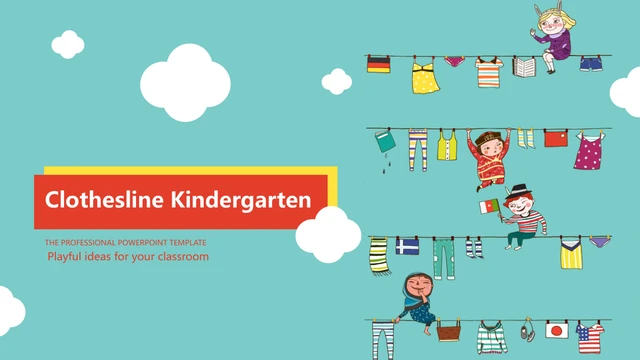
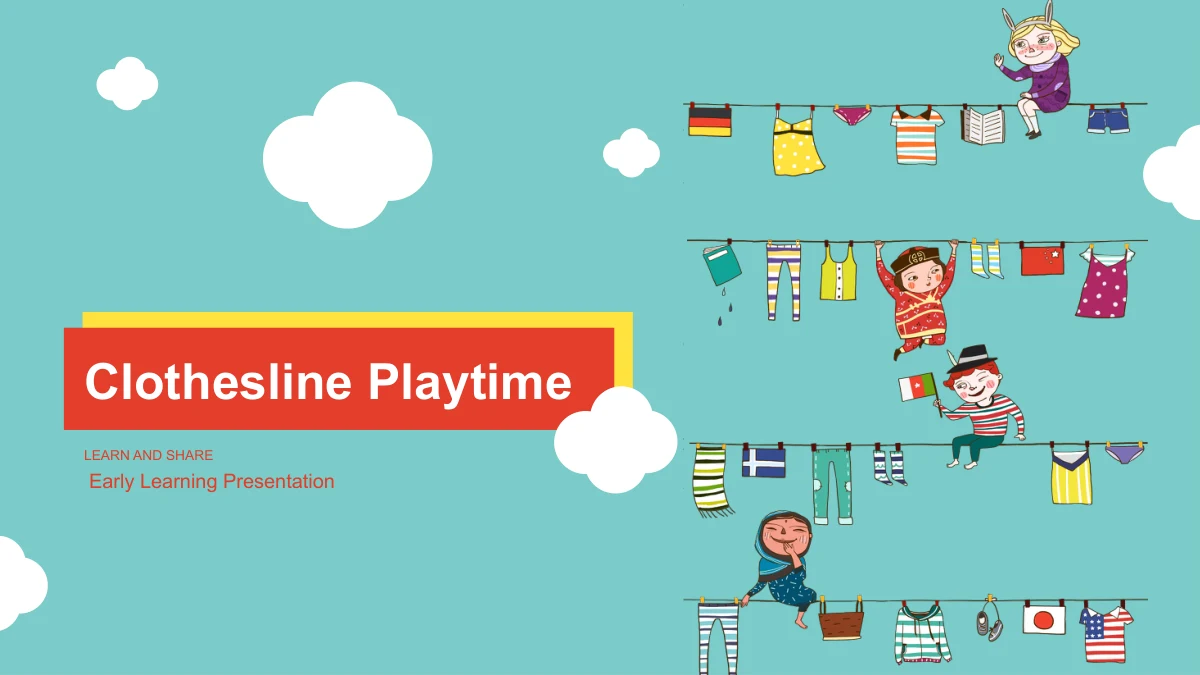
Clothesline Playtime gives an early-learning presentation a playful setting of hanging clothes, illustrated children and white clouds. A teal background runs through 29 slides, with red labels and white panels keeping short explanations distinct from the artwork. Four sections—Overview, Ideas, Examples and Review—organize the file. Within them, family photographs sit beside discussion notes, thought bubbles hold four points, and diamond cards arrange a short sequence. Other layouts use a magnifying glass, rockets, a sprout photograph and paired note boxes to bring an idea into focus. The content is a starting framework for your own subject, rather than a finished course. Percentages, drawn bars and year labels are manual examples to update. The final two pages contain outline and colored icons instead of a closing message. Pick the pages that suit your audience, connect each picture to a clear point and add your own conclusion.
Clothesline Playtime Presentation Template Features
Pictures, short notes and room for your own ideas.
Clotheslines Across a Teal Background
Hanging clothes, illustrated children and white clouds give the slides a playful rhythm. Red headings and white note panels stand out against the teal background.
Four Sections to Shape Your Talk
Overview, Ideas, Examples and Review each begin with a numbered divider. Use this outline to group your material, then rename the contents and sections together.
Family Photos with Discussion Space
Photo rows, paired images and a magnifying-glass crop leave room for brief explanations. Connect each family scene to a question or example for your own audience.
Bubbles, Diamonds and Paired Notes
Four thought bubbles, a diamond sequence and three paired rows offer different ways to group ideas. Short labels help the audience follow each point or comparison.
Manual Values and a Rocket Timeline
Percentage labels, drawn bars and a rocket timeline are examples to customize. Change their text and shapes separately; they do not calculate from linked data.
Two Sheets of Reusable Icons
The last two slides arrange 45 white outline icons and 27 colored icons in rows. Select a suitable drawing, then resize it to support a note elsewhere in the file.
How to Use the Clothesline Playtime Presentation Template
Choose a structure and give every picture a purpose.
-
Plan a Short Learning Sequence
Review all 29 previews and choose layouts for your topic. Arrange your notes within the four sections, select photo or diagram pages as needed, and decide how you want to end the talk.
-
Replace the Example Content
Use an active paid membership to download the English PPTX. Write concise headings and notes, update the manual values and years, and choose icons that help explain your own subject.
-
Review Pictures, Labels and Timing
Check photo crops, small icon details and narrow labels at presentation size. Review the retained animations in your editor, test any PDF export and save an editable copy for later changes.
Clothesline Playtime Presentation Template Questions
How do I download Clothesline Playtime?
An active paid membership gives access to the download button. You can download the English PowerPoint file without a daily limit and return to download the same template again when needed.
What is included in the 29-slide file?
The widescreen file contains a cover, contents, four section dividers, 21 content layouts and two icon sheets. There is no separate closing slide; choose a content layout for your own final message.
Does this template provide a complete early-learning lesson?
It provides an illustrated presentation framework with editable example text. Supply your own subject, learning goals, activities and explanations. The family photographs do not turn it into a prepared parent meeting or a finished curriculum.
How are the four sections organized?
The contents lists Overview, Ideas, Examples and Review. Matching dividers appear on slides 3, 10, 16 and 22. Keep these headings aligned with the contents when changing the order or purpose of the sections.
Are the percentages, bars and years linked to a spreadsheet?
No. The 50%, 60%, 70% and 80% labels, the separate drawn bars and the 2013, 2014, 2015 and 202X labels are manual examples. There are no native data charts or embedded workbooks.
Can I edit the illustrations and the icon sheets?
Text, separate drawing shapes and the native icons can be edited. Supplied photographs and illustrated picture objects remain images; their internal characters, clothes and other painted details are not individual PowerPoint shapes.
Which fonts and presentation applications should I use?
The English file uses Arial for its text, with no embedded fonts. Make sure Arial is available and check the layout in your presentation editor. Google Slides and Keynote compatibility has not been tested.
Does the file include sound or animated content?
The file contains no audio or video. Its non-audio animations are retained, but the preview gallery shows static images. Review transitions and object timing in your presentation editor before using the slides with an audience.
Will a different language page download translated slides?
All language pages provide the same English PPTX. The localized page text and gallery captions describe that file. Translate the editable slide text yourself when preparing the presentation for another language.