Pyramid infographic: show the levels behind your message
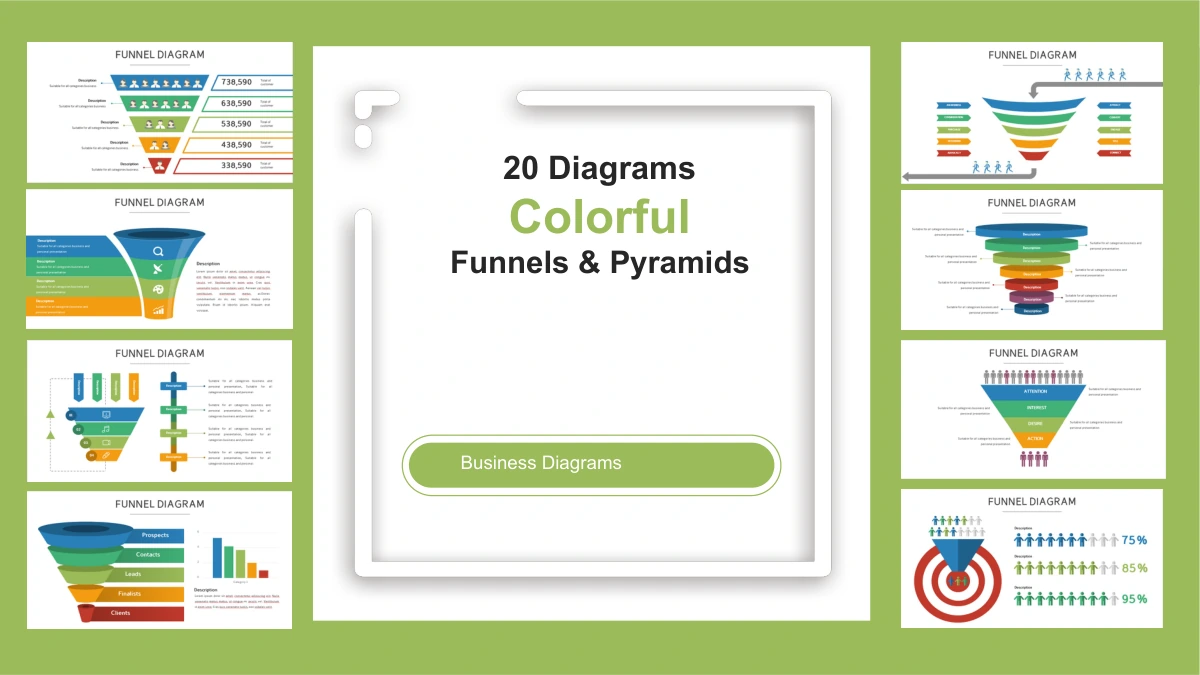
A pyramid infographic gives a hierarchy a visible shape. Colorful Funnels and Pyramids Presentation Template includes 21 slides: a cover, two funnel layouts and 18 pyramid or triangular diagrams. Ribbon bands, stairway forms and layered shapes offer different ways to place a main idea above its supporting levels. Some layouts put labels inside the diagram; others connect layers to notes beside it. Choose a pyramid infographic with the right number of parts before adding your content. A three-layer example can keep a short explanation focused, while six-layer designs leave room for a more detailed structure. The two funnel pages show narrowing stages rather than a hierarchy, so choose the structure that matches your message. Every pyramid infographic starts with sample labels, not verified business results. Replace those prompts and explain what each level means. Each pyramid infographic uses drawing shapes; sizes do not automatically change with data.
Key Features of This Pyramid Infographic Collection
Layered shapes, clear labels and varied ways to explain a hierarchy.
Pyramid Infographic Layer Styles
A pyramid infographic can use ribbon bands or rising steps. Compare these forms with stacked layers and choose the shape that makes your hierarchy easiest to read.
Pyramid Infographic Layer Counts
Start with a pyramid infographic that fits your content. Three-layer and six-layer examples offer different detail without requiring long text in every tier.
Pyramid Infographic Side Labels
Side notes keep a pyramid infographic open and readable. Follow guide lines to connect each short explanation with its layer, then check that labels stay aligned.
Editable Pyramid Infographic Shapes
Change the text, colors and drawing objects in your pyramid infographic. The diagrams use PowerPoint shapes, so update the labels and proportions yourself.
Two Supporting Funnel Layouts
Choose a funnel when stages narrow toward an outcome. The two funnel pages complement the pyramid infographic layouts without implying the same meaning or scale.
Triangular Layout Variations
Use a pyramid infographic with triangular parts to group related ideas. Compare the arrangement with a layered design, then give every part a distinct purpose.
How to Use a Pyramid Infographic
Choose pyramid infographic levels, explain their relationship and check the result.
-
Choose Your Pyramid Infographic
Preview all 21 pages and choose a pyramid infographic with enough clear layers for your message. Decide what the top and base represent, then write one short label for each level.
-
Download and Replace the Examples
Download the English PPTX with an active paid membership. Replace the pyramid infographic prompts, explain your intended hierarchy and check any sample numbers you decide to keep.
-
Check the Levels and Present
Review your pyramid infographic at presentation size. Check label placement and guide lines, confirm that each level has a clear meaning, then export or share as your terms allow.
Questions about the Pyramid Infographic Collection
How do I download this pyramid infographic collection?
An active paid membership provides the English pyramid infographic PPTX, with unlimited daily and repeat downloads. Save a working copy before changing the examples.
How many pyramid infographic slides are included?
There are 21 slides: one cover, two funnel layouts and 18 pyramid or triangular diagrams. Choose the pyramid infographic pages that support your explanation.
Can I edit the pyramid infographic layers?
Yes. Edit the pyramid infographic drawing objects, labels and colors in PowerPoint. The diagrams are not data charts, and no linked workbook is included.
Can I preview every pyramid infographic before downloading?
The gallery shows all 21 pages from the English file. Compare each pyramid infographic, its layer count and its available text space before selecting.
Will the pyramid infographic work in another presentation editor?
This pyramid infographic PPTX has not been tested in Google Slides or Keynote. After importing, review grouped shapes, text wrapping, guide lines and colors.
Which font does the pyramid infographic use?
The English pyramid infographic file uses Arial without embedded fonts. Keep labels brief and check the narrower tiers after replacing the sample wording.
Is the pyramid infographic file available in each website language?
Every localized page provides the same English pyramid infographic PPTX. Website translations describe that file; they do not create separate decks in each language.
Can I use a pyramid infographic commercially?
Membership grants download access, not additional third-party rights. Review the source terms for your pyramid infographic and secure permissions for any materials you add.
How should I share a finished pyramid infographic?
Share this page for previewing. Where permitted, share your edited pyramid infographic or export after checking labels and sample numbers. Keep an editable copy.