Midyear Work Summary Presentation Template: A Halfway Review
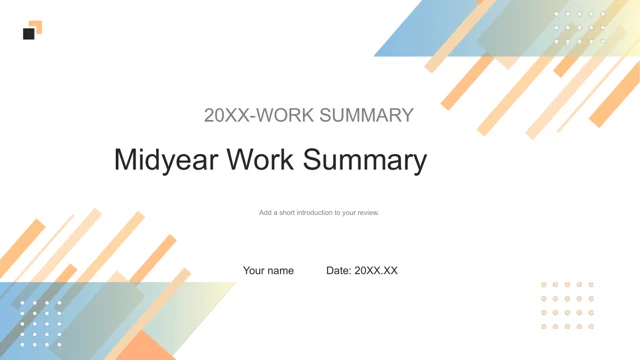
Midyear Work Summary Presentation Template starts with a midyear cover and finishes with the same composition. Diagonal peach and pale blue strips frame generous white space in Midyear Work Summary Presentation Template, while small paired squares mark the content headings. Midyear Work Summary Presentation Template has a contents page and four numbered dividers. These headings remain examples, so Midyear Work Summary Presentation Template leaves the order of your review open. Choose the work, evidence and next actions that deserve a section. Midyear Work Summary Presentation Template includes paired line charts with ten numbered positions, a four-part doughnut and a page combining two series with another doughnut. The five charts in Midyear Work Summary Presentation Template retain their embedded workbooks. Midyear Work Summary Presentation Template also has ring indicators displaying 56%, 76%, 47% and 61%, plus a five-stop timeline and a diagram around a light bulb. Every value in Midyear Work Summary Presentation Template is an example. Give each measure a verified source and a clear label before presenting it. The English copy in Midyear Work Summary Presentation Template replaces Chinese instructions and presenter credits. Midyear Work Summary Presentation Template keeps the original twenty-page sequence and separate native objects. Open Midyear Work Summary Presentation Template as a working copy, then select the pages that help explain what changed during the first half of your year.
Key Features of Midyear Work Summary Presentation Template
A light design with charts and room for your review.
Four numbered sections
Midyear Work Summary Presentation Template includes a contents page and four dividers.
Soft diagonal accents
Peach and pale blue strips frame the white pages.
Five editable charts
Midyear Work Summary Presentation Template retains the chart workbooks.
Percentage indicators
Four rings carry sample values that need checking.
Connected processes
A five-stop timeline and a light-bulb diagram organize ideas.
Separate page elements
Edit text and shapes in Midyear Work Summary Presentation Template.
How to Use Midyear Work Summary Presentation Template
Select the pages, update the examples and present your review.
-
Preview Midyear Work Summary Presentation Template
Browse all twenty pages and check the chart layouts.
-
Download Midyear Work Summary Presentation Template
Sign in with an active paid plan. Daily downloads are unlimited.
-
Edit Midyear Work Summary Presentation Template
Replace the text, update chart data and inspect the finished slides.
Questions About Midyear Work Summary Presentation Template
How do I download Midyear Work Summary Presentation Template?
Sign in with an active paid plan and select Download PPTX. Midyear Work Summary Presentation Template uses a temporary private download link. Paid members can download Midyear Work Summary Presentation Template repeatedly without a daily limit.
How many slides does Midyear Work Summary Presentation Template contain?
Midyear Work Summary Presentation Template contains twenty slides in 16:9. The preview shows the complete sequence. You can remove pages from Midyear Work Summary Presentation Template to suit the length of your review.
Can I edit Midyear Work Summary Presentation Template?
Yes. Midyear Work Summary Presentation Template keeps editable text, shapes and five native charts. Update their embedded data in PowerPoint. Inspect labels and spacing in Midyear Work Summary Presentation Template after changing the content.
Can I preview all of Midyear Work Summary Presentation Template?
Use the thumbnails or arrows to inspect every page of Midyear Work Summary Presentation Template. Enlarge the preview to check chart labels. Midyear Work Summary Presentation Template needs no download for this review.
Will Midyear Work Summary Presentation Template work in another editor?
An editor that imports PPTX may open Midyear Work Summary Presentation Template. Chart behavior and font spacing can vary. Check an imported copy of Midyear Work Summary Presentation Template before relying on the layout.
Which fonts does Midyear Work Summary Presentation Template use?
The English file of Midyear Work Summary Presentation Template uses Arial. If your editor substitutes it, inspect the text again. Keep a working copy of Midyear Work Summary Presentation Template before applying a different font.
Has the slide text in Midyear Work Summary Presentation Template been translated?
Yes. Midyear Work Summary Presentation Template now has concise English examples, including chart labels. The translated website describes Midyear Work Summary Presentation Template in your chosen language; the downloadable slide text stays English.
Can I use Midyear Work Summary Presentation Template commercially?
Follow the original template terms and confirm the rights to material you add. Downloading Midyear Work Summary Presentation Template with a paid account grants no additional license. Keep that distinction when sharing Midyear Work Summary Presentation Template.
How do I share Midyear Work Summary Presentation Template?
Select the share icon next to Download PPTX. Send the public page of Midyear Work Summary Presentation Template through the listed services or copy its link. Recipients still need an active paid plan to download Midyear Work Summary Presentation Template.