Crimson Ribbon Annual Meeting Presentation Template: review and next steps
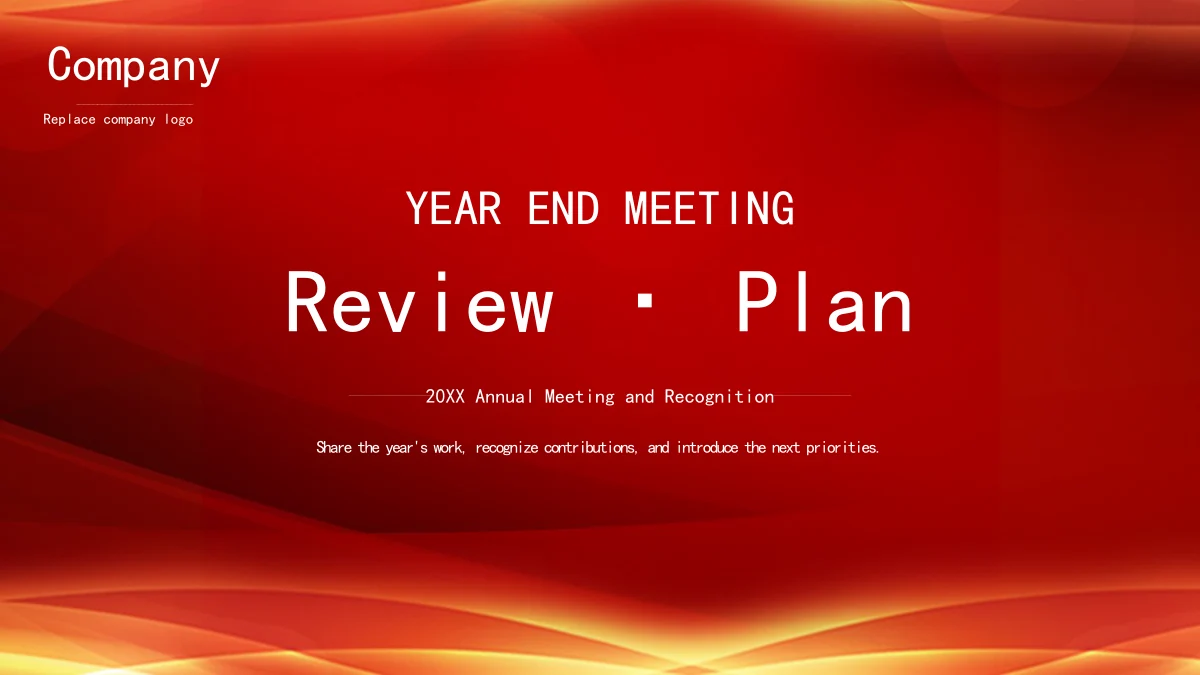
Crimson Ribbon Annual Meeting Presentation Template brings a ceremonial red and gold opening to a practical review of the year's work. Its 16 widescreen slides combine ribbon-like backgrounds with white content pages, office photography and compact file symbols. An agenda leads into four sections: Annual Review, Project Highlights, Improvement Focus and Next Period Plan. Circular icons, layered diamonds, narrow photo cards and four-way notes give you several ways to connect an observation with a useful action. Crimson Ribbon Annual Meeting Presentation Template includes short English editing prompts rather than a completed company report. Replace the company label, add your own supported examples and keep the sample 20XX year or enter the relevant year. Office photographs recur in different crops, so check their framing when making replacements. The last slide returns to the opening design. Use the complete preview to choose the pages that fit your meeting.
Key Features of Crimson Ribbon Annual Meeting Presentation Template
Organize a review with clear sections and useful supporting examples.
Red and gold meeting design
Crimson Ribbon Annual Meeting Presentation Template pairs warm ribbon backgrounds with white content pages. Keep new text readable over the red panels.
Four stages of a review
Crimson Ribbon Annual Meeting Presentation Template separates the review, project highlights, improvement focus and next plan with four numbered dividers.
Office photo arrangements
Crimson Ribbon Annual Meeting Presentation Template uses narrow photo cards and wider desk scenes. Check each crop before adding images that support your story.
Icons and structured notes
Crimson Ribbon Annual Meeting Presentation Template includes circles, capsules and diamond notes. File symbols illustrate categories without opening media.
A consistent company label
Crimson Ribbon Annual Meeting Presentation Template offers a company placeholder on covers and dividers. Replace it with the name relevant to your meeting.
English copy ready to adapt
Crimson Ribbon Annual Meeting Presentation Template provides brief English prompts for the review. Add your own evidence, practical actions and sample year.
How to Use Crimson Ribbon Annual Meeting Presentation Template
Preview the whole deck, download with an active paid plan, then edit and share.
-
Preview the complete meeting deck
Browse all 16 slides of Crimson Ribbon Annual Meeting Presentation Template. Check the four review sections, photo layouts and repeated closing cover before choosing pages for your agenda.
-
Download with an active paid plan
Sign in with an active paid membership to download Crimson Ribbon Annual Meeting Presentation Template. Downloads are unlimited each day, and you may download the same file again when needed.
-
Edit the review and share it
Customize Crimson Ribbon Annual Meeting Presentation Template with your company name, supported project notes and next actions. Review the pictures and text, then share the file or export a PDF.
Crimson Ribbon Annual Meeting Presentation Template FAQ
How do I download Crimson Ribbon Annual Meeting Presentation Template?
Open the download panel for Crimson Ribbon Annual Meeting Presentation Template and sign in with an active paid membership. Crimson Ribbon Annual Meeting Presentation Template can be downloaded without a daily limit, including repeat downloads. Save a working copy of Crimson Ribbon Annual Meeting Presentation Template so you can adapt the review for a particular meeting.
How many slides are in Crimson Ribbon Annual Meeting Presentation Template?
Crimson Ribbon Annual Meeting Presentation Template has 16 slides in a 16:9 canvas. Crimson Ribbon Annual Meeting Presentation Template includes an agenda and four numbered dividers on slides 3, 7, 10 and 13. The last slide of Crimson Ribbon Annual Meeting Presentation Template repeats the opening design, giving the meeting a consistent closing rather than a separate thank-you page.
Can I edit text and colors in Crimson Ribbon Annual Meeting Presentation Template?
The headings, brief guidance and note labels in Crimson Ribbon Annual Meeting Presentation Template are editable. Crimson Ribbon Annual Meeting Presentation Template also uses native circles, capsules and diamond arrangements. The red ribbon backgrounds and office photographs remain images; changing a shape color in Crimson Ribbon Annual Meeting Presentation Template does not recolor the pixels inside those pictures.
Can I preview all of Crimson Ribbon Annual Meeting Presentation Template?
The gallery shows every page of Crimson Ribbon Annual Meeting Presentation Template in order. Use the full preview of Crimson Ribbon Annual Meeting Presentation Template to compare the narrow photo cards, wide project panel and four-way notes. The preview of Crimson Ribbon Annual Meeting Presentation Template helps you plan a sequence before downloading; it does not represent your completed company report.
Does Crimson Ribbon Annual Meeting Presentation Template work in other editors?
Crimson Ribbon Annual Meeting Presentation Template is supplied as a PowerPoint PPTX. If you import Crimson Ribbon Annual Meeting Presentation Template into another presentation editor, check text wrapping, picture crops, spacing and layered shapes before presenting. Review a PDF export as well as the editable Crimson Ribbon Annual Meeting Presentation Template file; compatibility can vary between editors.
Which font does Crimson Ribbon Annual Meeting Presentation Template use?
The final English text in Crimson Ribbon Annual Meeting Presentation Template uses SimHei, with no embedded font files. Keep SimHei available when editing Crimson Ribbon Annual Meeting Presentation Template and review wrapping after any font substitution. You do not need to install every unused theme reference to read Crimson Ribbon Annual Meeting Presentation Template; check the actual text in your editor.
Is the slide text in Crimson Ribbon Annual Meeting Presentation Template in English?
Crimson Ribbon Annual Meeting Presentation Template contains English headings and concise sample guidance. The company label and 20XX year in Crimson Ribbon Annual Meeting Presentation Template are placeholders, not a verified organization's information. Different website languages describe the same English Crimson Ribbon Annual Meeting Presentation Template file; they do not provide separate translated decks or a finished speech.
Can I use Crimson Ribbon Annual Meeting Presentation Template commercially?
Use Crimson Ribbon Annual Meeting Presentation Template according to the site's terms and the rights applicable to its included materials. Paid access to Crimson Ribbon Annual Meeting Presentation Template does not grant additional rights to the office photographs, visible product brands or fonts. Replace materials where needed and verify that your planned use of Crimson Ribbon Annual Meeting Presentation Template is appropriate.
How can I share Crimson Ribbon Annual Meeting Presentation Template?
Use the share button on the Crimson Ribbon Annual Meeting Presentation Template page or copy its page link. Share an edited Crimson Ribbon Annual Meeting Presentation Template file for collaboration, or export a PDF for readers. Check the year, company label, evidence and next actions in Crimson Ribbon Annual Meeting Presentation Template, and follow the terms for included materials.