Mint Postcard Lesson Planning Presentation Template: a gentle setting for a clear teaching plan
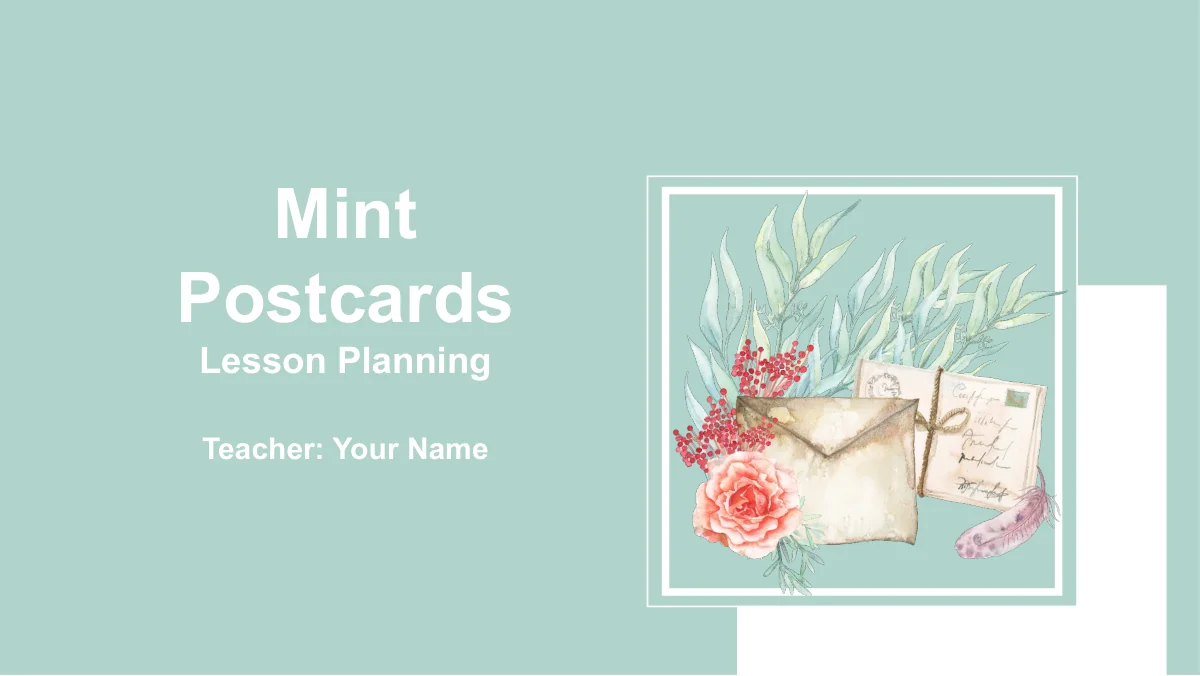
Mint Postcard Lesson Planning Presentation Template gives teachers a visual framework for explaining how a lesson will work. Watercolor roses, leafy stems, feathers and a kraft envelope appear in white postcard frames against a soft mint background. Pale content pages use thin green borders, with teal and coral shapes to separate ideas. Across 24 widescreen slides, the four chapters move from Teaching Analysis and Lesson Design to Teaching Process and Teaching Reflection. Timelines, pencil illustrations, gears, targets and circular flows offer different ways to connect learning goals, activities and review points. The English prompts help you outline a plan, but the subject knowledge, learner needs and assessment criteria come from you. Choose the layouts that support your explanation, keep diagram labels brief and use the closing reflection pages to decide what you would change in the next lesson.
Inside Mint Postcard Lesson Planning Presentation Template
Floral details and a practical teaching sequence.
Watercolor Postcard Frames
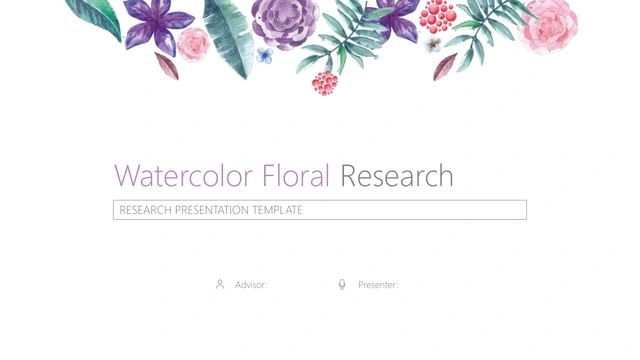
Roses, leaves, feathers and an envelope recur in white frames. The soft mint background and pale content pages give your lesson notes a consistent setting.
Four Teaching Chapters
Analysis, Design, Process and Reflection divide the deck into four parts. Matching postcard dividers help an audience follow your approach from planning to review.
Goals and Learning Needs
A four-node timeline, colored pencils and speech-bubble circles introduce the lesson context. Pair short labels with notes about learners, goals and evidence.
Connected Plans and Tasks
Hanging labels, interlocking gears and a seven-icon layout connect lesson elements. Use the target and four-part capsule to show goals and classroom actions.
Manual Percentage Examples
Horizontal bars and bent arrows carry editable percentage labels. Change the shapes and numbers separately; these examples have no linked chart data or workbook.
Reflection with Next Steps
Pentagon nodes, four gears, a vertical timeline and a circular flow structure the review. Add observations, learner feedback and one practical change for next time.
How to use Mint Postcard Lesson Planning Presentation Template
Build the plan, adapt the examples and rehearse.
-
Choose Your Teaching Sequence
Preview all 24 slides and select the layouts that fit your lesson. Use the four chapters to explain the learners, your teaching choices, the classroom sequence and how you will review it.
-
Add Your Lesson Material
Download with an active paid membership, then replace the English prompts with your own objectives and tasks. Rename diagram labels and update manual percentages to match the information you use.
-
Check the Flow
Rehearse the plan in your presentation app. Check small labels, numbered steps and animation order, then make sure each activity connects to a learning goal and a useful check of understanding.
Questions about Mint Postcard Lesson Planning Presentation Template
How do I download Mint Postcard Lesson Planning Presentation Template?
An active paid membership includes access to the PPTX, with unlimited daily and repeat downloads. Save an untouched copy before adapting the lesson prompts so you can return to the original layouts later.
How many slides are included?
The deck has 24 slides in 16:9 format, including a cover, contents, four chapter dividers, teaching diagrams and a thank-you page. The chapters cover analysis, design, process and reflection; they provide a planning structure rather than a completed subject lesson.
Which parts can I edit?
Text, shapes and grouped diagrams are editable. The bars and percentage arrows use manually adjusted shapes and labels, with no native data charts or embedded workbooks. The watercolor postcard artwork remains an image, so replace that image to change its internal details.
Can I preview every slide before downloading?
Yes. The gallery shows all 24 pages in order, including the postcard dividers, pencil layout, target, gears and reflection diagrams. Use the previews to decide which pages fit your teaching plan and how much text each layout can comfortably hold.
Will the file work in Google Slides or Keynote?
The download is a PowerPoint PPTX. Compatibility with Google Slides and Keynote has not been verified. If you import it into another app, check font rendering, grouped shapes, picture crops and animations before using it for a lesson discussion.
Which fonts does the presentation use?
The visible slide text uses Arial, with regular and bold styling. Font files are not embedded. Make Arial available when editing and check line wrapping after replacing the prompts, especially in the small triangle, circular labels and numbered callouts.
Are the slides in English?
Yes. The cover, chapter headings and editable lesson prompts are in English, and each localized template page supplies the same English PPTX. Add your own subject content, learner information and assessment approach before presenting the plan.
What should I check before using or redistributing it?
Membership provides download access; it does not establish additional rights to third-party artwork or materials. Review the applicable source and redistribution terms, and check permissions for any images, texts or learner work you add to the presentation.
How can I share my lesson presentation?
Share this template page when colleagues need to preview the design. Share an edited file or export where permitted, check the exported layout, and remove private learner information. Keep an editable copy for the changes you identify during reflection.