Morandi Watercolor Work Report Presentation Template: Soft Brushes, Clear Progress
Morandi Watercolor Work Report Presentation Template brings 15 slides in 16:9 to a work report with pale blue-gray, blush and beige watercolor strokes. A thin white frame and four numbered sections guide the sequence: work review, market overview, challenges, and goals and plans. Morandi Watercolor Work Report Presentation Template uses pineapple photographs in a tilted crop, a wide row and a playful pink-glasses portrait. Paper-plane circles, a four-icon arrangement, one linked pie chart and a four-stage timeline provide ways to support your account. Three outlined cards organize the final goals before the Thanks page. Morandi Watercolor Work Report Presentation Template includes English editing prompts and sample figures, so the supplied file is a starting layout rather than a finished report. Add your reporting period, evidence, chart labels and actions, and choose only the pages your audience needs. Check short notes, fine lines and new picture crops.
Key Features of Morandi Watercolor Work Report Presentation Template
Watercolor textures, pineapple pictures and editable report layouts
Watercolor Brush Backgrounds
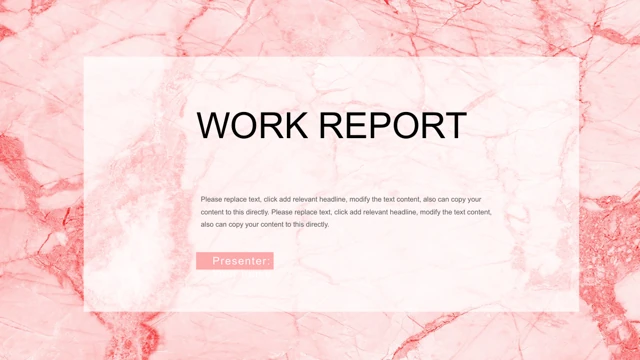
Morandi Watercolor Work Report Presentation Template pairs muted brushes with a thin white frame. Keep notes in the clear spaces beside the decoration.
Four Work Report Sections
Morandi Watercolor Work Report Presentation Template has four sections for review, market, challenges and goals. Rename them to match your report outline.
Pineapple Picture Layouts
Morandi Watercolor Work Report Presentation Template includes tilted and wide pineapple photos and a pink-glasses portrait. Check crops when replacing pictures.
Editable Linked Pie Chart
Morandi Watercolor Work Report Presentation Template has a pie chart and linked worksheet. Replace sample quarter labels and values, then review the chart.
Four-Stage Timeline
Morandi Watercolor Work Report Presentation Template links four alternating timeline markers and short notes. Add dates or owners and verify their sequence.
Icon Notes and Goal Cards
Morandi Watercolor Work Report Presentation Template offers paper-plane notes, four icon areas and three goal cards. Give each block one clear point.
How to Use Morandi Watercolor Work Report Presentation Template
Choose your pages, add evidence and review the finished report.
-
Choose a Report Structure
Preview all 15 pages of Morandi Watercolor Work Report Presentation Template. Compare the four sections, chart, timeline and goal cards with your report outline, then select the layouts you need.
-
Download an Editing Copy
Download Morandi Watercolor Work Report Presentation Template with an active paid plan. Daily and repeat downloads are unlimited. Save an original and edit a separate copy when adding your material.
-
Update and Check Your Report
Edit Morandi Watercolor Work Report Presentation Template in PowerPoint. Replace sample text and chart data, review picture crops and fonts, then check all pages before presenting or sharing.

Questions About Morandi Watercolor Work Report Presentation Template
How do I download Morandi Watercolor Work Report Presentation Template?
Sign in with an active paid plan and use Download PPTX on the Morandi Watercolor Work Report Presentation Template page. Members can download Morandi Watercolor Work Report Presentation Template without a daily limit, including repeat downloads. Save an unchanged copy of Morandi Watercolor Work Report Presentation Template.
How many slides does Morandi Watercolor Work Report Presentation Template include?
Morandi Watercolor Work Report Presentation Template contains 15 slides in 16:9. A contents page introduces work review, market overview, work challenges, and goals and plans. Four numbered breaks organize Morandi Watercolor Work Report Presentation Template. The closing Thanks page completes Morandi Watercolor Work Report Presentation Template. Select or duplicate useful layouts and update the contents entries to follow your final order.
Can I edit the text, colors and chart in Morandi Watercolor Work Report Presentation Template?
You can edit text, shape colors, chart labels and linked worksheet values in Morandi Watercolor Work Report Presentation Template. The displayed rounded percentages in Morandi Watercolor Work Report Presentation Template are examples; they are not verified business results. The watercolor strokes and pineapple photographs in Morandi Watercolor Work Report Presentation Template are pictures. Replace or crop those objects rather than treating individual brush marks as editable shapes.
Can I preview all of Morandi Watercolor Work Report Presentation Template before downloading?
Yes. The gallery shows all 15 pages of Morandi Watercolor Work Report Presentation Template without requiring a purchase to view them. Use the thumbnails and arrows to compare the four section breaks, chart notes, timeline and goal cards in Morandi Watercolor Work Report Presentation Template with your outline. Enlarge Morandi Watercolor Work Report Presentation Template pages that contain small labels. The previews are static images of the English file.
Will Morandi Watercolor Work Report Presentation Template work in another presentation editor?
Another editor may open Morandi Watercolor Work Report Presentation Template, but font metrics, chart editing and picture masks can differ. Test a working copy of Morandi Watercolor Work Report Presentation Template before relying on that software. Compare your result with the PowerPoint view of Morandi Watercolor Work Report Presentation Template, then reopen any exported PDF to inspect all 15 pages. Cross-editor appearance is not guaranteed.
Which fonts does Morandi Watercolor Work Report Presentation Template use?
The English slides in Morandi Watercolor Work Report Presentation Template render with STZhongsong, Calibri regular and bold, Arial and Times New Roman. Morandi Watercolor Work Report Presentation Template keeps the original font declarations and does not embed fonts. Check that your device can display the required faces before editing Morandi Watercolor Work Report Presentation Template. If you choose substitutes, inspect the contents headings, presenter labels and goal cards again; longer text may change the line breaks or exceed its original box.
Are the slides in Morandi Watercolor Work Report Presentation Template translated into my language?
All language versions of this page describe the same English Morandi Watercolor Work Report Presentation Template file. Native Chinese headings, editing prompts, chart labels and worksheet labels in Morandi Watercolor Work Report Presentation Template have been changed to English. To present in another language, translate the working copy of Morandi Watercolor Work Report Presentation Template yourself, then check the section headings, labels and three narrow goal cards for suitable line breaks.
Can I use Morandi Watercolor Work Report Presentation Template commercially?
Commercial and redistribution rights for the original design, watercolor image and photographs in Morandi Watercolor Work Report Presentation Template have not been independently verified. A paid download of Morandi Watercolor Work Report Presentation Template does not grant extra rights to those resources. Source author metadata is retained, but attribution is not a license. Before publishing, selling or redistributing a version of Morandi Watercolor Work Report Presentation Template, check the applicable terms and replace resources that you cannot use with appropriately licensed material of your own.
How do I share Morandi Watercolor Work Report Presentation Template?
Use the share control on the Morandi Watercolor Work Report Presentation Template page or copy the page URL. Others can view the full Morandi Watercolor Work Report Presentation Template gallery; downloading still requires their own eligible paid account. To share your edited Morandi Watercolor Work Report Presentation Template, replace sample names, confirm chart labels and values, and remove private information you added. Keep an editable PowerPoint copy for later changes, and confirm that included resources may be shared.