Navy Paper City Lesson Presentation Template: a classroom plan on paper
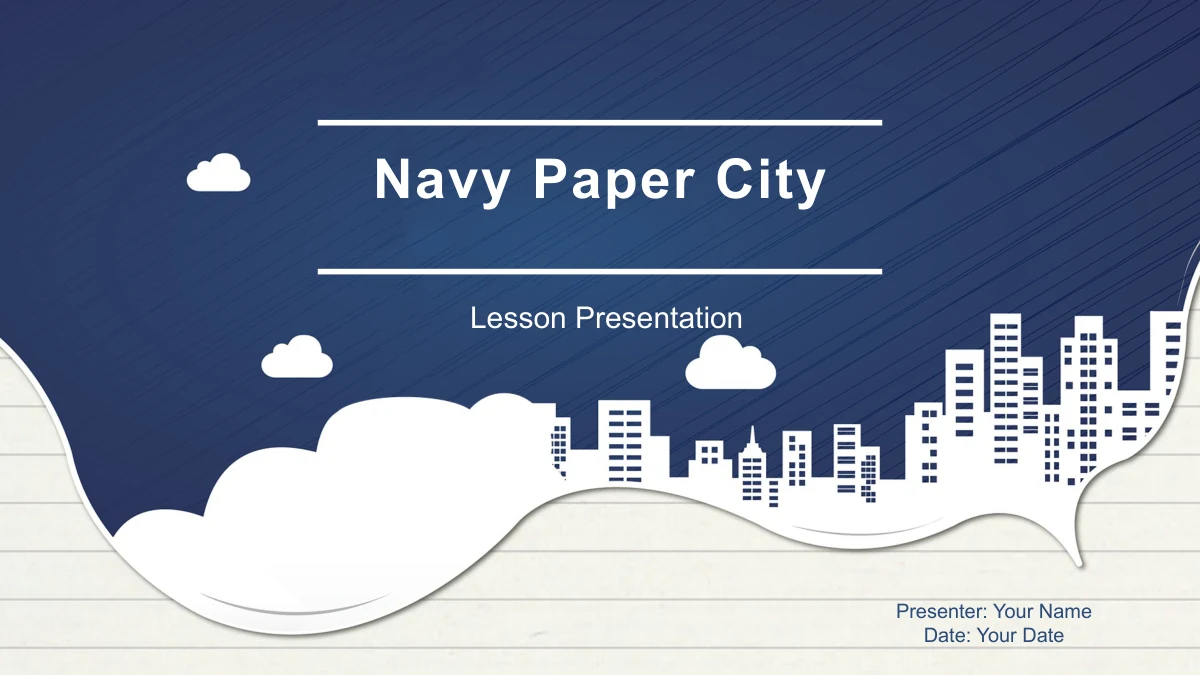
Navy Paper City Lesson Presentation Template sets a white city skyline against textured navy blue, with a curled paper edge leading into a ruled-paper background. The 29 slides follow Student Analysis, Teaching Methods, Teaching Process and Teaching Reflection. This structure suits a teacher explaining a proposed lesson, discussing classroom needs or reviewing an approach with colleagues. Navy Paper City Lesson Presentation Template includes four photo cards, a pencil diagram, linked gears, ribbon milestones and a branching reflection layout. The diagrams provide places to organize your ideas; their sample figures do not describe a real class. Add your own learning objectives, activities and observations, then select the pages that fit your speaking time. Short headings and brief notes leave room to explain your choices aloud. The matching city cover, section dividers and thank-you page keep the presentation visually connected.
Inside Navy Paper City Lesson Presentation Template
City silhouettes, ruled paper and teaching diagrams.
Navy City and Ruled Paper
Navy Paper City Lesson Presentation Template pairs a white paper-cut skyline with a navy texture. Ruled-paper content pages provide a quieter setting for your notes.
Four Teaching Chapters
Navy Paper City Lesson Presentation Template moves from class analysis to methods, lesson stages and reflection, with a contents page and matching chapter dividers.
Diagrams for Lesson Structure
Navy Paper City Lesson Presentation Template offers a pencil, linked gears, numbered ribbons and a staircase. Use the editable shapes to outline a teaching approach.
Four Study Photographs
Navy Paper City Lesson Presentation Template shows coffee, a notebook, an open book and a laptop on four photo cards. Add brief resource notes beneath each image.
Manual Sample Figures
Navy Paper City Lesson Presentation Template has arrow bars, rings and a monthly line diagram made from shapes. Update both labels and geometry when values change.
Space for Reflection
Navy Paper City Lesson Presentation Template includes a three-branch review, a path of four location pins and six summary circles for observations and next steps.
How to use Navy Paper City Lesson Presentation Template
Plan the sequence, add your lesson and rehearse.
-
Choose Your Teaching Story
Preview Navy Paper City Lesson Presentation Template and select pages for your talk. Use the chapters to explain the class, your methods, the activity sequence and what you would improve.
-
Adapt the Examples
Download Navy Paper City Lesson Presentation Template with paid membership. Replace prompts with lesson notes, rename diagrams and update sample figures. Keep the original file as a reference.
-
Review the Presentation
Rehearse Navy Paper City Lesson Presentation Template in your app. Check labels, photo crops and animations, confirm that examples match your explanation, and allow time for questions.
Questions about Navy Paper City Lesson Presentation Template
How do I download Navy Paper City Lesson Presentation Template?
An active paid membership includes Navy Paper City Lesson Presentation Template with unlimited daily and repeat downloads. Keep a working copy of Navy Paper City Lesson Presentation Template for your lesson and retain the original layouts for future presentations.
What is included in Navy Paper City Lesson Presentation Template?
The 29 widescreen slides in Navy Paper City Lesson Presentation Template include a cover, contents, four chapters, teaching layouts and a thank-you page. Navy Paper City Lesson Presentation Template offers a general lesson framework, with prompts for your own material rather than a finished subject lesson.
What can I edit in Navy Paper City Lesson Presentation Template?
You can edit text, shape colors and grouped diagrams in Navy Paper City Lesson Presentation Template. Photos and backgrounds remain images. Navy Paper City Lesson Presentation Template has no native data charts or workbooks: update graph labels and shapes manually. Prices, percentages and counts are examples, not membership offers or measured results.
Can I preview all of Navy Paper City Lesson Presentation Template?
All 29 pages of Navy Paper City Lesson Presentation Template appear in the gallery. Compare the city dividers, photo cards, pencil layout and reflection pages in Navy Paper City Lesson Presentation Template to choose layouts with enough space for your lesson notes.
Does Navy Paper City Lesson Presentation Template work in other presentation apps?
The file is a PowerPoint PPTX. Google Slides and Keynote compatibility for Navy Paper City Lesson Presentation Template has not been verified. After importing Navy Paper City Lesson Presentation Template into another app, check grouped shapes, text wrapping, photo crops and animations before presenting.
Which font does Navy Paper City Lesson Presentation Template use?
The English Navy Paper City Lesson Presentation Template uses Arial, with no embedded font files. Make Arial available when editing Navy Paper City Lesson Presentation Template and recheck narrow diagram labels and month names after changing their wording.
Is the downloaded Navy Paper City Lesson Presentation Template in English?
Visible text in Navy Paper City Lesson Presentation Template is English, including chapter names and diagram labels. All localized pages supply the same PPTX. Replace or translate the short prompts in Navy Paper City Lesson Presentation Template for your own class and audience.
What rights apply to Navy Paper City Lesson Presentation Template?
Access to Navy Paper City Lesson Presentation Template does not expand third-party rights. Review applicable image, source and redistribution terms. Original notes remain in Navy Paper City Lesson Presentation Template; keep relevant notices and check permissions for any additional material.
How should I share Navy Paper City Lesson Presentation Template?
Share this page so colleagues can preview Navy Paper City Lesson Presentation Template, or share an edited file where permitted. Remove private classroom information, check exports and keep an editable copy of Navy Paper City Lesson Presentation Template for later changes.