Orange Book Village Presentation Template: Book Houses and Reading Conversations
Orange Book Village Presentation Template pairs orange book-house illustrations with teal corners, pale peach shapes and a white background. Its 25 slides keep the original 16:9 format. Orange Book Village Presentation Template opens with a book village and a five-item contents page. Five numbered breaks use building-shaped number pictures; speech bubbles, book stacks and curved routes leave room for short reading observations. Orange Book Village Presentation Template includes manual timelines and idea cycles, with sample year labels that do not establish a real reading history. The final page says Thank You. Orange Book Village Presentation Template provides independent English discussion prompts in ordinary editable text, while original wording stays in notes linked to the same slides. The Chinese cover artwork, printed book pages and original audio remain. Choose a book, explain a detail in your own words, and use the small text areas for focused questions.
Key Features of Orange Book Village Presentation Template
Orange illustrations, five parts and focused reading notes.
Illustrated Book Village
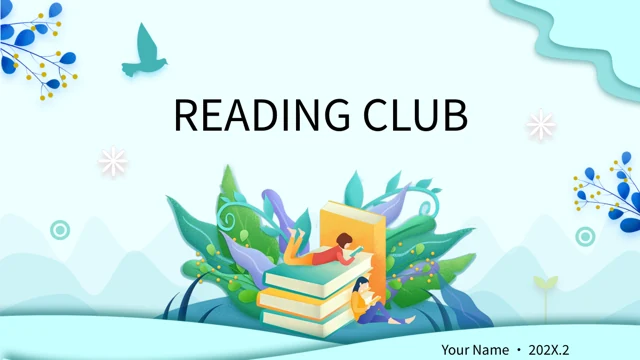
Orange Book Village Presentation Template opens with a book-shaped village. Keep the illustration decorative and add a short topic for your own reading conversation.
Five Numbered Parts
Orange Book Village Presentation Template uses five building-shaped number pictures. Match the contents entries to the parts you keep and review their short labels.
Speech Bubble Notes
Orange Book Village Presentation Template places notes in colorful speech bubbles. Use brief observations and leave space for a clear question or page reference.
Manual Reading Routes
Orange Book Village Presentation Template includes curved paths and manual timelines. Treat dates as sample labels and explain your sequence with short notes.
Book and Reader Pictures
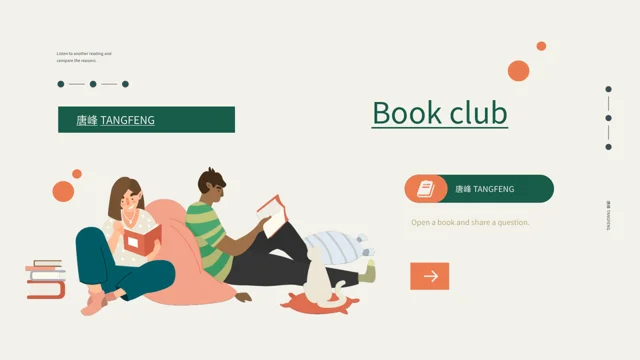
Orange Book Village Presentation Template combines book stacks, readers and an open-book photo. Describe the artwork without assigning identities to its figures.
Idea Cycles and Comparisons
Orange Book Village Presentation Template arranges ideas around a light bulb and paired cards. Compare readings with book evidence, without implying measured data.
How to Use Orange Book Village Presentation Template
Choose a sequence, prepare your notes and check the saved file.
-
Preview the Reading Sequence
Review all 25 pages of Orange Book Village Presentation Template. Select the numbered parts, speech bubbles and comparison layouts that suit your book and the time available for discussion.
-
Download a Working Copy
Download Orange Book Village Presentation Template with an active paid plan. Downloads are unlimited each day and can be repeated; keep the original file while you edit a separate working copy.
-
Add Notes and Review
Edit Orange Book Village Presentation Template with concise reading notes. Check narrow labels, image crops, fonts and the original audio, then reopen the saved deck and inspect exported pages.

Frequently Asked Questions About Orange Book Village Presentation Template
How do I download Orange Book Village Presentation Template?
Orange Book Village Presentation Template is available to accounts with an active paid plan. Sign in to use the download button for Orange Book Village Presentation Template. You can download Orange Book Village Presentation Template without a daily limit and repeat the download when needed. Keep an unchanged copy of Orange Book Village Presentation Template while preparing your own reading notes. Preview Orange Book Village Presentation Template before selecting the pages for a discussion, then check the downloaded file in the editor you plan to use.
How are the pages of Orange Book Village Presentation Template arranged?
Orange Book Village Presentation Template contains 25 PowerPoint slides in 16:9. Orange Book Village Presentation Template has a five-item contents page and numbered part breaks on slides 3, 9, 13, 17 and 22. Orange Book Village Presentation Template places speech bubbles, curved routes and book illustrations between those breaks. You can choose fewer pages from Orange Book Village Presentation Template to suit a shorter reading conversation. The last page of Orange Book Village Presentation Template is a Thank You layout. Keep the contents and retained part labels consistent when changing the sequence.
What can I edit in Orange Book Village Presentation Template?
Orange Book Village Presentation Template contains ordinary editable titles, reading prompts and layout shapes. The colored bubbles and manual labels in Orange Book Village Presentation Template provide space for brief notes. The book houses and illustrated numbers in Orange Book Village Presentation Template are pictures rather than editable three-dimensional models. The Chinese cover lettering in Orange Book Village Presentation Template remains part of the original image. Edit Orange Book Village Presentation Template with concise observations, then check alignment and image crops. Changing a text box does not translate words printed inside a picture.
Does Orange Book Village Presentation Template contain linked charts?
Orange Book Village Presentation Template has no native data charts, tables or embedded workbooks. The timelines and circular idea layouts in Orange Book Village Presentation Template use manual shapes and text. Year labels in Orange Book Village Presentation Template, including 2012, 2014 and 202X, remain examples rather than a verified reading record. Use Orange Book Village Presentation Template to organize a sequence or compare interpretations, without calling those decorations measured results. Inspect the actual editable objects in Orange Book Village Presentation Template before replacing their labels or adding your own evidence.
Can I preview every page of Orange Book Village Presentation Template?
The gallery for Orange Book Village Presentation Template shows all 25 final slides. Browse Orange Book Village Presentation Template in order to compare the illustrated part breaks and the different note areas. Select Orange Book Village Presentation Template layouts that fit the length of your comments. Static previews of Orange Book Village Presentation Template show page compositions and retained picture lettering, but do not play the attached audio. After downloading Orange Book Village Presentation Template, test the file and media in your selected editor. Compare the saved slides with the gallery when checking font substitutions or picture crops.
Which fonts does Orange Book Village Presentation Template use?
Orange Book Village Presentation Template uses Source Han Sans SC Regular and Bold for ordinary editable text. Orange Book Village Presentation Template does not embed font files, so prepare suitable fonts or select substitutes in your editor. Review the compact labels and part headings of Orange Book Village Presentation Template after changing a font. The cover artwork and lettering printed in pictures of Orange Book Village Presentation Template are separate from font-dependent text boxes. Check the saved Orange Book Village Presentation Template for missing characters, altered spacing and text that extends beyond its area.
Is the whole Orange Book Village Presentation Template file in English?
Orange Book Village Presentation Template supplies independently written English prompts for ordinary editable text. Original visible wording from Orange Book Village Presentation Template stays in reference notes linked to the same slides, separate from the new guidance. Orange Book Village Presentation Template keeps the Chinese cover artwork and printed picture text, so the entire package is not all English. Every website language describes the same downloadable Orange Book Village Presentation Template, rather than a separately translated deck. Adapt Orange Book Village Presentation Template with your own book references and clearly distinguish source labels from authorship of your new comments.
How can I use pictures and audio from Orange Book Village Presentation Template?
Orange Book Village Presentation Template retains its supplied illustrations, book photograph and original audio. Names or printed labels in Orange Book Village Presentation Template do not verify a common creator for every asset. Downloading Orange Book Village Presentation Template does not grant additional image, book-text or music rights. When adapting Orange Book Village Presentation Template, keep the sources of assets you use and describe your own contribution accurately. Before sharing work based on Orange Book Village Presentation Template, check the permissions applicable to the selected material and your intended use. Test the attached audio before deciding whether to include it.
How do I share an edited Orange Book Village Presentation Template?
Add your book context, observations and questions to Orange Book Village Presentation Template. Review the saved Orange Book Village Presentation Template for long labels, font changes, picture crops and uneven spacing. Keep book references beside the notes you prepare with Orange Book Village Presentation Template, and distinguish brief excerpts from your own interpretation. Export Orange Book Village Presentation Template as a PDF when the audience needs a static review, while retaining an editable copy. If you share Orange Book Village Presentation Template as a slideshow, test the original audio separately and confirm that recipients can open the chosen file type.