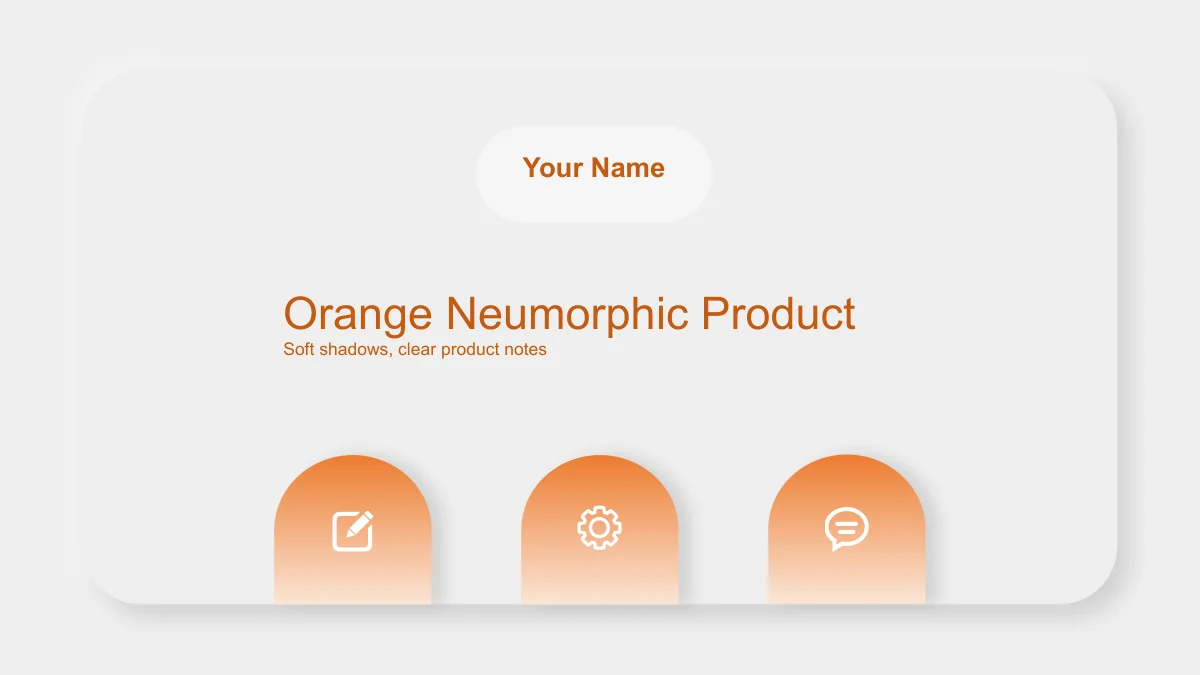
Orange Neumorphic Product Presentation Template: Give your product explanation room
Orange Neumorphic Product Presentation Template uses pale grey panels, rounded cards and soft shadows to give product ideas a raised, tactile appearance. Orange gradients highlight section labels, small icons and numbered points. Its 20 widescreen slides begin with a cover and contents, then move through Overview, Features, Advantages and Applications before a thank-you close. Use Orange Neumorphic Product Presentation Template to introduce a purpose, describe a feature, support a benefit and place an example in context. Six feature rows, eight compact points, numbered cards and rings offer different ways to divide that explanation. The English notes are short editing prompts, with some sample placeholders available for your copy. Orange Neumorphic Product Presentation Template provides a structure to adapt rather than verified product claims. Keep labels brief, support comparisons with evidence and edit slider positions and ring segments manually.
Key Features of Orange Neumorphic Product Presentation Template
Choose an Orange Neumorphic Product Presentation Template layout that gives a feature, benefit or use case a clear place.
Pale raised panels and orange accents
Orange Neumorphic Product Presentation Template uses pale cards, soft shadows and orange gradients. Keep notes brief to preserve space around the raised panels.
Four sections with matching dividers
Orange Neumorphic Product Presentation Template has dividers on slides 3, 7, 11 and 16. Keep Overview, Features, Advantages and Applications aligned with the index.
Six rows and eight feature points
Orange Neumorphic Product Presentation Template provides six feature rows and eight compact points. Give each action, input or example a distinct short heading.
Manual sliders and ring arrangements
Orange Neumorphic Product Presentation Template uses slider-style bars and decorative rings. Change their shapes and notes together; they have no linked data.
Cards for evidence and comparisons
Orange Neumorphic Product Presentation Template has three advantage cards and four comparison capsules. Give each benefit a fair criterion and supporting evidence.
Flexible application examples
Orange Neumorphic Product Presentation Template offers six use cards, three scenario rings and three panels. Choose an arrangement that suits your audience and task.
How to Use the Orange Neumorphic Product Presentation Template
Preview Orange Neumorphic Product Presentation Template, download with a paid plan, then edit and share your explanation.
-
Preview the full product sequence
Browse all 20 pages of Orange Neumorphic Product Presentation Template. Compare the section dividers, feature grids and application cards, then choose layouts that give your notes enough room.
-
Download and develop your content
Download Orange Neumorphic Product Presentation Template with an active paid plan. Work in a copy, replace the English prompts with supported product information and edit the manual graphics.
-
Review the result before sharing
Check Orange Neumorphic Product Presentation Template in Slide Show view. Review labels, slider positions and ring notes, then share the page link or your edited PPTX and a checked PDF export.
Orange Neumorphic Product Presentation Template FAQ
How do I download Orange Neumorphic Product Presentation Template?
Sign in with an active paid plan and select Download PPTX on the Orange Neumorphic Product Presentation Template page. Paid members have unlimited daily and repeat downloads of Orange Neumorphic Product Presentation Template. Save a starting copy of Orange Neumorphic Product Presentation Template, then choose the layouts that fit your material. The prompts provide an editing structure, rather than a finished product presentation.
How many slides are in Orange Neumorphic Product Presentation Template?
Orange Neumorphic Product Presentation Template contains 20 slides in 16:9. Its four dividers appear on slides 3, 7, 11 and 16, with a thank-you close on slide 20. Orange Neumorphic Product Presentation Template offers several layouts within each section. Select only the useful pages, then keep the Orange Neumorphic Product Presentation Template contents aligned with the sequence you retain.
Can I edit text and colours in Orange Neumorphic Product Presentation Template?
Headings, cards and orange accents in Orange Neumorphic Product Presentation Template are editable PowerPoint elements. Sliders, rings and numbered markers are manual shapes without native charts, workbooks or tables. Edit labels and graphics together in Orange Neumorphic Product Presentation Template. Replace sample claims with supported information, and check contrast when changing the pale panels or orange highlights.
Can I preview all of Orange Neumorphic Product Presentation Template before downloading?
Yes. The Orange Neumorphic Product Presentation Template gallery shows all 20 pages, from the raised cover to the thank-you close. Use the thumbnails or arrows to compare Orange Neumorphic Product Presentation Template layouts before downloading. Check small notes as well as broad panels. Choose an Orange Neumorphic Product Presentation Template page that gives your information enough space without turning a short label into a paragraph.
Can I use Orange Neumorphic Product Presentation Template in another editor?
An editor that supports PPTX may open Orange Neumorphic Product Presentation Template, but shadows, gradients and spacing can render differently. Test a copy of Orange Neumorphic Product Presentation Template in your intended editor and review every page. Keep the editable Orange Neumorphic Product Presentation Template file, then compare any PDF export, especially the compact card headings, one-line cover and rounded slider details.
Which fonts does Orange Neumorphic Product Presentation Template use?
The English text in Orange Neumorphic Product Presentation Template uses Arial Regular and Bold; no font files are embedded. If another face is substituted, review the cover, contents and compact notes. Use concise copy within the Orange Neumorphic Product Presentation Template frames, then check line wrapping. A longer heading may need a smaller size to preserve comfortable spacing.
Is Orange Neumorphic Product Presentation Template supplied in English?
Orange Neumorphic Product Presentation Template is supplied with English headings, editing prompts and sample placeholders. These examples are not verified product performance or customer results. Replace them with your supported material. All website languages describe the same English Orange Neumorphic Product Presentation Template PPTX. To present Orange Neumorphic Product Presentation Template in another language, edit the slide text separately.
Can I use Orange Neumorphic Product Presentation Template for commercial projects?
Follow the original terms and relevant permissions when using Orange Neumorphic Product Presentation Template. Paid access to Orange Neumorphic Product Presentation Template does not grant additional rights to third-party material or verify your product claims. Before sharing an edited Orange Neumorphic Product Presentation Template with clients or the public, confirm permissions for any added pictures, brand assets and quotations, and support the statements you include.
How should I share Orange Neumorphic Product Presentation Template?
Use the share button or copy the Orange Neumorphic Product Presentation Template page link to recommend the design. Others can preview Orange Neumorphic Product Presentation Template; downloading requires an active paid plan. Before sharing your edited Orange Neumorphic Product Presentation Template as a PPTX or PDF, review the four section labels, manual graphics and closing slide. Remove unused prompts and keep an editable copy.