Aqua Pink Gradient Presentation Template: Overlapping Circles and Shape-Based Measures
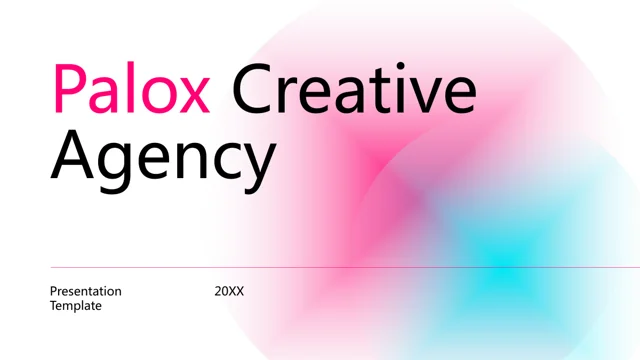
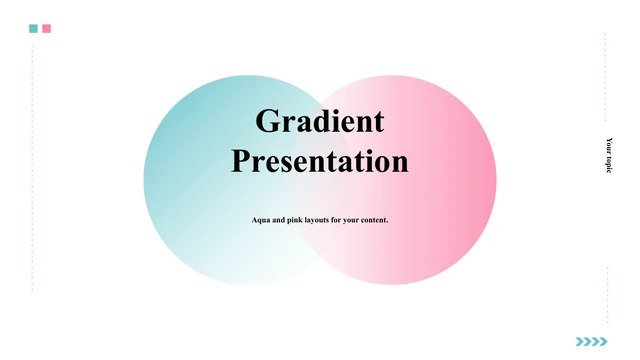
Aqua Pink Gradient Presentation Template opens with overlapping aqua and pink gradient circles on white, then repeats soft gradient bands across the four section dividers. The 21-page Aqua Pink Gradient Presentation Template combines these accents with aqua cards, slim connectors and dark headings. Source photographs in Aqua Pink Gradient Presentation Template show printed charts, a cup of coffee and glasses; the repeated close-up plots are image crops, not editable data or verified results for your business. The edited English sequence of Aqua Pink Gradient Presentation Template follows context, evidence, priorities and actions, while preserving the original four-part page order. The project pages in Aqua Pink Gradient Presentation Template alternate image tiles with text cards, and another page pairs four icons with a large photograph. Four nested arcs in Aqua Pink Gradient Presentation Template retain the original 55%, 15%, 35% and 45% examples. These are independent measures, not shares adding to 100%. A later Aqua Pink Gradient Presentation Template page retains a separate 92% progress example; define its metric and update the filled shape with the label. All these graphics use shapes and text, with no native charts or embedded spreadsheets. Aqua Pink Gradient Presentation Template also includes a four-point 202X timeline, two horizontal comparison bars, three clusters of vertical bars, inward arrows around a circle and three numbered action circles. Later Aqua Pink Gradient Presentation Template pages offer a five-stage folded arrow and a date-led closing review. Replace placeholder years, figures and imagery before presenting. Long English and pseudo-Latin instructions in Aqua Pink Gradient Presentation Template have become short editing prompts. Tangfeng names, notes and a standalone cover emblem were removed; photos, numeric examples, shapes and page order remain. Final text uses Arial and Times New Roman.
Key Features of Aqua Pink Gradient Presentation Template
Aqua, pink and editable shape layouts.
Overlapping gradient circles
Aqua Pink Gradient Presentation Template opens with aqua and pink circles.
Four section dividers
Aqua Pink Gradient Presentation Template uses gradient bands for four parts.
Image and text tiles
Aqua Pink Gradient Presentation Template alternates photos and aqua cards.
Independent percentage arcs
Aqua Pink Gradient Presentation Template retains four nested example arcs.
Timelines and comparisons
Aqua Pink Gradient Presentation Template includes a four-point timeline and shape bars.
Linked action diagrams
Aqua Pink Gradient Presentation Template offers three action circles and five folded stages.
How to Use Aqua Pink Gradient Presentation Template
Choose pages, replace examples and review.
-
Review Aqua Pink Gradient Presentation Template
Check image crops, placeholder years and independent measures.
-
Download Aqua Pink Gradient Presentation Template
An active paid plan allows unlimited daily downloads.
-
Edit and verify
Replace examples, adjust shapes with figures and check fonts.
Questions about Aqua Pink Gradient Presentation Template
How do I download Aqua Pink Gradient Presentation Template?
Sign in with an active paid plan and select Download PPTX on Aqua Pink Gradient Presentation Template. Daily downloads are unlimited, including repeated downloads of Aqua Pink Gradient Presentation Template. Aqua Pink Gradient Presentation Template file links are private and temporary. Share the public page, so each recipient can obtain the file through their own account.
How many slides are in Aqua Pink Gradient Presentation Template?
There are 21 slides in Aqua Pink Gradient Presentation Template, all in 16:9. The four section pages preserve the original 01–04 sequence. The edited headings of Aqua Pink Gradient Presentation Template follow context, evidence, priorities and actions. Select only the working pages you need and remove examples that do not serve your material.
Can I edit the charts in Aqua Pink Gradient Presentation Template?
The arcs, comparison bars, vertical bars and 92% progress strip in Aqua Pink Gradient Presentation Template are editable shapes and text, without native charts or embedded workbooks. Update geometry and labels together. Printed charts photographed in Aqua Pink Gradient Presentation Template remain images. The 55%, 15%, 35%, 45% and 92% figures are sample values; the four arcs are independent measures rather than portions of one total.
Can I preview every page of Aqua Pink Gradient Presentation Template?
All 21 pages of Aqua Pink Gradient Presentation Template appear in file order above. Check the gradient circle overlap, repeated image tiles, nested arc labels and timeline dates. Inspect small text and cropped photographs at the size of your intended screen. The cover alone cannot show how the detailed pages of Aqua Pink Gradient Presentation Template will fit your content.
Can another editor open Aqua Pink Gradient Presentation Template?
A PPTX-compatible editor may open Aqua Pink Gradient Presentation Template, though translucent gradients, grouped arcs, rounded cards and italic headings can change after conversion. Compare its output with the Aqua Pink Gradient Presentation Template preview. Check each percentage label, the three numbered circles and the five folded stages before presenting or exporting a PDF.
Which fonts does Aqua Pink Gradient Presentation Template use?
Final English text in Aqua Pink Gradient Presentation Template uses Arial and Times New Roman. Chinese font settings were replaced with English-compatible fonts. When opening Aqua Pink Gradient Presentation Template on another computer, verify the cover, italic section headings, timeline years and smaller captions after any font substitution.
Is the slide text in Aqua Pink Gradient Presentation Template translated?
The source of Aqua Pink Gradient Presentation Template already contained English headings, repeated English prompts and pseudo-Latin filler. These passages have been replaced with brief English editing instructions; Tangfeng names and promotional notes were removed. Website descriptions of Aqua Pink Gradient Presentation Template are available in multiple languages, but the downloadable PowerPoint remains English. Aqua Pink Gradient Presentation Template photos, page order and sample numbers are preserved.
Can I use Aqua Pink Gradient Presentation Template commercially?
Paid access to Aqua Pink Gradient Presentation Template does not confirm commercial rights to its original photographs, icons, illustrative marks, design or fonts. Verify licenses for client work and public distribution. Replace material with unclear rights in your edited Aqua Pink Gradient Presentation Template, and retain attribution wherever the applicable license requires it.
How do I share Aqua Pink Gradient Presentation Template?
Use the social share button or copy the public URL of Aqua Pink Gradient Presentation Template. Recipients of Aqua Pink Gradient Presentation Template need their own active paid plan to download the English PPTX. Before sharing an edited Aqua Pink Gradient Presentation Template, replace every 202X date, verify the independent measures, check image rights and review your final exported file.