Pastel Science Lesson Presentation Template: turn lesson choices into a clear visual plan
Pastel Science Lesson Presentation Template brings magnets, flasks, atoms and a magnifying glass into a soft mauve, lavender, teal and pink palette. Four sections guide the planning: Analysis, Strategy, Process and Review. In Pastel Science Lesson Presentation Template, numbered hexagons separate a learning goal, support and a key idea; cards connect a question with evidence and explanation. A four-part method diagram and two process layouts help describe how the class will move through an activity. Pastel Science Lesson Presentation Template closes the planning loop with speech bubbles for what worked, questions and the next lesson. Photographs sit beside editable prompts, offering space to introduce your own context rather than a complete experiment. Use the 18 widescreen pages of Pastel Science Lesson Presentation Template to select the layouts your lesson needs, replace the English examples and connect each teaching choice to an intended outcome.
Key Features of Pastel Science Lesson Presentation Template
Science drawings and pastel diagrams give a lesson plan a consistent visual language.
A Science Doodle Frame
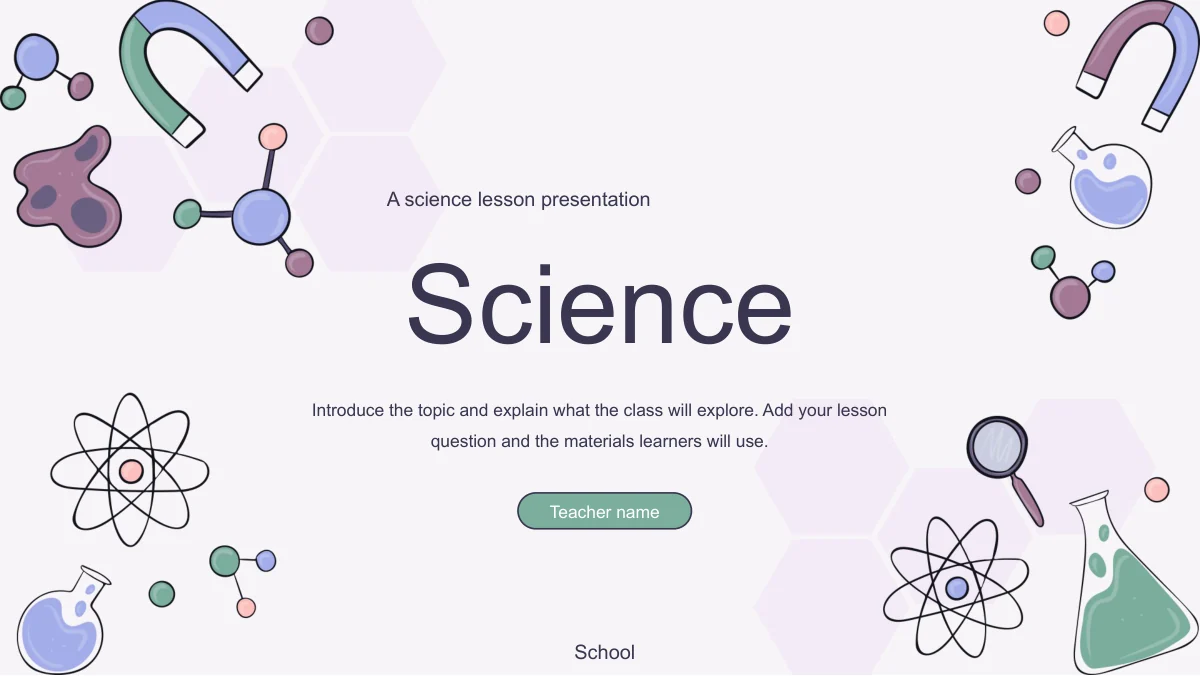
Pastel Science Lesson Presentation Template frames opening and chapter pages with magnets, flasks and atoms. Four muted accents link the illustrations to the diagrams.
Three Planning Priorities
Pastel Science Lesson Presentation Template groups three numbered hexagons inside a pale ring. Separate the learning goal, support needs and the key idea in nearby text.
Question, Evidence, Explanation
Pastel Science Lesson Presentation Template uses three white cards with bulb, magnifier and pencil icons. Give each stage of the explanation a short, focused description.
Four Teaching Methods
Pastel Science Lesson Presentation Template joins four colored shapes around a centre. Numbered panels connect Connect, Explain, Practise and Check to their descriptions.
Two Ways to Show a Process
Pastel Science Lesson Presentation Template includes a row of four arrow-linked hexagons and an alternating icon sequence. Pick the layout that fits your lesson stages.
Reflection in Speech Bubbles
Pastel Science Lesson Presentation Template has three speech bubbles for What Worked, Questions and Next Lesson. Add classroom examples to each.
How to Use Pastel Science Lesson Presentation Template
Define the lesson question, choose an approach and review the learner response.
-
Start with the Lesson Question
Open the preview of Pastel Science Lesson Presentation Template. Use the Analysis pages to identify the topic, what learners already know and one goal you can explain clearly.
-
Build the Teaching Sequence
Download Pastel Science Lesson Presentation Template with an active paid membership. Replace the method labels and process prompts with your activities, instructions and discussion questions.
-
Review and Refine
Check Pastel Science Lesson Presentation Template in slideshow view. Read the numbered steps in order, inspect small labels and use the reflection cards to note evidence from the class.
Questions about Pastel Science Lesson Presentation Template
Does Pastel Science Lesson Presentation Template contain a complete science lesson?
Pastel Science Lesson Presentation Template provides a presentation structure and editable teaching prompts, not a finished curriculum or tested experiment procedure. The photographs in Pastel Science Lesson Presentation Template illustrate layouts, rather than instructions for using the pictured equipment. Add your subject content and checked classroom guidance. Before teaching from Pastel Science Lesson Presentation Template, check that the activities suit your learners.
How do I download Pastel Science Lesson Presentation Template?
Use the download button for Pastel Science Lesson Presentation Template after signing in with an active paid membership. Members have unlimited daily downloads, including repeats. Save a separate working copy of Pastel Science Lesson Presentation Template before making changes. Use the original to compare a changed hexagon or photo crop with Pastel Science Lesson Presentation Template.
How are the 18 pages of Pastel Science Lesson Presentation Template organised?
Pastel Science Lesson Presentation Template uses four sections: Analysis, Strategy, Process and Review. They sit between the contents and matching closing page. Within Pastel Science Lesson Presentation Template, analysis pages cover goals and preparation, strategy pages compare methods, and process pages show sequences. The review pages of Pastel Science Lesson Presentation Template record learner responses and plans for the next lesson.
Can I preview the whole Pastel Science Lesson Presentation Template file?
All 18 pages of Pastel Science Lesson Presentation Template are available in the gallery. Compare the chapter dividers and content layouts. The preview of Pastel Science Lesson Presentation Template shows both broad photo panels and compact cards. Choose the space you need in Pastel Science Lesson Presentation Template for the length of your explanation.
Which parts of Pastel Science Lesson Presentation Template can I edit?
Text and drawn shapes in Pastel Science Lesson Presentation Template can be edited in PowerPoint. The numbered diagrams are manually arranged objects, not spreadsheet-linked charts. Keep their order and alignment consistent when adapting Pastel Science Lesson Presentation Template. Photographs and background drawings need picture-level changes or replacement. When adapting Pastel Science Lesson Presentation Template, update the methods, process and reflection prompts together.
Which fonts does Pastel Science Lesson Presentation Template use?
Pastel Science Lesson Presentation Template uses Arial in regular and bold weights. No font files are bundled with the download. Check Pastel Science Lesson Presentation Template on your presentation computer, especially the method labels and speech bubbles. If another font is substituted, shorten crowded wording and compare the full slide sequence of Pastel Science Lesson Presentation Template with the preview before presenting.
Is Pastel Science Lesson Presentation Template in English?
Yes, the slide text in Pastel Science Lesson Presentation Template is English. Each language version of this website describes the same English PPTX. You may rewrite Pastel Science Lesson Presentation Template for another language or teaching context. Align the section names with the contents and the methods with their explanations. Replace the teacher and school fields in Pastel Science Lesson Presentation Template before showing or sharing your adapted file.
Can I use Pastel Science Lesson Presentation Template commercially?
Check the permissions for the illustrations and photographs before including Pastel Science Lesson Presentation Template in a paid course or client project. Membership gives download access; it does not establish unrestricted rights to every asset. Replace images in Pastel Science Lesson Presentation Template when permission is missing; retain required attribution. Use your own checked subject material when adapting the teaching examples in Pastel Science Lesson Presentation Template.
How should I share Pastel Science Lesson Presentation Template after editing?
Share the page link for Pastel Science Lesson Presentation Template when colleagues want to inspect the original designs. For your completed lesson, export a PDF or share an edited PPTX where permitted. Check the diagrams, teacher and school fields, and unused prompts in Pastel Science Lesson Presentation Template before sending. Keep an editable copy of Pastel Science Lesson Presentation Template with your notes for the next revision.