Product Introduction Presentation Template: Architectural Photos and Editable Data Pages
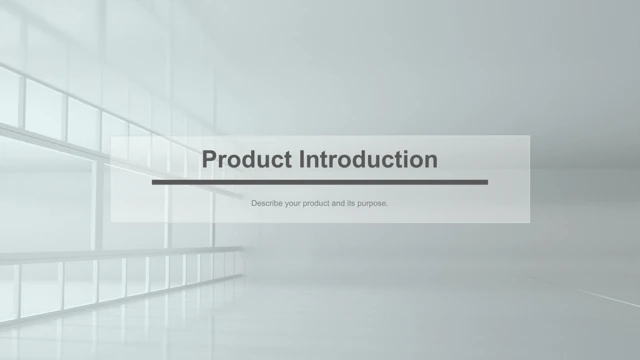
Product Introduction Presentation Template uses pale architectural photographs, white backgrounds, black outlines and sand-colored accents. Repeated corridors connect the 31 pages of Product Introduction Presentation Template. Columns, bullets and client-quote layouts appear in Product Introduction Presentation Template. The quotes and promotional claims in the source are examples; replace them with approved statements. Three vertical timeline pages in Product Introduction Presentation Template retain the sample years 2012 through 2020. Product Introduction Presentation Template also contains a two-tablet comparison, a laptop frame and a single-tablet frame filled with architectural pictures. These are photo mockups in Product Introduction Presentation Template, not working screens. Product Introduction Presentation Template has one native pie chart on page 24 and one embedded workbook. Its visible Sales series uses 8.2 and 3.2 for the first two quarters. The workbook in Product Introduction Presentation Template keeps the other original quarter rows as well. A ten-column stacked shape diagram in Product Introduction Presentation Template uses years 2009 through 2018; it is separate from the native pie chart. A service comparison in Product Introduction Presentation Template retains Basic, Premium and Pro with sample monthly prices 90, 100 and 120. An expenses table in Product Introduction Presentation Template keeps the original 2015–2018 amounts, without validating or recalculating totals. Australia, Europe and Africa map layouts in Product Introduction Presentation Template highlight sample regions; they do not establish coverage. Latin and unrelated clothing filler become short English prompts. Source identities and contacts are generalized, Chinese master prompts are translated, and Arial replaces the custom display font. All photo pixels, object positions, numeric data, workbook formulas and animation structure are preserved.
Key Features of Product Introduction Presentation Template
Quiet photos and structured data.
Pale photos
Product Introduction Presentation Template pairs pale corridors with black frames.
Copy and quote pages
Product Introduction Presentation Template includes columns, bullets and quote placeholders.
Vertical timeline
Product Introduction Presentation Template keeps three timeline pages for 2012–2020.
Pie chart
Product Introduction Presentation Template retains a Sales chart and its workbook.
Sample figures
Product Introduction Presentation Template preserves sample prices and an expenses table.
Maps and frames
Product Introduction Presentation Template includes regional maps and device photo frames.
How to Use Product Introduction Presentation Template
Replace examples carefully.
-
Preview
Product Introduction Presentation Template: inspect all 31 pages.
-
Download
Product Introduction Presentation Template: active paid members download without a daily limit.
-
Edit
Product Introduction Presentation Template: verify quotes, figures, maps and contacts before sharing.
Questions about Product Introduction Presentation Template
How do I download Product Introduction Presentation Template?
Product Introduction Presentation Template is available with an active paid plan. Sign in and choose Download PPTX. Repeat downloads are allowed and there is no daily limit.
How many pages are in Product Introduction Presentation Template?
Product Introduction Presentation Template contains 31 original 16:9 slides, including three timeline pages, data layouts, device photo mockups and Australia, Europe and Africa maps.
What can I edit in Product Introduction Presentation Template?
Product Introduction Presentation Template keeps native text, shapes and the pie chart with its workbook. Edit chart data through PowerPoint. The stacked columns on page 25 are manual shapes; device screens contain photographs.
Can I see all of Product Introduction Presentation Template before downloading?
Product Introduction Presentation Template provides all 31 preview pages. Check the small timeline labels, table columns, regional outlines and photo crops at your intended display size.
Will Product Introduction Presentation Template work in another editor?
Product Introduction Presentation Template is a .pptx file. Compatible editors may import it, but native chart links, maps, thin outlines and table spacing should be compared with the preview.
Which fonts does Product Introduction Presentation Template use?
Product Introduction Presentation Template replaces the custom Zihun 58 display font with Arial. Source references to Montserrat, Montserrat Semi Bold, Raleway, Roboto and theme fonts remain. No fonts are embedded.
Has the text in Product Introduction Presentation Template been translated?
Product Introduction Presentation Template replaces Latin and unrelated clothing filler with concise English prompts and translates Chinese master text. The site languages describe the same English PPTX. Chart and workbook labels were already English.
Can I use Product Introduction Presentation Template commercially?
Product Introduction Presentation Template does not confirm commercial rights to all source photographs or depicted marks. Check required permissions or replace uncertain assets. Sample quotes and figures need your own evidence.
How should I share Product Introduction Presentation Template?
Product Introduction Presentation Template should be shared as your finished presentation or PDF. Check all sample dates, prices, expense totals, highlighted map areas and contacts. Keep an editable copy and confirm rights before redistributing the template.