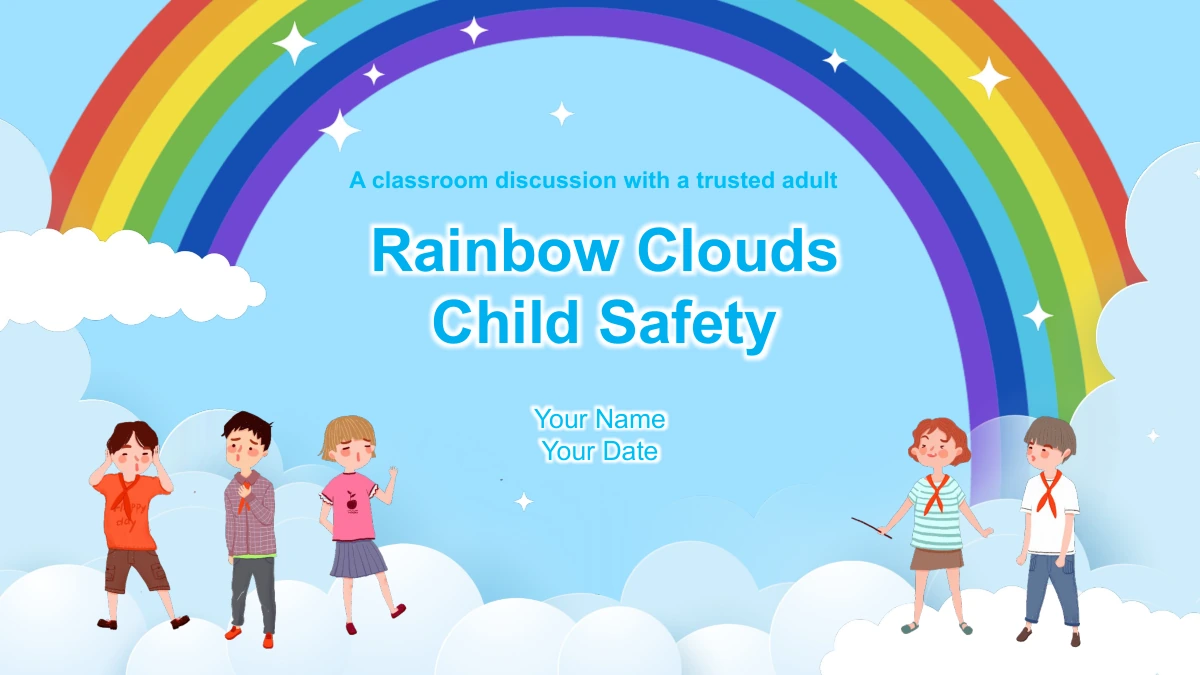
Rainbow Clouds Child Safety Presentation Template: everyday situations to discuss
Rainbow Clouds Child Safety Presentation Template uses a bright blue sky, soft cloud borders and cartoon characters to introduce everyday safety situations. The 25-slide sequence moves from unexpected offers and requests to agreed outings, staying with a group and a door-knock discussion. Short English prompts leave room for an adult to listen, explain and practise responses with the class. The rainbow opening and closing pages create a consistent frame, while speech bubbles, numbered reminders and illustrated scenes make each situation easy to identify. Adapt the wording to the children, your setting and local guidance before teaching. Add the correct local emergency number and agree trusted contacts with families. The home scenario is for discussion; supervision decisions remain with parents or carers. Text can be edited in PowerPoint, while the cartoon illustrations are image objects.
Key Features of Rainbow Clouds Child Safety Presentation Template
Illustrated situations, short prompts and room for discussion.
Rainbow and Cloud Theme
A rainbow frames the opening and closing slides. Blue backgrounds and soft white cloud borders connect the lesson while leaving space for short, readable prompts.
Cartoon Discussion Scenes
Illustrations introduce offers, requests and unexpected visitors. Use the characters to discuss behavior and choices without suggesting that looks establish trust.
Stop, Think and Ask
Three children hold simple action prompts near the start. Return to these cues while discussing permission, gifts and requests to go somewhere with another person.
Agreed Plans and Groups
Numbered reminders cover permission, changed plans and staying together. Adapt the examples to the children and the arrangements agreed with their parents or carers.
A Door-Knock Scenario
The night-house scene prompts a guided discussion. Review the family plan and trusted contacts, then add the local emergency number before use.
Editable English Prompts
English text uses Arial and can be edited in PowerPoint. Keep the cartoon pictures as visual prompts, and adjust short labels to fit the original speech bubbles.
How to Use Rainbow Clouds Child Safety Presentation Template
Review the situations, adapt the guidance and lead a calm discussion.
-
Review the Full Sequence
Preview all 25 pages and choose situations appropriate for your class. Read the accompanying notes, check local guidance and plan a calm discussion with opportunities for children to ask questions.
-
Download and Adapt
Download with an active paid membership. Edit the English prompts, add local contacts and the correct emergency number, and agree the examples with the adults responsible for the children.
-
Discuss and Rehearse
Present one situation at a time, invite responses and practise how to pause and ask a trusted adult. Check every slide at presentation size and retain an editable copy for future lessons.
Questions about Rainbow Clouds Child Safety Presentation Template
How can I download this template?
An active paid membership provides the PPTX, with unlimited daily and repeat downloads. Save a working copy, then adapt its situations before teaching.
How many slides are included?
The file contains 25 widescreen slides in 16:9 format, including a rainbow cover, illustrated discussions, numbered reminders, a home scenario and a matching closing page.
Which parts can I edit?
Edit the English text, labels and shapes in PowerPoint. Cartoon illustrations are image objects. Recheck wrapping and contrast after making changes; no data charts or workbooks are included.
Can I preview all the pages?
Yes. The gallery shows all 25 slides in the same order as the English download. Compare the scenarios and text space before selecting pages for your class.
Does it work in Google Slides or Keynote?
The download is a PowerPoint PPTX. Other editors have not been tested. After importing, check pictures, fonts, text wrapping and animations before presenting.
Which font does the English file use?
The English release uses Arial without embedded font files. Have Arial available, keep labels concise and check speech bubbles after replacing the sample text.
Is the PPTX translated into each website language?
All localized pages describe the same English PPTX. Editable headings and prompts are English; the preview images show that file. Website translation does not create a separate-language deck.
May I use it commercially?
Membership provides download access and does not extend third-party rights. Review the source terms and permissions for your intended use, including any pictures you add.
How should I share a completed version?
Share this page for previewing. Where permitted, share your adapted PPTX or export after checking local guidance and removing private details. Keep an editable version for updates.