Taupe Petal Product Presentation Template: A softer frame for product ideas
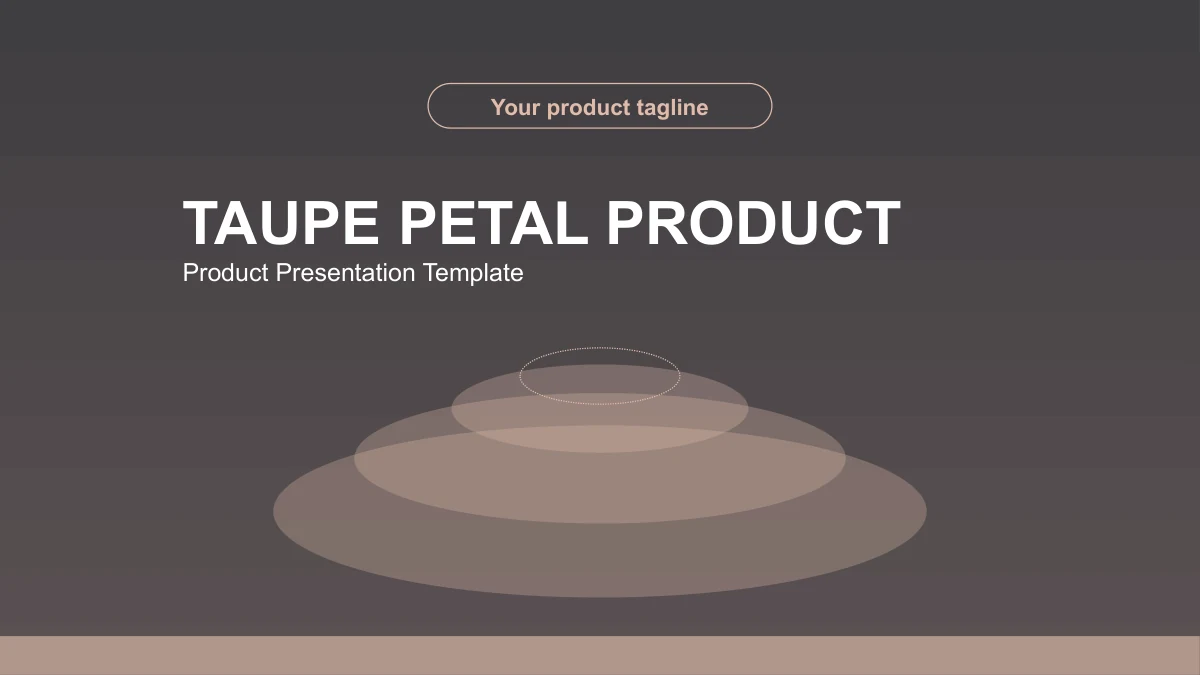
Taupe Petal Product Presentation Template pairs warm taupe and muted peach with charcoal panels, pale pages and overlapping oval petals. Its 21 slides move from Overview to Features, Advantages and Applications, then close with a thank-you page. Use the Taupe Petal Product Presentation Template to explain a user need, introduce a feature and support a benefit with relevant evidence. Nine icon points, rounded cards, a six-stage timeline and orbit-like callouts offer different ways to organise that explanation. A circular phone-use photo and a repeated desk photo add context, while drawn phones and laptops frame decorative examples. The Taupe Petal Product Presentation Template provides editable English guidance rather than a completed product pitch. Choose layouts that fit your material, replace the sample text and check each comparison. The diagrams are manually arranged shapes, so their labels and positions need to be edited together.
Key Features of Taupe Petal Product Presentation Template
Match the visual arrangement to the point you want your audience to understand.
Layered petals and restrained colour
Taupe Petal Product Presentation Template combines translucent oval petals, warm taupe and charcoal panels. Use the light and dark pages to pace your product story.
Four parts for a product explanation
Taupe Petal Product Presentation Template groups Overview, Features, Advantages and Applications. Match the contents to the dividers on slides 3, 9, 13 and 17.
Nine points and compact cards
Taupe Petal Product Presentation Template includes a nine-icon grid and rounded topic cards. Keep each point brief and choose examples that support its heading.
A six-stage manual timeline
Taupe Petal Product Presentation Template has six Roman-numbered stages on slide 12. Edit the labels and notes together to describe your own sequence of actions.
Comparisons without linked data
Taupe Petal Product Presentation Template uses circles, oval cards and orbit callouts to compare ideas. Add evidence and limits; these shapes are not data charts.
Photographs and static devices
Taupe Petal Product Presentation Template combines phone-use and desk photos with drawn devices. Replace relevant images; the illustrations do not run software.
How to Use the Taupe Petal Product Presentation Template
Plan the explanation, edit the examples and review the complete slide sequence.
-
Preview the four-part story
Browse all 21 pages of Taupe Petal Product Presentation Template. Outline Overview, Features, Advantages and Applications, then choose layouts that give your evidence and examples enough room.
-
Download and add your material
Download Taupe Petal Product Presentation Template with an active paid plan. Work in a copy, add your product explanations and permitted pictures, then adjust the manual diagrams.
-
Review and share the deck
Check Taupe Petal Product Presentation Template in Slide Show view. Review small labels, crops and the six-stage timeline, then share the PPTX or an exported PDF after checking its layout.
Taupe Petal Product Presentation Template FAQ
How do I download Taupe Petal Product Presentation Template?
Sign in with an active paid plan and select Download PPTX on the Taupe Petal Product Presentation Template page. Paid members have unlimited daily and repeat downloads of Taupe Petal Product Presentation Template. Keep a starting copy of Taupe Petal Product Presentation Template before changing the petal compositions, device drawings or section labels, so you can compare the original arrangement as your product story develops.
How many pages does Taupe Petal Product Presentation Template contain?
Taupe Petal Product Presentation Template has 21 slides in 16:9, with a cover, contents, four dividers and a thank-you close. Taupe Petal Product Presentation Template groups Overview on slides 3–8, Features on 9–12, Advantages on 13–16 and Applications on 17–20. Choose only the pages your explanation needs, and keep the Taupe Petal Product Presentation Template contents aligned with the sequence you retain.
Can I edit text and colours in Taupe Petal Product Presentation Template?
Headings, notes, oval petals and cards in Taupe Petal Product Presentation Template are editable PowerPoint elements. The nine-icon grid, six-stage timeline and comparison callouts in Taupe Petal Product Presentation Template are manual shapes, without native charts or linked workbooks. Change labels and positions together in Taupe Petal Product Presentation Template. Photos keep their own image details, so replace a picture when the change belongs to the photographed scene.
Can I see all of Taupe Petal Product Presentation Template before downloading?
Yes. The Taupe Petal Product Presentation Template gallery shows all 21 pages, including the pale layouts, charcoal dividers and device illustrations. Use the thumbnails or arrows to compare Taupe Petal Product Presentation Template pages before downloading. Check the nine-icon grid and six-stage timeline in Taupe Petal Product Presentation Template carefully: brief notes fit their original frames more comfortably than long product descriptions.
Can I use Taupe Petal Product Presentation Template in another presentation editor?
An editor that supports PPTX can open Taupe Petal Product Presentation Template, but fonts, translucent petals and photograph crops may render differently. Test a copy of Taupe Petal Product Presentation Template in your intended editor and review all 21 pages. Keep an editable Taupe Petal Product Presentation Template file, then check any exported PDF before sharing when you need the same arrangement on another screen.
Which fonts are used in Taupe Petal Product Presentation Template?
Taupe Petal Product Presentation Template uses Arial Regular and Bold, with Microsoft YaHei Bold for Roman labels. Taupe Petal Product Presentation Template embeds no font files. If an editor substitutes a face, inspect the small notes, rounded card headings and numbered stages. Keep replacement copy concise so Taupe Petal Product Presentation Template retains comfortable spacing, then check the deck in Slide Show view before presenting.
Is the slide text in Taupe Petal Product Presentation Template translated into English?
Taupe Petal Product Presentation Template is supplied with English headings and editable product guidance. The labels in Taupe Petal Product Presentation Template explain a possible structure rather than verified features, research findings or customer results. Replace them with your own supported material. All website languages describe the same English Taupe Petal Product Presentation Template PPTX; changing the page language does not translate the slides inside the file.
Can I use Taupe Petal Product Presentation Template for commercial projects?
Follow the original terms and photograph permissions when using Taupe Petal Product Presentation Template. A paid download of Taupe Petal Product Presentation Template does not grant additional rights to third-party images. The phone-use and desk photos are sample visuals, not evidence of performance or customer approval. Before sharing an edited Taupe Petal Product Presentation Template with clients or the public, confirm permissions for the pictures and claims you include.
How should I share Taupe Petal Product Presentation Template?
Use the share button on the Taupe Petal Product Presentation Template page to recommend the design or copy its page link. Review your edited Taupe Petal Product Presentation Template for short labels, manual timeline stages and relevant photo crops before sharing the PPTX or an exported PDF. Sharing the Taupe Petal Product Presentation Template page allows others to preview the design; an active paid plan is still required to download it.