Contour Business Presentation Template: Photo Contours and a Four-Part Business Sequence
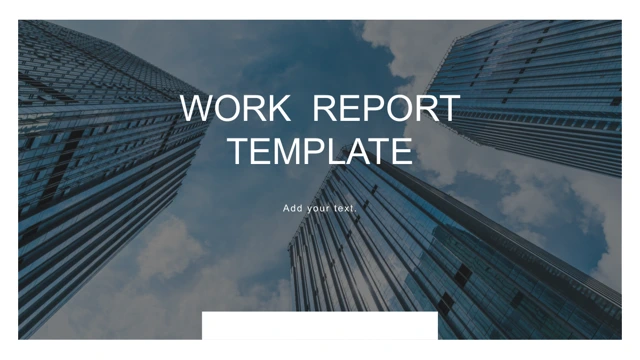
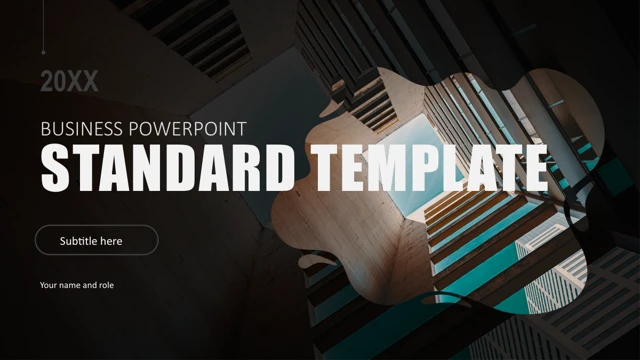
Contour Business Presentation Template opens with an upward-looking architecture photo behind BUSINESS POWERPOINT STANDARD TEMPLATE. Contour Business Presentation Template closes with THANKS over the same image. Contour Business Presentation Template preserves 23 16:9 pages, white layouts, gray forms and teal details. Contour Business Presentation Template translates the four contents entries as Project Background, Problem Solving, Results and Next Steps. The dividers in Contour Business Presentation Template place the architecture photo inside an irregular contour mask beside 01–04. Hands at a keyboard and a fine circle-and-line grid form darker backgrounds. Contour Business Presentation Template keeps three native chart parts and their three embedded Excel workbooks: a pyramid-style bar plot and two column charts. Their original caches and workbook values remain as supplied; reconcile them before using real data. Contour Business Presentation Template also retains separate manual 62%, 35% and 86% labels, three photo cards marked 30K/50K/70K, and four figures 236,456K/322,456K/456,000K/566,000K. Contour Business Presentation Template includes four dotted-route icons, a 01–04 zigzag, a laptop with a reading photo, five faceted columns, four gray chevrons and six photo cards. The pictures in Contour Business Presentation Template are layout examples, not verified people, places or businesses. Contour Business Presentation Template replaces the long quotation and formatting filler with brief prompts, translates Chinese contents/master hints and chart/workbook series labels, and clears Docer, Tangfeng, sharing notes and source authorship. Contour Business Presentation Template retains all 23 media files, both OLE objects, original numbers/formulas, geometry, page order and animations. Actual Chinese face references use Arial; three large percentages use Arial bold at 64 pt to avoid fallback wrapping. Other source and theme bindings remain; no fonts are embedded.
Key Features of Contour Business Presentation Template
Contours and charts.
Photo masks
Contour Business Presentation Template uses four contour-mask dividers.
Sections
Contour Business Presentation Template has four editable business sections.
Charts
Contour Business Presentation Template keeps three charts and three Excel workbooks.
Figures
Contour Business Presentation Template includes manual percentages and K-values.
Faceted shapes
Contour Business Presentation Template adds faceted columns and chevrons.
Original PPTX
Contour Business Presentation Template preserves 23 media files and two OLE objects.
How to Use Contour Business Presentation Template
Build your outline.
-
Preview
Contour Business Presentation Template: review all 23 pages.
-
Download
Contour Business Presentation Template: paid members download without daily limits.
-
Edit
Contour Business Presentation Template: replace prompts and check chart data.
Questions about Contour Business Presentation Template
How do I download Contour Business Presentation Template?
Contour Business Presentation Template requires an active paid plan. Sign in and choose Download PPTX. There is no daily download limit, and you can download the same file again. The page previews remain available before downloading.
How many slides does Contour Business Presentation Template contain?
Contour Business Presentation Template contains 23 original pages in 16:9. Four contour-mask dividers introduce Project Background, Problem Solving, Results and Next Steps. These are an editable structure for your own argument. Contour Business Presentation Template retains the opening and closing architecture photo rather than adding stock cover art.
What can I edit in Contour Business Presentation Template?
Contour Business Presentation Template contains editable text and shapes, three native chart parts with three Excel workbooks, and two original OLE objects. Chart caches and workbook values remain as supplied, so compare them before editing. The 62%, 35%, 86%, K-values and faceted shapes in Contour Business Presentation Template are separate manual examples, not automatic chart calculations.
Can I preview all of Contour Business Presentation Template?
Contour Business Presentation Template offers the complete 23-page preview. Review the pyramid-style bars, two column charts, dotted icon paths, laptop frame, faceted columns, chevrons, six photo cards and quarterly figures. Check the narrow percentage labels and photo crops in Contour Business Presentation Template at the size your audience will see.
Can another editor open Contour Business Presentation Template?
Contour Business Presentation Template is supplied as PowerPoint PPTX. Another compatible editor may import it, but compare the contour masks, pyramid-style chart, picture transparency, OLE content and animation behavior with PowerPoint. Contour Business Presentation Template preserves the original object structure; compatibility still depends on the editor and available fonts.
Which fonts does Contour Business Presentation Template use?
Contour Business Presentation Template references Agency FB, Arial, Arial Narrow, Calibri, Calibri Light and Impact, alongside source Chinese face references. Actual Chinese typeface references now use Arial. Only the three large percentage labels in Contour Business Presentation Template use Arial bold at 64 pt instead of Agency FB at 88/80 pt to avoid fallback wrapping. Other Western and theme bindings remain. No fonts are embedded; check substitutions and line breaks.
Is the text in Contour Business Presentation Template translated?
Contour Business Presentation Template translates the Chinese contents and master prompts, plus native chart and workbook series labels, into English. Long quotations and formatting filler become concise editing prompts. Source promotion, Docer/Tangfeng authorship and sharing notes are cleared. Contour Business Presentation Template keeps original business numbers, formulas, media and animation structure. Website translations describe this same English PPTX.
Can I use Contour Business Presentation Template commercially?
Contour Business Presentation Template does not grant rights to the source photographs, icons or fonts. Confirm their permissions or use your own assets. Images and figures in Contour Business Presentation Template are sample material, not proof of an office location, financial result or customer identity. Check every claim and replace the quarterly placeholders before commercial use.
How should I share Contour Business Presentation Template?
Contour Business Presentation Template is best shared as your completed presentation or PDF. Replace placeholders, reconcile chart caches with the workbook data, verify all manual percentages and quarterly figures, and check image rights. Inspect the exported PDF and keep the editable version of Contour Business Presentation Template. Confirm redistribution rights before sharing the template file itself.