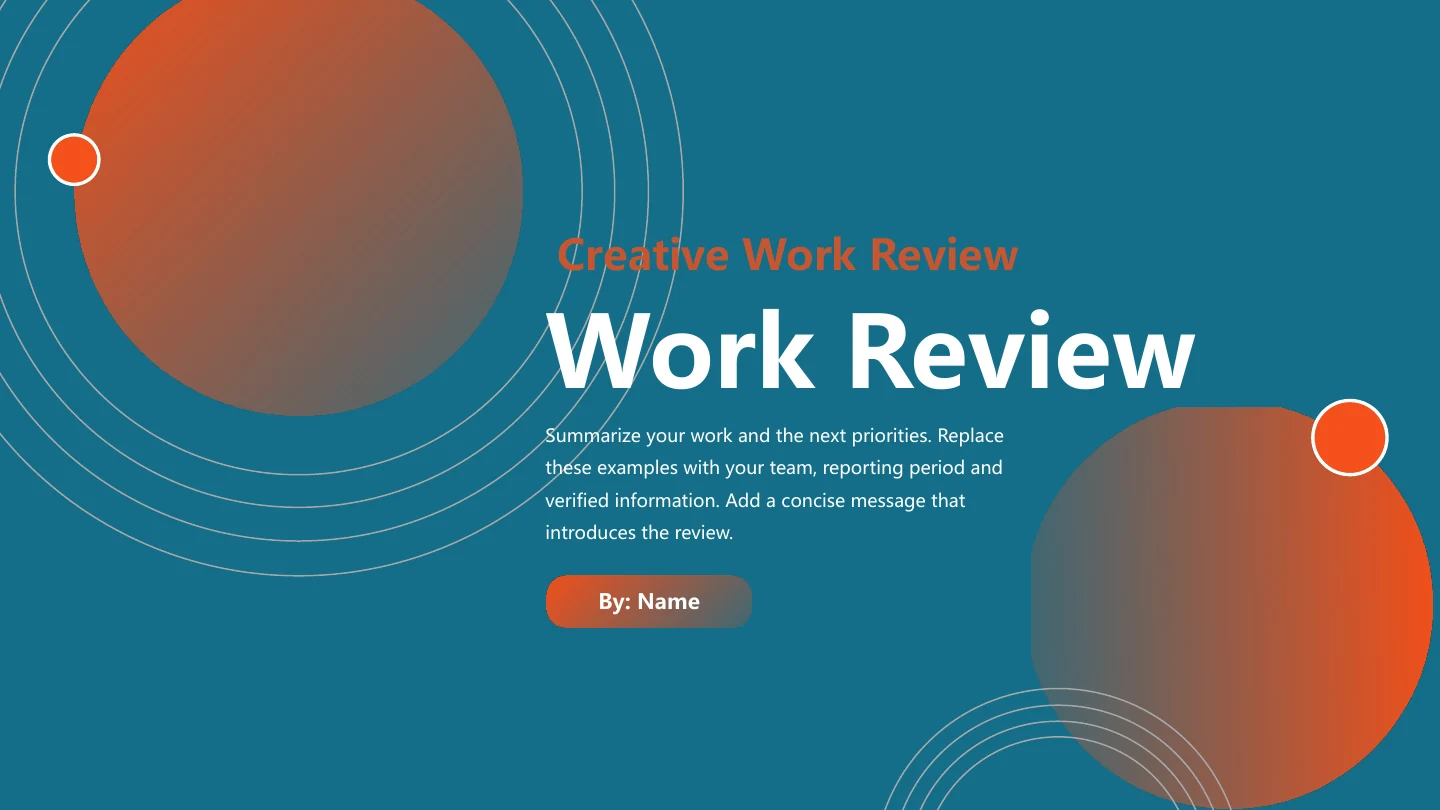
Teal Orange Work Review Presentation Template: orbital accents around a clear review of your work
Teal Orange Work Review Presentation Template pairs deep teal covers with orange gradient orbs and thin orbital rings. White content pages balance the colour with teal-orange icons, cards and ribbons. Teal Orange Work Review Presentation Template follows Work Review, Results, Challenges and Next Plan, separated by orb dividers. Office-desktop and night-city traffic photographs are sample visuals, not evidence of your team’s work. Teal Orange Work Review Presentation Template includes four result cards, three icon columns, a six-item checklist and two framed notes. Ribbons, a central chevron and alternating arrows organize actions and explanations. Capsule columns, semicircles and hexagons are decorative arrangements, not data-linked charts. Teal Orange Work Review Presentation Template finishes with a thank-you page. Choose from the twenty widescreen slides, replace the English prompts with verified outcomes, and keep captions short enough for the white panels and narrow labels.
Key Features of Teal Orange Work Review Presentation Template
Orbital covers, bright cards and room for evidence.
Orbital Covers and Dividers
Teal Orange Work Review Presentation Template uses orange gradient orbs and thin rings on deep teal covers and dividers. Short titles keep the decoration clear.
Four Review Sections
Teal Orange Work Review Presentation Template organizes Work Review, Results, Challenges and Next Plan. Rename contents and dividers together for your report.
Office and City Photographs
Teal Orange Work Review Presentation Template includes an office desktop and night-city traffic. Use authorized photos that support the work you report.
Cards and Checklists
Teal Orange Work Review Presentation Template has four result cards and a six-item icon checklist in two columns. Give each space a fact, example or next action.
Arrows and Chevron Layouts
Teal Orange Work Review Presentation Template uses four ribbons, a central chevron and alternating arrows. Group related points; these are layouts, not data charts.
Decorative Icon Groups
Teal Orange Work Review Presentation Template pairs capsule columns, semicircles and hexagons with notes. Keep notes brief; the shapes do not encode verified data.
How to Use Teal Orange Work Review Presentation Template
Choose your sections, add the evidence and check the result.
-
Preview the Whole Review
Browse all 20 pages of Teal Orange Work Review Presentation Template with thumbnails, arrows or enlargement. Compare the four sections, photo pages and icon layouts with your report outline.
-
Download and Add Your Work
Sign in with an active paid plan and download Teal Orange Work Review Presentation Template. Open a PowerPoint copy, replace prompts and prepare verified results and authorized photographs.
-
Check and Share
Test Teal Orange Work Review Presentation Template on your intended screen. Review headings, photo crops and colour contrast, inspect the PDF, confirm image rights and retain an editable copy.
Questions about Teal Orange Work Review Presentation Template
How do I download Teal Orange Work Review Presentation Template?
Sign in with an active paid plan and use the download button on this page to get Teal Orange Work Review Presentation Template. Paid members have unlimited daily and repeat downloads. Save an original copy of Teal Orange Work Review Presentation Template before changing the examples. Teal Orange Work Review Presentation Template is an English PowerPoint (.pptx) with its native layouts and image objects, rather than separate slide pictures. Prepare your own verified work details in a working copy of Teal Orange Work Review Presentation Template.
How many slides does Teal Orange Work Review Presentation Template contain?
Teal Orange Work Review Presentation Template contains 20 pages in a 16:9 format. A work-review cover and four-topic contents lead to matching numbered dividers for review, results, challenges and next plan. Teal Orange Work Review Presentation Template ends with a thank-you page. Other layouts include cards, icon columns, arrows, photographs and a two-column checklist. Keep only useful pages, or duplicate a suitable layout in Teal Orange Work Review Presentation Template; update the contents when you reorder sections.
Can I edit text and colours in Teal Orange Work Review Presentation Template?
Yes. Edit text and native cards, icons and panel shapes in Teal Orange Work Review Presentation Template with PowerPoint. Replace the sample headings and English prompts, then adjust colours where they support your message. Image assets in Teal Orange Work Review Presentation Template cannot be recoloured as independent painted details; replace pictures with material you may use. Keep a copy of Teal Orange Work Review Presentation Template and review alignment, contrast and crops after editing. There are no native charts or linked data workbooks.
Can I preview all of Teal Orange Work Review Presentation Template before downloading?
Yes. The gallery shows every page of Teal Orange Work Review Presentation Template, including the four dividers, photo pages, icon layouts and closing. Use thumbnails, arrows or enlargement to inspect the design without purchasing. The gallery reflects the same English Teal Orange Work Review Presentation Template supplied for download. Examine narrow card captions and arrow labels in Teal Orange Work Review Presentation Template before selecting pages, especially if your work report includes detailed explanations.
Will Teal Orange Work Review Presentation Template work in another editor?
An editor that imports PPTX may open Teal Orange Work Review Presentation Template, but fonts, text positions, shape spacing and picture crops can change. Compare Teal Orange Work Review Presentation Template in that editor with PowerPoint and the gallery, then inspect an exported PDF. Review the chevron, capsule columns and alternating arrow labels in Teal Orange Work Review Presentation Template separately. Teal Orange Work Review Presentation Template has no native data charts or embedded spreadsheet to migrate; similar appearance does not guarantee identical import behaviour.
Which fonts does Teal Orange Work Review Presentation Template use?
Teal Orange Work Review Presentation Template retains 微软雅黑 (Microsoft YaHei), with Calibri, Calibri Light and Arial theme references. No fonts are embedded in the source file. The preview of Teal Orange Work Review Presentation Template uses Microsoft YaHei, but font availability and editor support can still change wrapping. Keep the required fonts for Teal Orange Work Review Presentation Template available on your presentation device. After substituting a font in Teal Orange Work Review Presentation Template, check the cover, numbered dividers, narrow icon columns and small arrow captions for overflow or overlap.
Are the slides in Teal Orange Work Review Presentation Template translated into every site language?
Website descriptions of Teal Orange Work Review Presentation Template are localised, while the downloadable headings and editing prompts are English. All language pages use the same Teal Orange Work Review Presentation Template PPTX rather than separate translated decks. Change the section names, sample statements and closing message in Teal Orange Work Review Presentation Template for your audience. If you translate your own notes in Teal Orange Work Review Presentation Template, check longer phrases against the cards, ribbons and columns, then review the full deck before presenting.
Can I use Teal Orange Work Review Presentation Template commercially?
Source design and photograph permissions for Teal Orange Work Review Presentation Template have not been verified. A paid plan provides file access, rather than confirming a commercial licence or redistribution grant for each asset. The office and night-city photos in Teal Orange Work Review Presentation Template are examples, not your team, client or project evidence. Confirm permissions for Teal Orange Work Review Presentation Template and preserve any required credits. Replace uncertain images in Teal Orange Work Review Presentation Template with authorised material before distributing a completed presentation.
How do I share Teal Orange Work Review Presentation Template?
Use the page share controls or copy its URL to share Teal Orange Work Review Presentation Template. Someone reviewing the design can browse the full gallery and download under their own account conditions. For a finished presentation based on Teal Orange Work Review Presentation Template, confirm image permissions and required credits before sharing a PDF or the final file. Remove private details and unverified sample claims. Test Teal Orange Work Review Presentation Template on the intended screen and retain an editable copy for later updates.