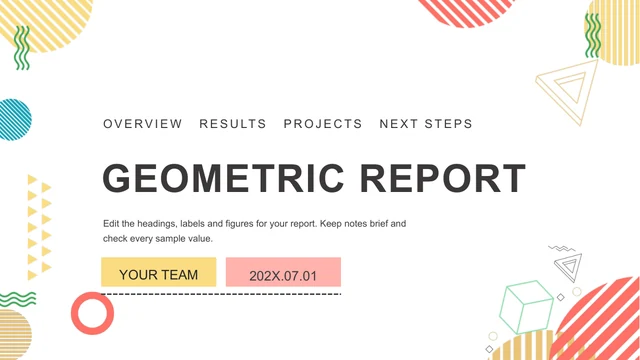
Triangular Work Summary Presentation Template: Four sections framed by blue and orange geometry
Triangular Work Summary Presentation Template sets a work review within blue, orange, yellow and light-blue triangles. White pages keep the color blocks and office photographs distinct. The 20-slide sequence moves from work overview to completed work, areas to improve and future plans. Triangular Work Summary Presentation Template uses numbered cards, speech bubbles, arrows and diamond groups to explain points without native charts. The opening and closing share a geometric border. Choose the pages of Triangular Work Summary Presentation Template that match your actual work, then replace every placeholder with evidence and a clear next action.
Key Features of Triangular Work Summary Presentation Template
Triangles, office photographs and four clear report sections.
Triangles
Triangular Work Summary Presentation Template uses blue, orange and yellow triangles.
Four report sections
Triangular Work Summary Presentation Template separates work, results, improvements and plans.
Office photographs
Triangular Work Summary Presentation Template pairs office photos with color panels.
Numbered layouts
Triangular Work Summary Presentation Template groups points in twos, threes and fours.
Arrow diagrams
Triangular Work Summary Presentation Template has arrows, speech bubbles and diamonds.
Closing page
Triangular Work Summary Presentation Template repeats its border on the thanks page.
How to Use Triangular Work Summary Presentation Template
Turn your records into a short work report.
-
Map the report
Choose Triangular Work Summary Presentation Template pages for your report.
-
Get the original
Sign in with a paid plan. Daily downloads are unlimited.
-
Add your evidence
Edit Triangular Work Summary Presentation Template examples and check the finished file.

Questions about Triangular Work Summary Presentation Template
How do I download Triangular Work Summary Presentation Template?
Use the download button after signing in with an active paid plan. Triangular Work Summary Presentation Template is delivered as an editable PowerPoint (.pptx), with unlimited daily and repeat downloads. Save an untouched Triangular Work Summary Presentation Template copy before you start replacing text. You receive the complete Triangular Work Summary Presentation Template file, including its contents page, four numbered section breaks and matching closing page; the preview images are not the editable download.
How many pages are in Triangular Work Summary Presentation Template?
Triangular Work Summary Presentation Template contains 20 slides in 16:9. The Triangular Work Summary Presentation Template contents page introduces work overview, completed work, areas to improve and future plans. Photo layouts and short point diagrams sit between the four section breaks. You can trim Triangular Work Summary Presentation Template to the length of your report, while keeping the sequence useful for listeners. The thank-you page matches the cover’s triangle border.
Can I change the text and colors in Triangular Work Summary Presentation Template?
The text and many geometric shapes in Triangular Work Summary Presentation Template can be edited in PowerPoint. Change headings first, then replace the brief explanatory text beside numbered shapes. Triangular Work Summary Presentation Template has no native charts or embedded data workbooks; its visual diagrams are layouts rather than a live data model. When changing Triangular Work Summary Presentation Template colors, check white text on the dark-blue panels and keep numbered items easy to distinguish.
Can I see all of Triangular Work Summary Presentation Template before downloading?
The gallery shows every page of Triangular Work Summary Presentation Template. Open the desk-photo layouts and arrow sequences to see how much room they leave for your own points. Some pages compare two items, while others fit three or four. Enlarge Triangular Work Summary Presentation Template previews to check heading length and image crops before choosing pages. The Triangular Work Summary Presentation Template source order is preserved, so the gallery corresponds to the file you will receive.
Will Triangular Work Summary Presentation Template work in another editor?
Triangular Work Summary Presentation Template is a PPTX prepared for PowerPoint. Compatible editors may change cropped photographs, overlapping triangles, text spacing or grouped diagram elements. Import a copy of Triangular Work Summary Presentation Template and compare its section breaks and numbered layouts with the gallery. Keep the original download until you have checked the result. A test PDF of Triangular Work Summary Presentation Template can reveal shifted labels before you send the report or present it on another computer.
Which fonts are used in Triangular Work Summary Presentation Template?
The prepared English text in Triangular Work Summary Presentation Template uses Arial. The source included Source Han Sans CN in bold, light and medium weights, and its original Office theme references remain. English section labels in Triangular Work Summary Presentation Template are fitted within their original boxes. If your software substitutes a font, check the cover, contents labels and all Part 01–04 headings in Triangular Work Summary Presentation Template; avoid enlarging a title until it overlaps neighboring text.
Is the slide text in Triangular Work Summary Presentation Template translated?
Chinese headings and editing prompts in Triangular Work Summary Presentation Template have been changed to English, and the source presenter identifier has been removed. Repeated filler is replaced by short instructions for adding verified details. The website translations explain the same English Triangular Work Summary Presentation Template file; they do not create separate PPTX languages. Write your own report in the Triangular Work Summary Presentation Template copy you edit, using consistent names, dates and descriptions of completed work.
Can I use Triangular Work Summary Presentation Template for a commercial report?
Review the permissions for original office photographs and graphic elements before using Triangular Work Summary Presentation Template commercially. A paid plan provides file access, not a blanket license to redistribute every source asset. Replace a photograph with unclear rights in Triangular Work Summary Presentation Template with one you own or may use. Check whether your finished Triangular Work Summary Presentation Template report contains confidential work information before distributing it outside your organization.
How should I share Triangular Work Summary Presentation Template?
Send the public Triangular Work Summary Presentation Template page using the share button when someone needs to inspect the original design and download conditions. For your completed work report, share an edited file or PDF after checking content and image permissions. Keep your editable Triangular Work Summary Presentation Template copy with its supporting records. Recheck the exported version of Triangular Work Summary Presentation Template so cropped photos, numbered arrows and white text on blue panels remain clear.