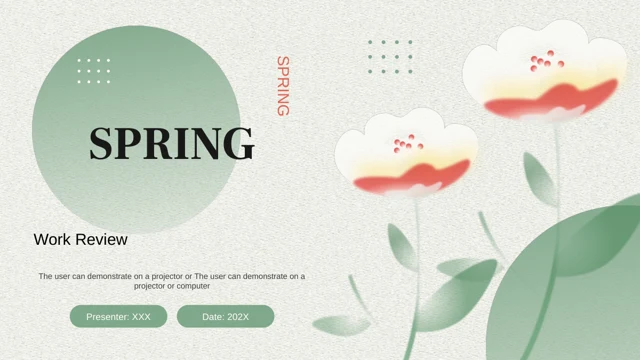
Tropical slides: leaf-framed work summaries and next steps
Bring a leafy setting to your work review with these tropical slides. Palm and monstera foliage surrounds green outlines, leaving white space for responsibilities, completion, project results and reflection. The Tropical Leaf Work Summary design offers 25 pages, including comparison cards, icon notes, a column chart, SWOT and a three-level pyramid. These tropical slides suit a project or another reporting period; choose the scope that matches your evidence. Use the smaller cards for concise points and the wider frames for context. The tropical slides separate what was planned from what was delivered, then connect results to practical follow-up. Add your own figures, explain limitations and assign owners to the next actions. With tropical slides providing a consistent setting, the audience can follow the review from overview to reflection. All examples need your own verified content before presentation.
What these tropical slides include
Tropical slides with four reporting chapters, comparison layouts and room for reflection.
Palm and monstera borders
Palm and monstera leaves give these tropical slides their character. Green outlines and open white areas separate your work notes from the leafy decoration.
Four reporting chapters
Follow Work Overview, Completion, Project Results and Reflections in these tropical slides. Choose a project or reporting period that matches your own evidence.
Plans beside outcomes
Use paired cards in these tropical slides to compare the original plan with the outcome. Keep the period and measures consistent so differences remain clear.
A native results chart
These tropical slides include a two-series column chart with four categories. Edit its worksheet; cup bars and percentage labels are separate manual objects.
SWOT and priorities
SWOT cards and a three-level pyramid help organise reflection in these tropical slides. Connect strengths, gaps, opportunities and risks to practical next actions.
A four-stage review cycle
Four numbered circular arrows connect Plan, Act, Check and Adjust in these tropical slides. Use the surrounding notes to explain each stage of your next review.
How to use these tropical slides
Choose the scope, replace examples and check the tropical slides at presentation size.
-
Choose the scope and layouts
Preview all 25 tropical slides and define the work period. Select cards for key points and wider frames for context, then arrange the tropical slides around one clear reporting message.
-
Download and update the evidence
Download the tropical slides with an active paid plan. Replace notes and chart data, then update manual bars and percentage labels separately so the tropical slides reflect your evidence.
-
Review and prepare to share
Check the tropical slides at presentation size, including labels, borders and grouped diagrams. Confirm action owners and dates; save an editable copy of the tropical slides for later updates.

Questions about these tropical slides
How do I download these tropical slides?
Sign in with an active paid plan to download these tropical slides as PPTX. Paid members have unlimited daily downloads and may download again. Save a clean copy of the tropical slides before adding confidential work information.
How many pages are in these tropical slides?
These tropical slides contain 25 pages in 16:9: a cover, contents, four chapter dividers, content layouts and a closing page. Use the tropical slides for a project or another work period; an annual reporting cycle is not required.
What can I edit in these tropical slides?
Edit native text, shapes, icon cards, diagrams and the column-chart worksheet in these tropical slides. Cup bars and percentage labels are manual objects. Update them separately when adapting the tropical slides, so comparisons match your figures.
Can I preview all the tropical slides before downloading?
All 25 previews show the English tropical slides in order. Compare short icon cards with larger summary frames and choose room for context. Select tropical slides that fit your message; shorten crowded notes before reducing their size.
Can I open these tropical slides in another editor?
These tropical slides are supplied as PowerPoint PPTX. Google Slides and Keynote compatibility is unverified. After importing, inspect the native chart, leaf images, grouped diagrams and animation timing. Keep these tropical slides in PowerPoint for comparison.
Which font is used in these tropical slides?
The English tropical slides use Arial without embedded font files. After substitution, check chapter titles, narrow icon cards and chart labels for changed line breaks. View the tropical slides at presentation size to check pale green labels.
Are these tropical slides available in other languages?
The tropical slides contain English text in Work Overview, Completion, Project Results and Reflections. Website translations describe the same English PPTX. Replace prompts with verified work details; if translating the file, recheck longer headings and narrow cards.
Can I use these tropical slides for commercial work?
Check source terms before commercial use or redistribution of these tropical slides. Paid membership does not grant additional third-party rights. Obtain permission for photographs, logos or other material you add, and retain any required attribution.
How should I share these tropical slides?
Share the page link so colleagues can review these tropical slides. Where permissions allow, send an edited PPTX or PDF. Confirm the reporting period, figures and action owners, remove private information and keep an editable copy.