Watercolor Flower Monthly Report Presentation Template: warm brushwork and a structured work review
Watercolor Flower Monthly Report Presentation Template frames a work review with cream backgrounds, peach and gold brushstrokes, fine flower drawings and abstract painted landscapes. The 17 pages open with a cover, foreword and four-part contents. Watercolor Flower Monthly Report Presentation Template separates the work review, market analysis, lessons and next plan with numbered dividers. Five-stage progress and three painted project images explain the work. Watercolor Flower Monthly Report Presentation Template places three linked column charts together for comparison, with four circular lesson notes. Replace quarter-labelled examples with verified data. A four-node curved path and five priority circles set out the next actions. Watercolor Flower Monthly Report Presentation Template provides a visual structure for your own account: replace sample text, dates and data with checked information, keep headings short and explain each figure. Review the whole sequence before presenting.
Key Features of Watercolor Flower Monthly Report Presentation Template
Warm brushwork, linked charts and clear action layouts.
Watercolor and Flower Artwork
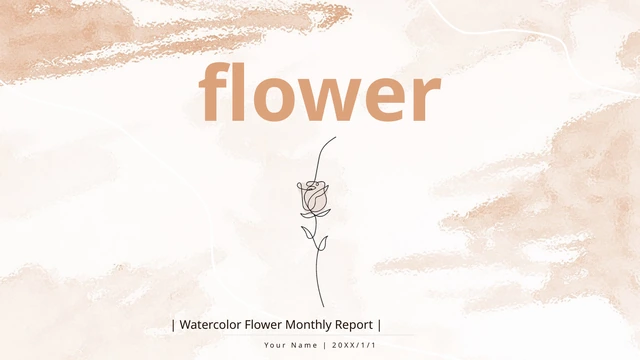
Watercolor Flower Monthly Report Presentation Template uses soft brushwork and fine flower drawings. Keep titles brief and check contrast on the pale background.
Four-Part Report Structure
Watercolor Flower Monthly Report Presentation Template separates review, market, lessons and the next plan. Match contents and headings to your outline.
Project and Progress Layouts
Watercolor Flower Monthly Report Presentation Template has three painted project panels and five stages. Pair short labels with evidence and keep notes concise.
Three Linked Column Charts
Watercolor Flower Monthly Report Presentation Template puts three native column charts side by side. Edit linked data, then check series, labels and units.
Four Circles for Lessons
Watercolor Flower Monthly Report Presentation Template sets four circular notes for lessons. Give each circle a distinct point supported by evidence.
Workflow and Priority Pages
Watercolor Flower Monthly Report Presentation Template uses a four-node path and five priority circles. Give each action an owner, date and progress check.
How to Use Watercolor Flower Monthly Report Presentation Template
Select the evidence, update and review.
-
Choose the Relevant Pages
Browse all 17 pages of Watercolor Flower Monthly Report Presentation Template. Select the work, market, lesson and plan layouts that fit your outline before adding your own evidence.
-
Download a Working Copy
Download Watercolor Flower Monthly Report Presentation Template with an active paid plan; daily and repeat downloads are unlimited. Save an original copy and edit text, artwork and linked data.
-
Check and Share
Review Watercolor Flower Monthly Report Presentation Template on your target screen. Check fonts, chart labels and artwork crops; export a PDF, open it and inspect every page before sending.
Questions about Watercolor Flower Monthly Report Presentation Template
How do I download Watercolor Flower Monthly Report Presentation Template?
Sign in with an active paid plan and use the download button for Watercolor Flower Monthly Report Presentation Template. Paid members have unlimited daily and repeat downloads. Watercolor Flower Monthly Report Presentation Template is an English PowerPoint (.pptx). Save an original copy of Watercolor Flower Monthly Report Presentation Template before adapting the presenter, dates and example notes. File access does not verify figures or license retained artwork.
How many slides are in Watercolor Flower Monthly Report Presentation Template?
Watercolor Flower Monthly Report Presentation Template contains 17 slides in 16:9, including a cover, foreword, contents page and matching thanks page. Four numbered dividers in Watercolor Flower Monthly Report Presentation Template separate the work review, market analysis, lessons and next plan. Other pages provide five-stage progress, three project panels, four circular lesson notes and action layouts. Choose pages from Watercolor Flower Monthly Report Presentation Template, duplicate layouts if needed and update the contents.
Can I edit the text and charts in Watercolor Flower Monthly Report Presentation Template?
Edit text, shapes and three native column charts in Watercolor Flower Monthly Report Presentation Template using PowerPoint. Replace examples through the linked Excel workbooks of Watercolor Flower Monthly Report Presentation Template; check every series, category and unit, including unused or unnamed entries. Painted artwork in Watercolor Flower Monthly Report Presentation Template remains pictures: replace or crop image objects, not individual brushstrokes. Check whether the Q1–Q4 examples fit your monthly reporting period.
Can I preview the full Watercolor Flower Monthly Report Presentation Template before downloading?
Yes. The gallery displays all 17 pages of Watercolor Flower Monthly Report Presentation Template, including the four dividers, progress layouts, three charts and final plan. You can view it without purchasing paid file access. Browse Watercolor Flower Monthly Report Presentation Template with thumbnails or arrows and enlarge the charts and small notes to check readability. The preview of Watercolor Flower Monthly Report Presentation Template is static; it does not demonstrate workbook editing. Select useful pages and leave room around short labels.
Will Watercolor Flower Monthly Report Presentation Template work in another presentation editor?
Another editor may open Watercolor Flower Monthly Report Presentation Template, but fonts, charts and spacing can differ. Compare a working copy of Watercolor Flower Monthly Report Presentation Template with PowerPoint and the gallery. Test editing of the three charts and linked workbooks, including series and labels. Export the finished Watercolor Flower Monthly Report Presentation Template to PDF, open it and check text, chart axes, circle notes and artwork edges.
Which fonts does Watercolor Flower Monthly Report Presentation Template use?
Watercolor Flower Monthly Report Presentation Template uses Noto Sans regular and bold to replace source 汉仪旗黑55S and Radam. Watercolor Flower Monthly Report Presentation Template retains other source and theme references, including Arial and Times New Roman, without embedded fonts. Check Watercolor Flower Monthly Report Presentation Template on your device for substitution and wrapping. Obtain appropriate font rights; the replacement font licence covers fonts, not the retained design or artwork.
Are the slides of Watercolor Flower Monthly Report Presentation Template translated into my language?
All versions of this page describe the same English PowerPoint for Watercolor Flower Monthly Report Presentation Template. Editable Chinese text in Watercolor Flower Monthly Report Presentation Template, including chart and workbook labels, is now concise English. Painted images remain pictures. Download Watercolor Flower Monthly Report Presentation Template and translate editable text if needed. Check contents, dividers, chart labels and closing text for changed wrapping, especially with longer words or a different writing direction.
Can I use Watercolor Flower Monthly Report Presentation Template commercially?
Commercial and redistribution permissions for the design and artwork of Watercolor Flower Monthly Report Presentation Template are independently unverified. Paid access to Watercolor Flower Monthly Report Presentation Template is not a blanket asset licence. Source creator tangxin remains credited; attribution does not grant rights. Check terms before publishing, selling or redistributing an adapted Watercolor Flower Monthly Report Presentation Template. Replace resources without permission for your intended use and treat original figures as examples.
How do I share my finished Watercolor Flower Monthly Report Presentation Template?
Use this page’s sharing controls or copy its URL to share Watercolor Flower Monthly Report Presentation Template. Friends can preview freely; downloads require their own eligible paid accounts. For your edited Watercolor Flower Monthly Report Presentation Template, remove private details and check figures and resource sharing rights. Export a PDF, open it and inspect every page before sending. Test the PPTX if recipients need editable charts; send the file or a permitted link. Keep an editable Watercolor Flower Monthly Report Presentation Template for the next period.