Build stunning Google Slides presentations with AI-powered tools and templates
Professional
Creative
Standard
Text
Upload
Url
YouTube
Image
Basic Model
English
简体中文
繁體中文
日本語
한국어
Français
Русский
العربية
Deutsch
Español
Italiano
Português
ภาษาไทย
Bahasa Melayu
Tiếng Việt
Türkçe
Bahasa Indonesia
General Scene
Teaching Materials
Work Summary
Work Plan
Project Report
Solution
Research Report
Meeting Materials
Product Introduction
Company Introduction
Business Plan
Science Popularization
Public Speaking
Public
Students
Teachers
Superiors
Subordinates
Interviewer
Colleagues
Professional
Friendly
Technical
Persuasive
Academic
Inspirational
Educational
Humorous
Concise
Medium
Short
Long
Submit
Drag and drop a file to create a PPT
Supports DOC, DOCX, PDF, PPT, PPTX, TXT, MD, XLS, XLSX, CSV, HTML, EPUB, MOBI, XMIND, and MM files under 10MB
Choose a File
Basic Model
English
简体中文
繁體中文
日本語
한국어
Français
Русский
العربية
Deutsch
Español
Italiano
Português
ภาษาไทย
Bahasa Melayu
Tiếng Việt
Türkçe
Bahasa Indonesia
General Scene
Teaching Materials
Work Summary
Work Plan
Project Report
Solution
Research Report
Meeting Materials
Product Introduction
Company Introduction
Business Plan
Science Popularization
Public Speaking
Public
Students
Teachers
Superiors
Subordinates
Interviewer
Colleagues
Professional
Friendly
Technical
Persuasive
Academic
Inspirational
Educational
Humorous
Concise
Medium
Short
Long
Basic Model
English
简体中文
繁體中文
日本語
한국어
Français
Русский
العربية
Deutsch
Español
Italiano
Português
ภาษาไทย
Bahasa Melayu
Tiếng Việt
Türkçe
Bahasa Indonesia
General Scene
Teaching Materials
Work Summary
Work Plan
Project Report
Solution
Research Report
Meeting Materials
Product Introduction
Company Introduction
Business Plan
Science Popularization
Public Speaking
Public
Students
Teachers
Superiors
Subordinates
Interviewer
Colleagues
Professional
Friendly
Technical
Persuasive
Academic
Inspirational
Educational
Humorous
Concise
Medium
Short
Long
Submit
Basic Model
English
简体中文
繁體中文
日本語
한국어
Français
Русский
العربية
Deutsch
Español
Italiano
Português
ภาษาไทย
Bahasa Melayu
Tiếng Việt
Türkçe
Bahasa Indonesia
General Scene
Teaching Materials
Work Summary
Work Plan
Project Report
Solution
Research Report
Meeting Materials
Product Introduction
Company Introduction
Business Plan
Science Popularization
Public Speaking
Public
Students
Teachers
Superiors
Subordinates
Interviewer
Colleagues
Professional
Friendly
Technical
Persuasive
Academic
Inspirational
Educational
Humorous
Concise
Medium
Short
Long
Submit
Drag and drop a file to create a PPT
Supports PNG, JPG, JPEG, and BMP files under 5MB
Choose a IMAGE
Basic Model
English
简体中文
繁體中文
日本語
한국어
Français
Русский
العربية
Deutsch
Español
Italiano
Português
ภาษาไทย
Bahasa Melayu
Tiếng Việt
Türkçe
Bahasa Indonesia
General Scene
Teaching Materials
Work Summary
Work Plan
Project Report
Solution
Research Report
Meeting Materials
Product Introduction
Company Introduction
Business Plan
Science Popularization
Public Speaking
Public
Students
Teachers
Superiors
Subordinates
Interviewer
Colleagues
Professional
Friendly
Technical
Persuasive
Academic
Inspirational
Educational
Humorous
Concise
Medium
Short
Long
Smart Google Slides Creation
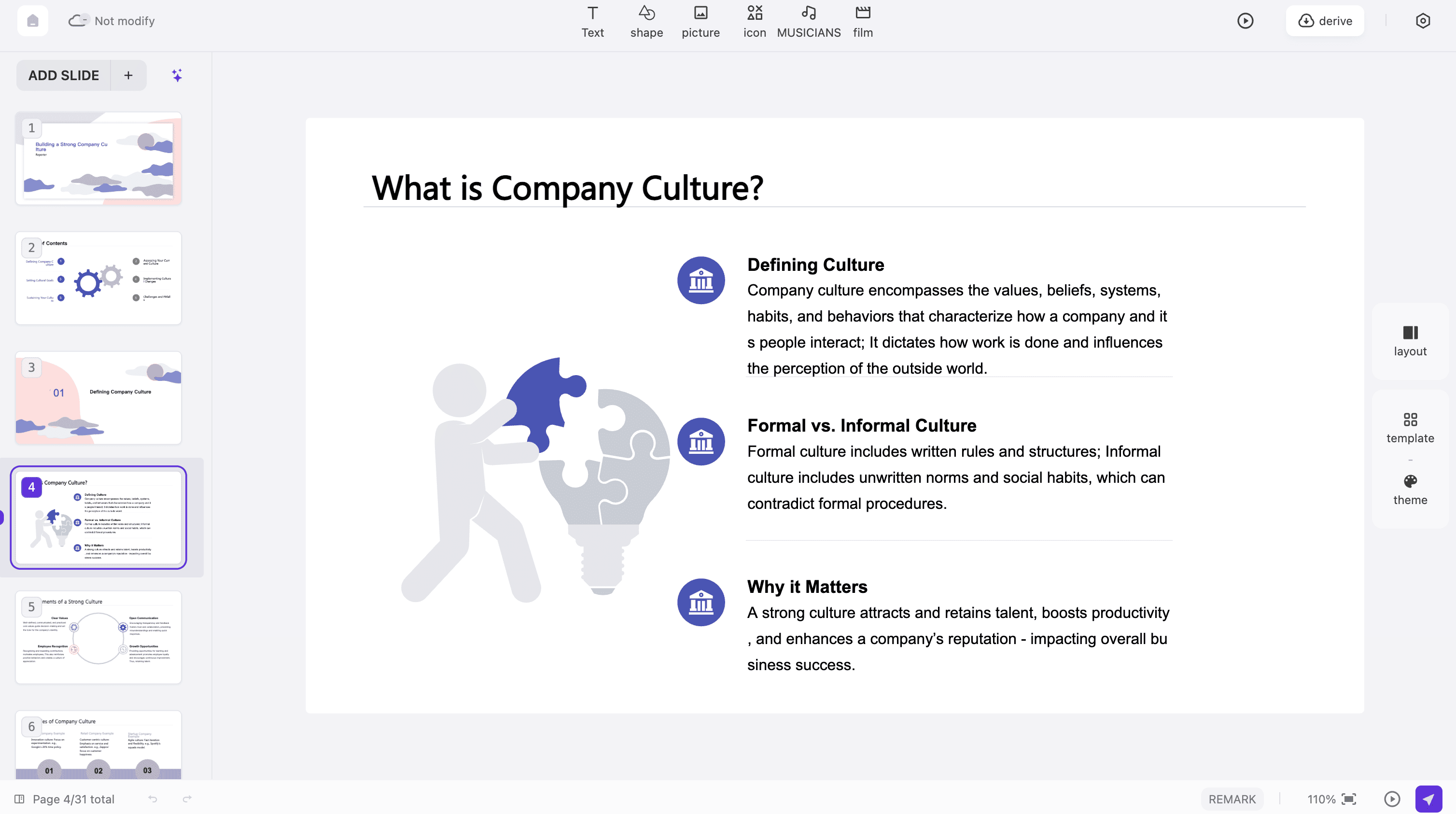
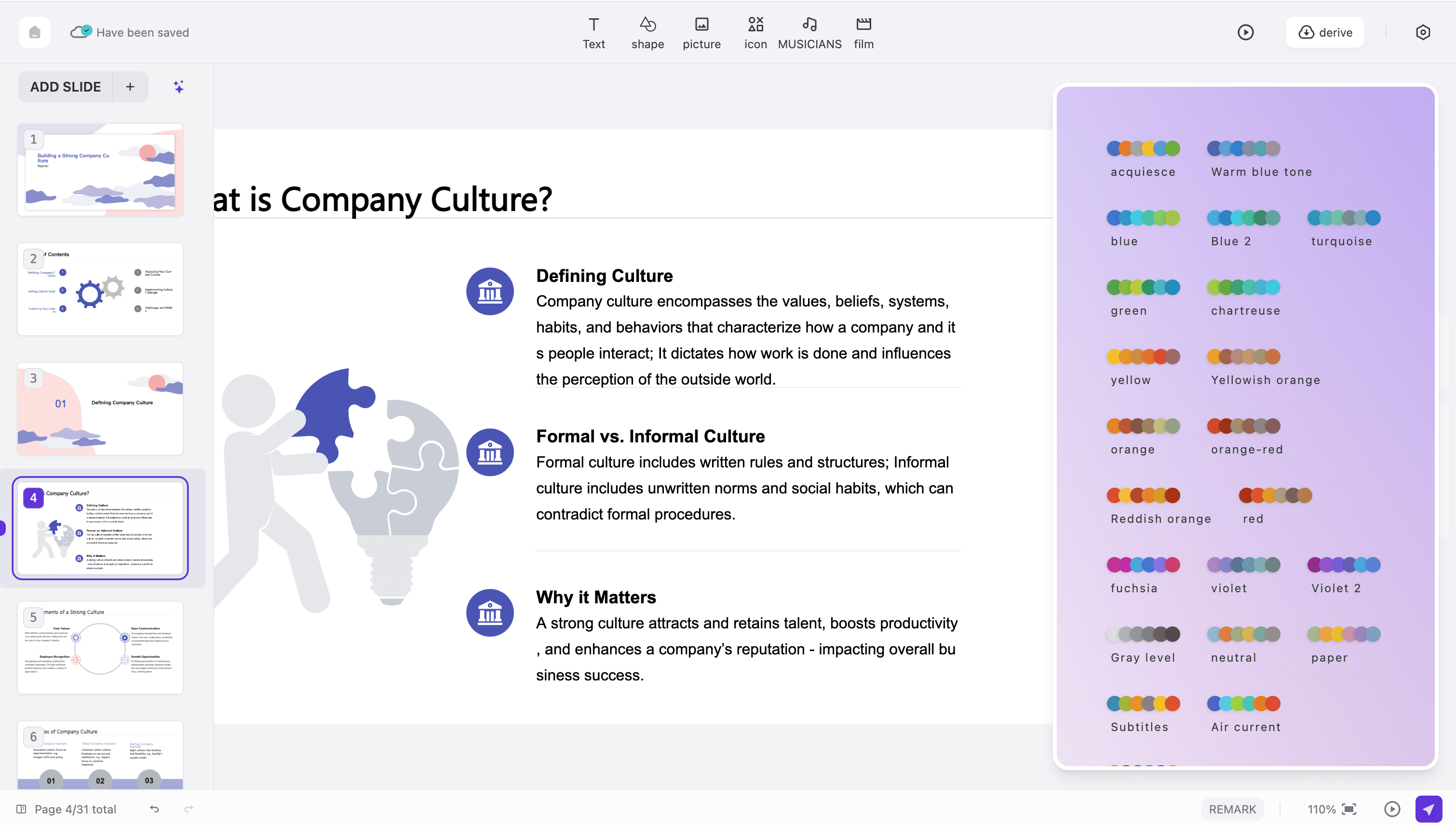
Our AI technology transforms your content into beautiful Google Slides presentations within seconds. Simply input your ideas and watch as professional slides are generated automatically with optimal layouts and design elements.
Access over 50 professionally designed templates optimized for Google Slides. Each template features modern aesthetics, clear typography, and balanced visual hierarchy to make your presentations stand out.
Seamlessly export your created presentations directly to Google Slides format. Full compatibility ensures your slides look perfect when opened in Google Slides, maintaining all formatting and design elements.
Build Professional Google Slides in Three Easy Steps
Step 1
Step 2
Step 3
Enter Your Content
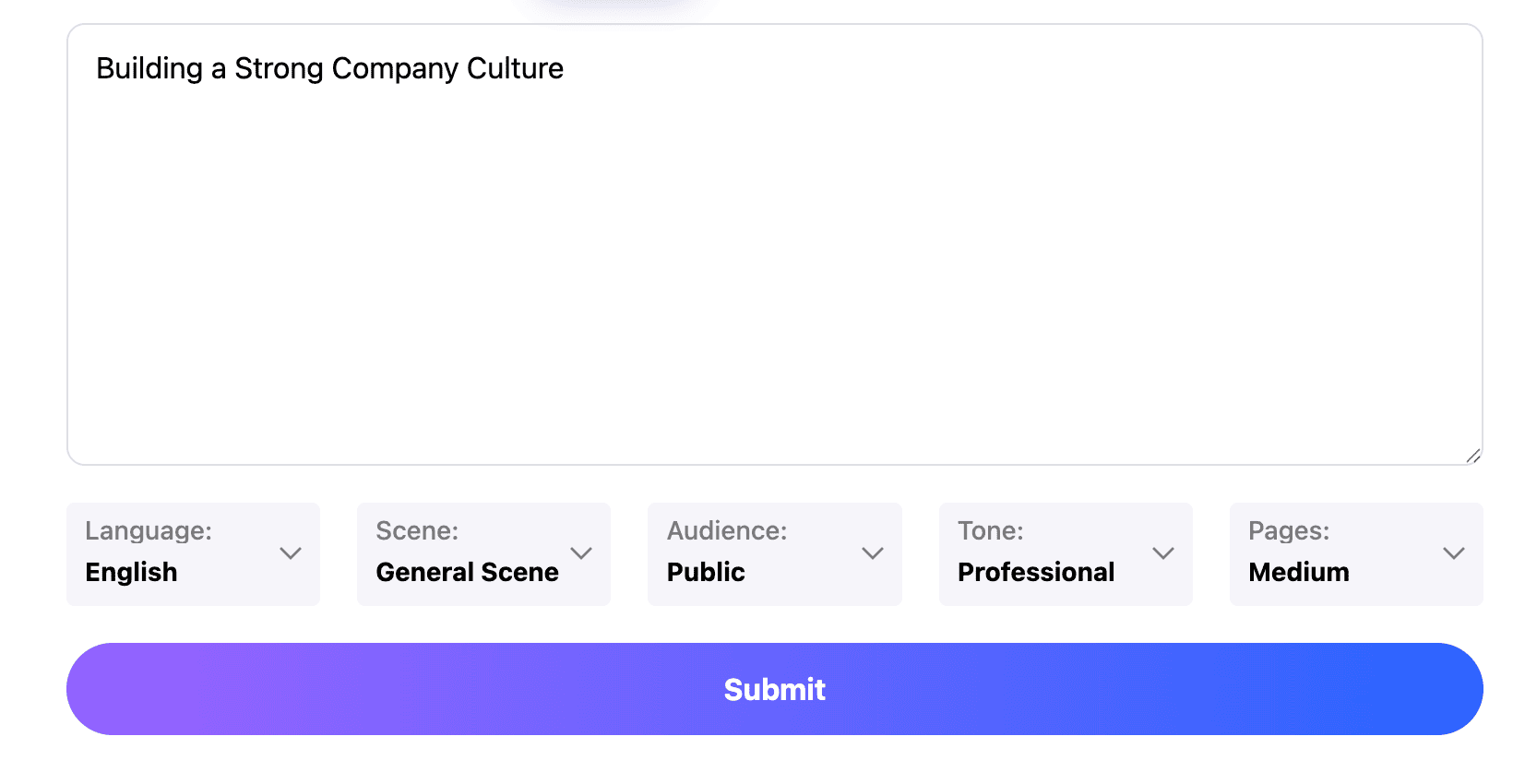
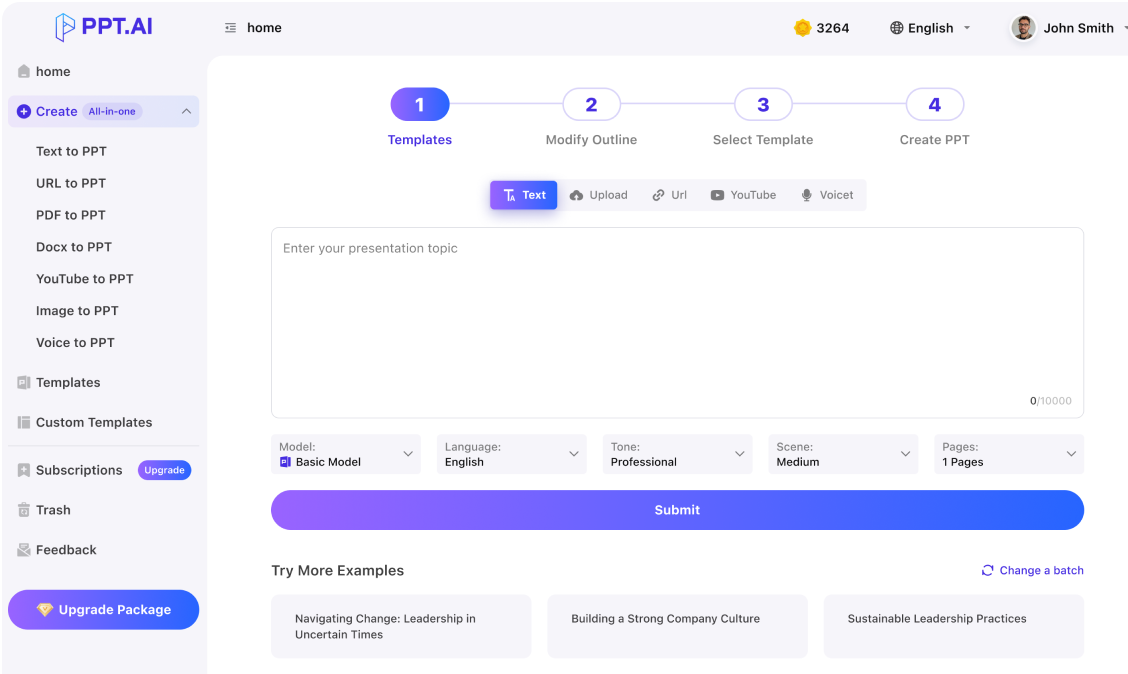
Paste your text or outline into our Google Slides creator. You can also type directly or upload documents to get started with your presentation.
Choose Your Template
Select from our collection of Google Slides compatible templates. Each template is designed to work perfectly with Google Slides formatting and features.
Export Your Google Slides
Download your finished presentation in Google Slides format. Open it directly in Google Slides to edit, share, or present to your audience.
I use Google Slides daily for client presentations. This tool has completely changed my workflow. Creating professional Google Slides now takes minutes instead of hours, and the quality is outstanding.
James Mitchell
Business Analyst
The Google Slides templates here are far superior to the default options. My Google Slides presentations look more professional and engaging. My colleagues always ask how I create such impressive slides.
Dr. Lisa Anderson
University Lecturer
As an educator, I create Google Slides presentations weekly. This AI tool understands academic content structure perfectly and generates Google Slides that my students find clear and engaging.
Robert Chen
Startup Founder
For investor pitches, professional Google Slides are essential. This tool helped me create polished Google Slides for our funding round. We secured our investment, and the slides played a big role.
Sophie Williams
Graduate Student
Writing thesis presentations in Google Slides used to be stressful. Now I can generate professional Google Slides from my research notes instantly. This tool is a game-changer for students.
Daniel Brown
Sales Executive
My sales team relies on Google Slides for every client meeting. With this tool, we create customized Google Slides presentations quickly. Our close rate has improved significantly since we started using it.
Frequently Asked Questions About Google Slides
Have more questions? Contact our support team by email
Is this tool compatible with Google Slides?
Yes, our tool is fully compatible with Google Slides. All presentations you create can be exported directly to Google Slides format and opened seamlessly in Google Slides without any formatting issues.
Can I edit the presentations in Google Slides after creation?
Absolutely. Once you export your presentation to Google Slides, you have full editing capabilities. Change text, add images, modify layouts, and use all native Google Slides features.
How do your templates compare to default Google Slides templates?
Our templates are professionally designed with modern aesthetics and optimized for business presentations. They offer more variety and sophistication than standard Google Slides templates.
Is there a free version for creating Google Slides?
Yes, we offer a free tier that allows you to create Google Slides presentations with basic features. Premium plans unlock additional templates, longer presentations, and advanced design options.
How long does it take to generate Google Slides?
Our AI typically generates complete Google Slides presentations in under 60 seconds. The speed depends on content length, but most presentations are ready within a minute.
Can I collaborate on Google Slides created with your tool?
Yes. Once exported to Google Slides, you can use all collaboration features including real-time editing, commenting, and sharing with team members through Google Slides native functions.
What file formats can I export besides Google Slides?
Besides Google Slides format, you can export to PowerPoint, PDF, and image formats. This flexibility ensures your presentations work across all platforms and presentation software.
Does the AI understand different presentation styles for Google Slides?
Yes, our AI adapts to various presentation contexts including business pitches, educational lectures, sales decks, and creative portfolios when generating your Google Slides.
Can I import existing Google Slides to enhance them?
Currently, we focus on creating new Google Slides presentations from your content. However, you can easily copy content from existing Google Slides into our tool for redesign.
Is my content secure when creating Google Slides?
Yes, we use enterprise-grade encryption to protect your data. All content submitted for Google Slides creation is processed securely and automatically deleted after 24 hours.
Discover More PPT AI Products
Unlock even more with PPT AI suite of intelligent solutions





 Google Slides:








What Users Say About Our Google Slides Tools