Glassmorphism Business Report Presentation Template: frosted cards and charts for your project report
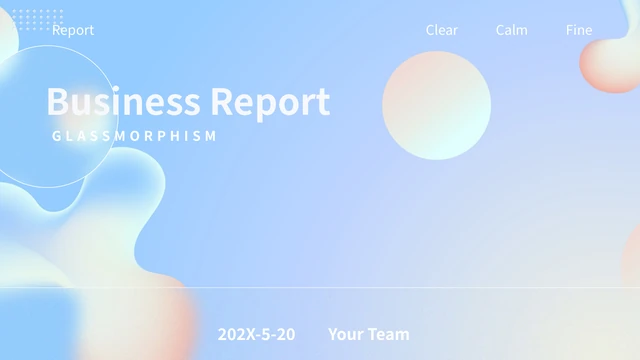
Glassmorphism Business Report Presentation Template combines soft blue backgrounds, purple accents and translucent-looking panels across 20 slides. Soft spheres link the cover, four chapters and closing. Glassmorphism Business Report Presentation Template moves from a project introduction to progress, analysis and future planning. Three native charts offer different ways to compare sample figures: lines, grouped columns and an area-and-line combination. Other pages use manually labelled percentage rings, a seven-point timeline and orbit-style diagrams. Glassmorphism Business Report Presentation Template repeats a sea photograph in three tall cards, for image and caption comparisons. Give each page one clear project point. The figures, dates and labels in Glassmorphism Business Report Presentation Template are examples, not verified results. Replace them with your own information and check pale text against the light backgrounds.
Key Features of Glassmorphism Business Report Presentation Template
Pastel gradients, frosted panels and charts for project updates.
Frosted Gradient Panels
Glassmorphism Business Report Presentation Template uses blue gradients, soft spheres and frosted-looking panels. Keep new text clear on the light areas.
Four Project Chapters
Glassmorphism Business Report Presentation Template opens chapters on pages 3, 8, 12 and 16. Give each project section one purpose and choose its layouts.
Three Native Data Charts
Glassmorphism Business Report Presentation Template keeps three native charts and their linked workbooks. Replace sample data and recheck labels in PowerPoint.
A Seven-Point Timeline
Glassmorphism Business Report Presentation Template has seven timeline markers on page 14. Write short event captions and make their order easy to follow.
Three Sea-Photo Cards
Glassmorphism Business Report Presentation Template repeats one sea photograph in three cards on page 11. Choose useful pictures and caption each view clearly.
Rings and Orbit Diagrams
Glassmorphism Business Report Presentation Template includes manual rings and orbit-style diagrams. Update labels separately to keep them consistent with your data.
How to Use Glassmorphism Business Report Presentation Template
Outline your update, replace the examples and review the final slides.
-
Outline the Project Update
Preview Glassmorphism Business Report Presentation Template and give each chapter a purpose. Choose charts, timeline points or card layouts to support your message, then prepare project details.
-
Keep a Working Copy
Download Glassmorphism Business Report Presentation Template with an active paid plan; daily and repeat downloads are unlimited. Save an untouched copy to compare the layout while editing.
-
Replace and Check the Data
Edit Glassmorphism Business Report Presentation Template in PowerPoint. Update chart workbooks, manual labels and captions. Check light text, reopen the export and check each page before sharing.
Questions about Glassmorphism Business Report Presentation Template
How do I download Glassmorphism Business Report Presentation Template?
Sign in with an active paid plan and use the download button for Glassmorphism Business Report Presentation Template. Daily and repeat downloads are unlimited. Review the public gallery of Glassmorphism Business Report Presentation Template first, then save an untouched copy. Edit Glassmorphism Business Report Presentation Template in a separate working file with your project details and permitted pictures. Keep supporting data with the presentation for later revisions.
How many slides are in Glassmorphism Business Report Presentation Template?
The file has 20 slides in a 16:9 format. Glassmorphism Business Report Presentation Template includes a contents page, four chapter openings and a closing. Choose the pages of Glassmorphism Business Report Presentation Template that fit your update rather than using every example. Glassmorphism Business Report Presentation Template can be shorter when a focused chart and a clear explanation already cover the same project point.
What can I edit in Glassmorphism Business Report Presentation Template?
You can change editable text, shapes and the three native charts in Glassmorphism Business Report Presentation Template. The charts retain linked Excel workbooks; edit their source data and check the result. Percentage rings and diagram labels in Glassmorphism Business Report Presentation Template need separate text updates. Details stored inside a picture may require image replacement. Recheck overlaps and spacing throughout Glassmorphism Business Report Presentation Template after editing.
Can I preview all of Glassmorphism Business Report Presentation Template?
All 20 previews of Glassmorphism Business Report Presentation Template are public and free. Browse the thumbnails, use the arrows or enlarge a page to compare its layout with your outline. Inspect light text and compact captions carefully in Glassmorphism Business Report Presentation Template. The gallery shows static slides; it does not establish image permissions or verify sample business figures. Review the actual data before adapting Glassmorphism Business Report Presentation Template.
Can another editor open Glassmorphism Business Report Presentation Template?
The download is a PowerPoint PPTX. Other editors may import Glassmorphism Business Report Presentation Template, but their compatibility has not been confirmed. Compare chart appearance, transparent-looking panels and text spacing against the gallery of Glassmorphism Business Report Presentation Template. Keep the original separate from any imported copy. Reopen the exported Glassmorphism Business Report Presentation Template and review every page on the screen you plan to use.
Which fonts does Glassmorphism Business Report Presentation Template use?
Visible source text in Glassmorphism Business Report Presentation Template uses Source Han Sans CN Bold, Medium, Normal and Regular, Microsoft YaHei and DengXian. Other original font references remain in Glassmorphism Business Report Presentation Template without being used by every page. Font availability varies by editor. After opening Glassmorphism Business Report Presentation Template, compare chart labels, narrow captions and title wrapping with the gallery; font references do not supply a separate font licence.
Is the downloaded Glassmorphism Business Report Presentation Template in English?
Editable Chinese headings and sample instructions in Glassmorphism Business Report Presentation Template are translated into concise English. Existing English design lettering remains, and chart text is matched to its workbook labels. Website languages describe the same English Glassmorphism Business Report Presentation Template, not separate slide files. Replace the examples in Glassmorphism Business Report Presentation Template with accurate project names and captions. Original source information does not establish authorship of your project.
Can I use Glassmorphism Business Report Presentation Template for client work?
Commercial and redistribution rights for the whole Glassmorphism Business Report Presentation Template and its images have not been independently verified. Paid access does not add those permissions. Before adapting Glassmorphism Business Report Presentation Template for a client or distributing an edited file, check the required rights and retain genuine credits. Use permitted replacements where necessary, and remove sample claims from Glassmorphism Business Report Presentation Template rather than presenting them as verified results.
How should I share Glassmorphism Business Report Presentation Template?
Share the public page of Glassmorphism Business Report Presentation Template with the control beside the download button or copy its URL. Recipients can preview Glassmorphism Business Report Presentation Template and download with their own active paid plan. Before distributing an edited Glassmorphism Business Report Presentation Template, check image permissions and remove private data or unsupported claims. Reopen the exported PDF to inspect chart labels and captions, and retain an editable copy.