Artistic Freshness Presentation Template: leaf details and warm colours for a work review
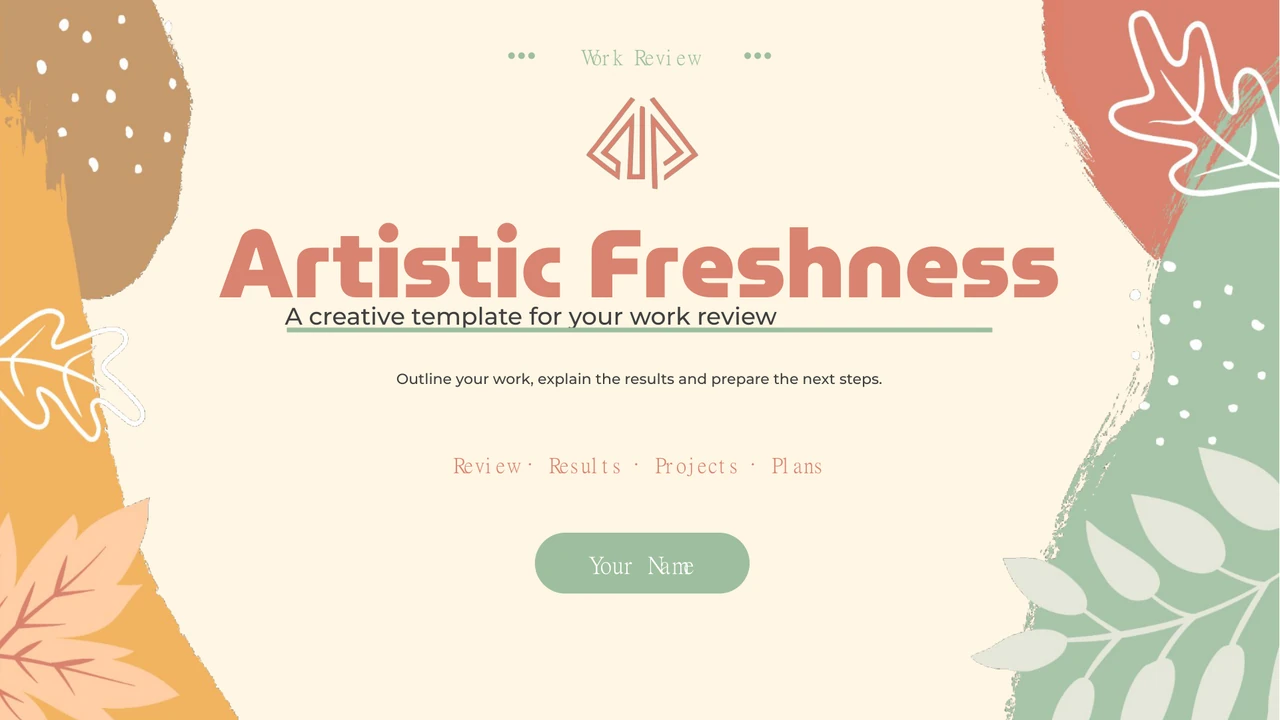
Artistic Freshness Presentation Template pairs a cream background with coral, sage green and orange accents. Leaves, acorns and brush-like edges frame the opening and closing. Artistic Freshness Presentation Template follows four chapters: Year Review, Work Results, Project Stories and Next Steps. Artistic Freshness Presentation Template combines office photographs with coloured cards, rounded crops and hexagonal frames. A five-stage progress line and a page focused on SWOT strengths help explain selected work. Artistic Freshness Presentation Template also includes an editable three-series column chart and a January–June line chart, each with a linked workbook. The separate totals, people and contact names are examples to replace, rather than verified results. Choose useful pages from the 20 widescreen slides. Keep the original file, update the English prompts with accurate information and check chart units, picture crops and the closing before sharing.
Key Features of Artistic Freshness Presentation Template
Leaves, office photographs and editable charts in a warm palette.
Leaf and Acorn Borders
Artistic Freshness Presentation Template uses cream pages, leaf and acorn borders, and coral, sage and orange accents. Keep titles clear of the illustrations.
Four Review Chapters
Artistic Freshness Presentation Template has four contents topics and PART 01–04 dividers. Rename the review, results, projects and plan sections together.
Office Photo Layouts
Artistic Freshness Presentation Template pairs office photos with rectangles, rounded frames and hexagons. After replacing a picture, check the subject and crop.
Editable Column Chart
Artistic Freshness Presentation Template has a column chart with three series and four categories, linked to a workbook. Replace figures and label the units.
January–June Line Chart
Artistic Freshness Presentation Template has a January–June line chart above four separate totals. Edit the data and explain each measure and reporting period.
Progress and Team Pages
Artistic Freshness Presentation Template includes five progress stages, strengths notes and four hexagonal team cards. Replace the example names and contacts.
How to Use Artistic Freshness Presentation Template
Choose the sequence, check the evidence and review the finished file.
-
Plan Your Work Review
Review all 20 pages of Artistic Freshness Presentation Template. Match the chapters to your outline. Choose photo, progress or chart pages, and gather verified figures, project details and names.
-
Download and Edit a Copy
Download Artistic Freshness Presentation Template on an active paid plan, with unlimited daily and repeat downloads. Keep the original, open a PowerPoint copy and update prompts, photos and chart data.
-
Check and Share the Results
Test Artistic Freshness Presentation Template on your intended screen. Check fonts, photo crops, chart units and contrast. Review the PDF and image permissions, and keep an editable copy.
Questions about Artistic Freshness Presentation Template
How do I download Artistic Freshness Presentation Template?
Sign in with an active paid plan and use the download button beside the gallery to get Artistic Freshness Presentation Template. Paid members have unlimited daily and repeat downloads. Save an original Artistic Freshness Presentation Template copy before editing and keep a separate file for your presentation. Artistic Freshness Presentation Template is supplied as an English PowerPoint PPTX with native text, shapes, charts and picture objects. Open the working copy in PowerPoint, review the four chapters and replace the example material before presenting.
How many slides does Artistic Freshness Presentation Template contain?
Artistic Freshness Presentation Template contains 20 slides in 16:9: a cover, contents, four numbered dividers, thirteen content pages and a closing. Artistic Freshness Presentation Template groups the examples into Year Review, Work Results, Project Stories and Next Steps. The contents labels are editable starting points. Keep only the Artistic Freshness Presentation Template pages that support your argument and rename the dividers when changing the outline. After reordering Artistic Freshness Presentation Template, check that the contents, chapter numbers and closing agree with the final sequence.
Can I edit the text, pictures and charts in Artistic Freshness Presentation Template?
Yes. Artistic Freshness Presentation Template keeps native text, cards, outlines and both charts editable in PowerPoint. Use Edit Data for the three-series column chart or six-month line chart, then verify the labels and units. The leafy borders and office photographs in Artistic Freshness Presentation Template remain image assets. The four totals below the line chart are separate text, so update them independently. Replace pictures in Artistic Freshness Presentation Template with material you may use and check the rounded and hexagonal crops after each change.
Can I preview every page of Artistic Freshness Presentation Template?
Yes. The gallery shows all 20 pages of the same English Artistic Freshness Presentation Template supplied for download. Use the thumbnails, arrows or enlarged view to compare the contents, four dividers, photo layouts and two charts. Inspect Artistic Freshness Presentation Template around the leaf decorations, pale progress labels and small profile contacts. Review Artistic Freshness Presentation Template before writing your outline so each page has a clear purpose. Compare the final Artistic Freshness Presentation Template copy with the preview after replacing photographs or changing the chapter order.
Will Artistic Freshness Presentation Template work in another presentation editor?
An editor with PPTX import may open Artistic Freshness Presentation Template, but fonts, chart display, image transparency and text wrapping can change. Compare the imported Artistic Freshness Presentation Template with the gallery and PowerPoint, especially the column chart categories, rounded photo frames and pale green labels. Check that both chart workbooks remain accessible. Export a test PDF from Artistic Freshness Presentation Template and inspect it at the intended display size. Keep a PowerPoint working copy; support for the file format alone does not guarantee matching appearance.
Which fonts does Artistic Freshness Presentation Template use?
The main source faces in Artistic Freshness Presentation Template include MuseoModerno Black, Montserrat Medium, Helvetica Light and 思源宋体 CN Heavy. Artistic Freshness Presentation Template retains four original embedded font parts, including two Montserrat Medium entries. Embedding does not guarantee that every editor loads each face. The preview renders Montserrat and MuseoModerno from the source fonts; some other text uses available fallbacks. Check Artistic Freshness Presentation Template after opening, particularly large headings, chart labels and contacts. If you choose substitute fonts for Artistic Freshness Presentation Template, review every line break and alignment.
Are the slides in Artistic Freshness Presentation Template translated with the website?
The website descriptions are localised, while every language page offers the same English Artistic Freshness Presentation Template PPTX. The download uses English chapter labels and editing prompts; original photographs, leaf artwork and chart values remain. Example people, handles and totals in Artistic Freshness Presentation Template are sample content, not a real team or proven results. You can translate editable text in your own Artistic Freshness Presentation Template copy. Keep the chart categories, contents and section titles consistent, then check wrapping before presenting in another language.
Can I use Artistic Freshness Presentation Template commercially?
Commercial use and redistribution rights for Artistic Freshness Presentation Template have not been verified. The source identifies its creator as Administrator, which does not establish ownership of the photographs, illustrations or fonts. A paid download provides access to Artistic Freshness Presentation Template; it is not a licence for every asset. Before using Artistic Freshness Presentation Template for a client, publication or commercial project, check the permissions that apply and replace material you cannot use. Preserve genuine credits and seek permission where needed rather than treating unknown rights as approval.
How do I share Artistic Freshness Presentation Template?
Open your completed Artistic Freshness Presentation Template copy, remove the example names and contacts, and check chart data, units and image permissions. Use PowerPoint to export a PDF, open that PDF and review all pages before sending it through your chosen file-sharing service. Keep an editable Artistic Freshness Presentation Template copy for future corrections. If a collaborator needs the PPTX, share a working copy only when the relevant permissions allow it. You can also send the public Artistic Freshness Presentation Template page link so colleagues can preview the design themselves.