Geometric Work Report Presentation Template: Four chapters connected by playful diagrams
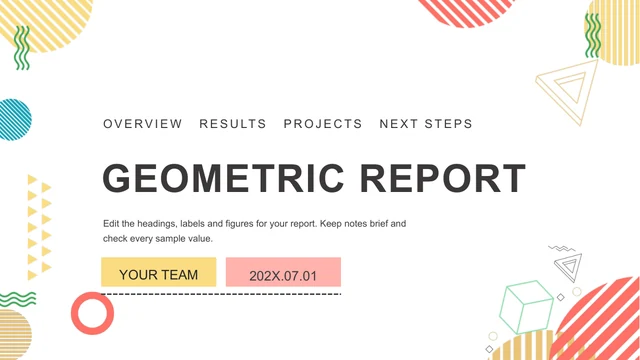
Geometric Work Report Presentation Template lays out a work report in 25 widescreen slides. Striped circles, small triangles and green waves frame a white background, while coral, yellow, teal and green connect the diagrams. The Geometric Work Report Presentation Template outline moves through Work Overview, Results, Projects and Next Steps, with four matching part dividers. A key with rising arrows, linked gears, puzzle pieces and a native doughnut chart offer different ways to explain your work. Use Geometric Work Report Presentation Template to select a clear sequence, replacing the editing prompts and verifying all sample percentages.
Key Features of Geometric Work Report Presentation Template
Four chapters and linked diagrams.
Geometric edges
Geometric Work Report Presentation Template uses stripes on a white background.
Four chapters
Geometric Work Report Presentation Template has an outline and Part 01–04 dividers.
Linked processes
Geometric Work Report Presentation Template links gears, arrows and puzzles.
Native doughnut
Geometric Work Report Presentation Template retains one chart and its source workbook.
Shape percentages
Geometric Work Report Presentation Template has separate percentage labels.
Matching ending
Geometric Work Report Presentation Template repeats the editable cover at the end.
How to Use Geometric Work Report Presentation Template
Set your outline, edit and verify.
-
Set your outline
Geometric Work Report Presentation Template: choose pages for the four chapters.
-
Get the file
Geometric Work Report Presentation Template: valid paid members have unlimited daily downloads.
-
Check the data
Geometric Work Report Presentation Template: edit data and verify the callouts.
Questions about Geometric Work Report Presentation Template
How do I download Geometric Work Report Presentation Template?
Sign in with an active paid plan and use the download button for Geometric Work Report Presentation Template. The PPTX includes all 25 pages; paid members can download it repeatedly without a daily cap. You can preview Geometric Work Report Presentation Template without downloading. After saving Geometric Work Report Presentation Template, keep an editable working copy so the original diagrams and sample values remain available for comparison.
How many slides are in Geometric Work Report Presentation Template?
Geometric Work Report Presentation Template contains 25 slides in a 1280 × 720, 16:9 format. Its four chapters are Work Overview, Results, Projects and Next Steps, introduced by matching numbered dividers. The last page of Geometric Work Report Presentation Template repeats the cover layout rather than adding a separate thanks design. You can omit diagrams from Geometric Work Report Presentation Template and update the outline to match your shorter report.
Can I edit the charts in Geometric Work Report Presentation Template?
Geometric Work Report Presentation Template contains one native doughnut chart with an embedded workbook. Its saved values are 0.25, 0.44, 0.16 and 0.15; visible callouts show 25%, 44%, 16% and 15%. The workbook categories use quarter labels, while the callouts name activities. Align both when adapting Geometric Work Report Presentation Template. Other percentages in Geometric Work Report Presentation Template are separate shapes and text, so changing a label does not automatically redraw them.
Can I preview every page of Geometric Work Report Presentation Template?
Yes. All 25 pages of Geometric Work Report Presentation Template appear in the gallery. Inspect the narrow captions, the key-and-arrow page and the doughnut chart before selecting your layouts. The preview of Geometric Work Report Presentation Template shows the prepared English file with its original drawings and positions. Compare Geometric Work Report Presentation Template on a large screen as well as a phone; diagram labels need to remain readable at presentation size.
Will Geometric Work Report Presentation Template work in another editor?
Geometric Work Report Presentation Template is delivered as a PowerPoint file. Other editors may import it, but the native chart, grouped puzzle pieces and arrow connectors can behave differently. Open Geometric Work Report Presentation Template in PowerPoint for the closest editing workflow, then review every imported page if you use another application. Export Geometric Work Report Presentation Template to PDF and compare the percentage callouts, icon colors and chapter headings before presenting.
Which fonts does Geometric Work Report Presentation Template use?
The prepared editable text in Geometric Work Report Presentation Template uses Arial. The source listed Lato, Lato Black, Calibri Light, 字魂59号-创粗黑 and 思源黑体 CN Heavy/Medium, alongside theme fonts. Text was fitted to the original boxes in Geometric Work Report Presentation Template; the media and shape positions remain intact. If you replace Arial in Geometric Work Report Presentation Template, recheck the small diagram labels and the four-entry contents for unexpected line breaks.
Are the slides of Geometric Work Report Presentation Template translated?
The prepared Geometric Work Report Presentation Template PPTX uses English headings and concise editing prompts. Chinese chapter names were translated, and promotional names, notes and author metadata were cleared. The 15 language versions describe Geometric Work Report Presentation Template on the website; they do not create 15 differently translated PPTX files. Replace the prompts in Geometric Work Report Presentation Template with your own report, keeping the original chart values only when they are relevant and verified.
Can I use Geometric Work Report Presentation Template commercially?
An active paid membership provides download access to Geometric Work Report Presentation Template, but download access alone does not establish unrestricted rights to every source asset. Review the applicable terms and the rights to material you add to Geometric Work Report Presentation Template. The activity percentages and process labels in Geometric Work Report Presentation Template are examples, not evidence of business performance. Use authorized content and confirmed results in any version you present to clients.
How do I share Geometric Work Report Presentation Template?
Use the share controls to send the public Geometric Work Report Presentation Template page for design review. For a finished report, share your edited PPTX or an exported PDF through an appropriate channel. Before sharing Geometric Work Report Presentation Template, make the chapter outline, workbook categories and percentage callouts consistent. Remove sample dates and team placeholders from Geometric Work Report Presentation Template, and confirm that arrows and puzzle-piece connections still describe the sequence you intend.