Balloon Sketchbook Presentation Template: a playful frame for your teaching ideas
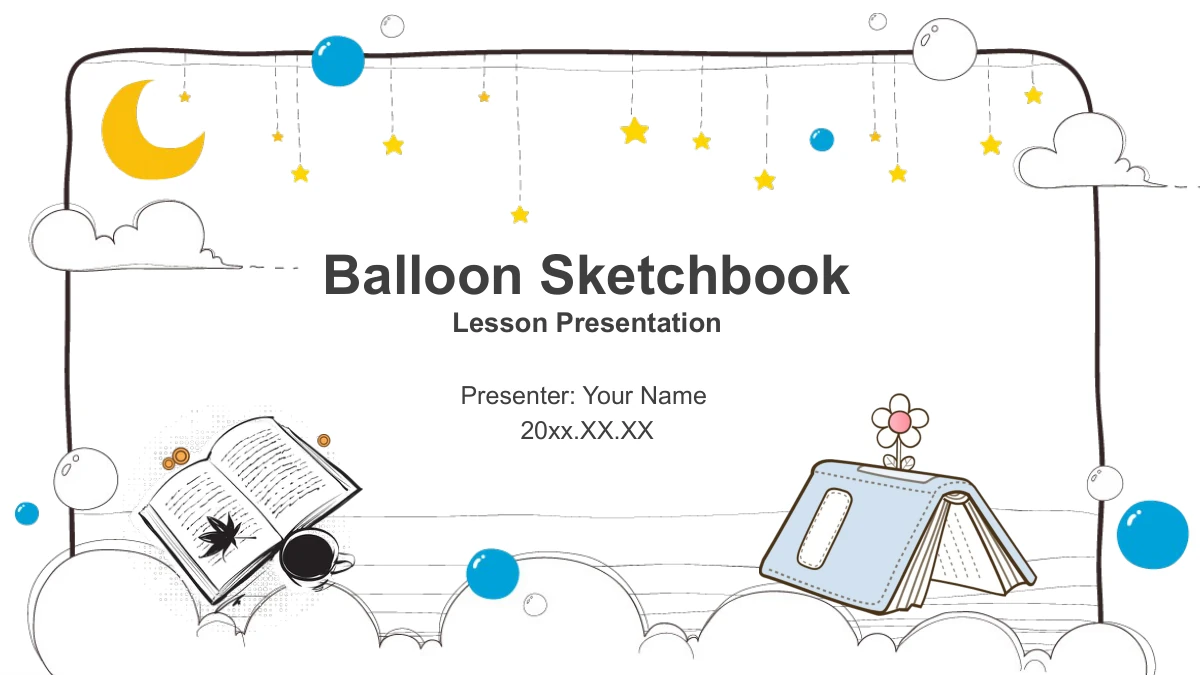
Balloon Sketchbook brings the look of illustrated stationery to a four-part teaching presentation. Balloon clusters sit at the lower corners of the content pages, while butterflies, easels and loosely drawn paper frames make space for your notes. The cover and closing share a moon-and-star border with books. Across 26 slides, the framework moves through Teaching Background, Teaching Process, Teaching Analysis and Board Plan. Children, cameras, a teddy bear and small education-themed illustrations provide visual accents alongside numbered cards, arrows and paired explanations. These are adaptable layouts rather than a finished lesson: add the subject, objectives, activities and observations that your audience needs. A few pages include manual percentages or sample years. Keep those labels separate from any evidence you introduce, and adjust the accompanying shapes when your message calls for a different comparison.
Features of Balloon Sketchbook Presentation Template
Illustrated frames for clear teaching notes.
Balloon and Sketch Motifs
Balloon clusters frame the content pages, while butterflies and hand-drawn outlines connect the layouts. Books and hanging stars decorate the opening and closing.
Four Teaching Chapters
Easel dividers separate Background, Process, Analysis and Board Plan. Use the four chapters to explain your context, activities, observations and classroom notes.
Illustrated Note Pages
Children, a bicycle, cameras and a teddy bear appear in framed layouts. Pair the illustrations with your own explanations without treating them as lesson evidence.
Arrows and Idea Groups
Four arrows, A–D circles and a balloon with four callouts offer simple structures for ideas. Edit their text and separate shapes to suit the point you are making.
Independent Sample Figures
Paired percentages and four year labels are manual examples, with no linked data. Change the text and any related bar lengths together when adding your own figures.
Space for a Clear Summary
Three descending cards, framed illustrations and an open notebook give you different ways to collect short notes before the matching illustrated closing slide.
How to Use Balloon Sketchbook Presentation Template
Choose your pages, add the lesson and review the details.
-
Map your teaching story
Review all 26 previews and outline your background, lesson process, analysis and board plan. Choose the note layouts that fit each point, then decide which illustrations support your explanation.
-
Download and add your content
Download the English PPTX with an active paid membership. Work in a copy, replace the example headings and notes, and keep the text short enough to sit comfortably inside each illustrated frame.
-
Check numbers and present
Review the manual percentages and year labels, then check the corresponding drawings. Test text spacing, image crops and transitions on your computer before sharing the finished lesson.
Questions about Balloon Sketchbook Presentation Template
How do I download the presentation?
Sign in with an active paid membership and select Download. Members can download without a daily limit and return for another copy. The file is an English PPTX.
What is included in the 26 slides?
There is a cover, contents page, four chapter dividers, 19 content pages and a closing. The chapters begin on slides 3, 8, 14 and 21.
Is this a complete lesson I can teach immediately?
No. It is a teaching presentation framework with example notes and illustrations. Add your own subject, objectives, activities and observations, and choose layouts that support those points.
Can I see every slide before downloading?
Yes. All 26 pages appear in the preview gallery. Check the illustrated note frames, small labels and diagram layouts to decide whether they provide enough room for your material.
Are the percentages connected to a spreadsheet?
No native charts or workbooks are included. The 80%/60% and 45%/65% pairs, bars and year labels are independent examples. Edit their text and drawings together when necessary.
Which parts can I edit?
PowerPoint text and separate shapes can be edited. The decorative artwork remains image objects; details inside those illustrations are not separate editable elements. Check each crop after replacing an image.
What fonts and software does the file use?
The English release uses Arial without embedded fonts. Check spacing on your presentation computer. Google Slides and Keynote compatibility has not been tested.
Will the downloaded slides match this page’s language?
Every website language downloads the same English PPTX. If you translate the slides, inspect headings, notes and diagram labels for natural wording and line breaks.
What should I check before sharing or reusing it?
Share the template page link when recommending the design. Check source-artwork rights before commercial use and retain relevant credits. Paid membership does not expand third-party rights.