Blue Arc Product Presentation Template: A Product Story in Blue
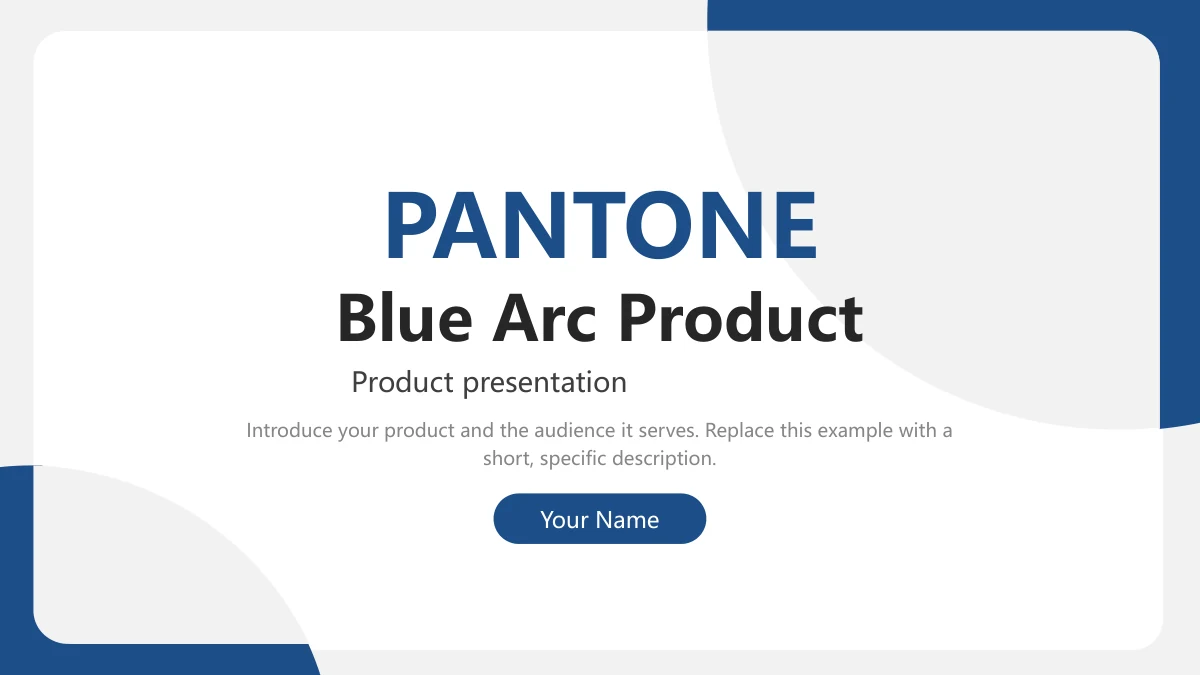
The Blue Arc Product Presentation Template gives a product introduction a blue and white setting across 20 widescreen slides. Rounded white panels sit within deep blue corner arcs, with pale grey curves keeping the page edges light. The Blue Arc Product Presentation Template separates the story into Overview, Features, Advantages and Applications, using numbered dividers and an opening contents page. Office photographs appear inside a monitor frame, two phone frames and circular compositions. The charts offer another way to explain a comparison, while icon cards and connected notes help organize supporting points. The Blue Arc Product Presentation Template also includes manual percentage and amount examples that you can replace with figures relevant to your presentation. English prompts guide the writing without supplying verified product claims. Use the photo and chart layouts to connect each point to a clear explanation, then close with the Thanks page and a useful next step.
Key Features of Blue Arc Product Presentation Template
Explore the layouts in Blue Arc Product Presentation Template before choosing the pages that suit your product and audience.
Blue Arcs and Rounded Panels
Blue Arc Product Presentation Template places deep blue corner arcs around white panels. Pale grey curves leave space for headings and short product explanations.
Four Sections for a Product Story
Blue Arc Product Presentation Template marks Overview, Features, Advantages and Applications with four dividers. Match the contents to your final sequence.
Three Native Comparison Charts
Blue Arc Product Presentation Template has two column charts and a horizontal bar chart. Keep chart data separate from the manual percentage and amount labels.
Static Monitor and Phone Frames
Blue Arc Product Presentation Template pairs office photos with static monitor and phone frames. Explain their context without suggesting a working app.
Icon Cards and Connected Notes
Blue Arc Product Presentation Template uses icon cards, a four-stage path and six note capsules. Give each brief heading and supporting note its own clear purpose.
English Prompts and a Thanks Page
Blue Arc Product Presentation Template provides English guidance and a Thanks page. Replace the prompts with product details and figures you can support.
How to Use Blue Arc Product Presentation Template
Move from the Blue Arc Product Presentation Template preview to a paid download, then edit the examples and share your finished presentation.
-
Preview the Whole Deck
Review all 20 pages of Blue Arc Product Presentation Template. Compare the charts, icon cards and photo frames, then select the layouts that best explain your product to its audience.
-
Download With a Paid Plan
Download Blue Arc Product Presentation Template with an active paid plan. Downloads have no daily limit and you can download it again, so keep a working copy before editing your presentation.
-
Edit and Share Your Product Story
Edit Blue Arc Product Presentation Template with product text and supported figures. Check picture crops and chart labels, preview the completed deck, then share the file or a PDF for review.
Frequently Asked Questions About Blue Arc Product Presentation Template
How do I download Blue Arc Product Presentation Template?
Download Blue Arc Product Presentation Template while signed in with an active paid plan. Downloads of Blue Arc Product Presentation Template have no daily count limit, including repeat downloads. Keep an original copy of Blue Arc Product Presentation Template, then save your edits under another name. Replace the writing prompts with product information.
How many slides are in Blue Arc Product Presentation Template?
Blue Arc Product Presentation Template contains 20 slides in a 16:9 format. Four numbered dividers organize Overview, Features, Advantages and Applications. Blue Arc Product Presentation Template includes a contents page, photo compositions and comparison layouts. The last Blue Arc Product Presentation Template slide says Thanks. If you shorten the deck, update the contents to match your chosen pages.
Can I edit text, colors and data in Blue Arc Product Presentation Template?
Edit ordinary text and color accents in Blue Arc Product Presentation Template. All three native charts have embedded workbooks. The column and horizontal bar charts in Blue Arc Product Presentation Template provide sample data you can replace. Update the manual 66% and amount labels separately. In Blue Arc Product Presentation Template, example figures and photographed data graphics do not establish actual product results.
Can I preview every slide of Blue Arc Product Presentation Template?
The gallery shows all 20 pages of Blue Arc Product Presentation Template in sequence. Compare chart space and photo crops before downloading Blue Arc Product Presentation Template. The monitor and phone frames contain static photographs. After editing Blue Arc Product Presentation Template, inspect the images again and confirm that the charts, short notes and closing slide remain clear.
Does Blue Arc Product Presentation Template work in other presentation editors?
Try a copy of Blue Arc Product Presentation Template in an editor supporting PPTX. Review chart labels, shadows and picture crops after import. Blue Arc Product Presentation Template provides two native column charts and a horizontal bar chart, each with an embedded workbook. Check Blue Arc Product Presentation Template again after export, and compare a PDF with the deck for a reading copy.
Which fonts does Blue Arc Product Presentation Template use?
English text in Blue Arc Product Presentation Template renders with Microsoft YaHei Regular and Bold. Arial supplies two visible bullet characters. Blue Arc Product Presentation Template does not embed font files, so check availability in your editor. If you change fonts in Blue Arc Product Presentation Template, inspect narrow headings and note cards for split words or collisions with their paragraphs.
Are the slides in Blue Arc Product Presentation Template translated for each website language?
Each website language links to the same English Blue Arc Product Presentation Template file. Localized descriptions do not change the PPTX language. Blue Arc Product Presentation Template has English editable guidance and chart labels, while PANTONE decoration and photographed lettering retain their source appearance. Translate Blue Arc Product Presentation Template for your audience as needed and inspect all changed text for fit.
Can I use Blue Arc Product Presentation Template for a commercial presentation?
Use Blue Arc Product Presentation Template under the terms applying to your download and included materials. Paid access to Blue Arc Product Presentation Template grants no additional rights to original photos, brand lettering or font software. PANTONE and 1PPT attribution imply no endorsement. For a commercial Blue Arc Product Presentation Template presentation, check applicable rights and replace unsupported sample claims.
How should I share a finished Blue Arc Product Presentation Template presentation?
Use the share button on the Blue Arc Product Presentation Template page or copy its link. For collaboration, share an edited Blue Arc Product Presentation Template file; for reading, export a PDF. Review the slide order, figures, photos and labels in Blue Arc Product Presentation Template, and follow the terms for included materials.