Blue Architecture Portfolio Presentation Template: cool blue panels and layered building photographs
Blue Architecture Portfolio Presentation Template opens with a blurred office photograph and a translucent grey title panel. Ten widescreen pages move from a full meeting-room image to layered towers, cloudy city views and white architectural details. Blue Architecture Portfolio Presentation Template repeats a high-rise in three offset panels and pairs two skyline photos with a narrow glass facade. A frost-covered plant provides a softer break, framed by pale blue circles. Blue Architecture Portfolio Presentation Template also includes a curved-building image, a four-photo collage and a small interior picture laid over a glass tower. Short captions and white areas keep the photographs central. Blue Architecture Portfolio Presentation Template closes with a building photograph and a Thanks message. Choose layouts for your projects, replace sample text and use photographs you have permission to share. The file provides short English editing prompts rather than finished project claims.
Key Features of Blue Architecture Portfolio Presentation Template
Building photographs, quiet blue accents and room for concise project captions.
Office Opening and Closing
Blue Architecture Portfolio Presentation Template opens with an office photo and closes with a glass building. Translucent grey panels give the titles space.
Offset Tower Pictures
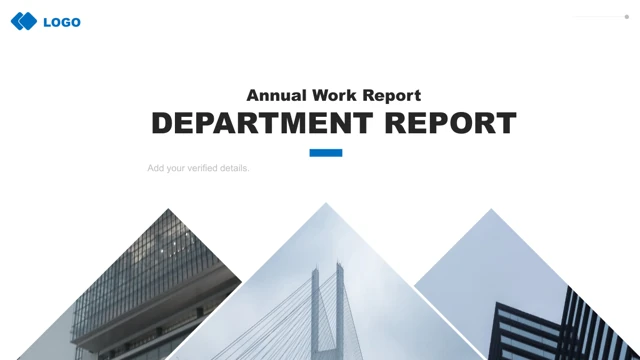
Blue Architecture Portfolio Presentation Template repeats a high-rise in three offset panels. Pick a tall photograph and keep its main subject clear in each crop.
Cloudy Cities and Glass
Blue Architecture Portfolio Presentation Template pairs two skyline photos with a narrow glass facade. Pale tones leave room for a short caption below the images.
Soft Blue Circles
Blue Architecture Portfolio Presentation Template frames a frost-covered plant with pale blue circles. Check the white lettering against the light background.
Curved Buildings and Collage
Blue Architecture Portfolio Presentation Template combines a broad curved facade with a four-photo collage. Mix details and wider views with concise captions.
Layered Interior Details
Blue Architecture Portfolio Presentation Template lays an interior photo over a glass tower. Change each picture separately while keeping the layered pairing.
How to Use Blue Architecture Portfolio Presentation Template
Choose a sequence, add your photographs and review the finished portfolio.
-
Choose the Photo Sequence
Preview ten pages of Blue Architecture Portfolio Presentation Template. Compare full photos, offset towers, circles and the collage. Pick layouts that tell your story without repeating a view.
-
Download and Replace the Samples
Download Blue Architecture Portfolio Presentation Template with an active paid plan. Open a copy, add your photos and replace the English prompts with short project names, roles and captions.
-
Check Crops and Share
Review Blue Architecture Portfolio Presentation Template on your screen. Check crops, light lettering and font substitutions. Confirm image rights, export a PDF and retain an editable copy.

Questions about Blue Architecture Portfolio Presentation Template
How many pages are in Blue Architecture Portfolio Presentation Template?
Blue Architecture Portfolio Presentation Template contains ten original widescreen pages in a 16:9 ratio. Blue Architecture Portfolio Presentation Template includes an office cover, a full meeting-room image, several building layouts, a plant photograph and a Thanks closing. Keep the photographic progression clear when rearranging Blue Architecture Portfolio Presentation Template, and select views that add useful information rather than repeating a picture simply to fill the deck.
What photographs does Blue Architecture Portfolio Presentation Template include?
Blue Architecture Portfolio Presentation Template shows glass towers, a city above clouds, a white curved facade and interior architectural details. Blue Architecture Portfolio Presentation Template also contains office imagery and a frost-covered plant, so the sequence is broader than an exterior-building album. Replace them with a consistent set of images in Blue Architecture Portfolio Presentation Template; do not describe repeated samples as separate completed projects.
Can I edit the pictures in Blue Architecture Portfolio Presentation Template?
Blue Architecture Portfolio Presentation Template retains separate picture and text objects in the English PowerPoint file. Blue Architecture Portfolio Presentation Template offers offset panels, paired skylines, a four-photo collage and a smaller photograph placed over a larger one. Keep tall subjects away from frame edges in Blue Architecture Portfolio Presentation Template. The second page is intentionally a full photograph; its original layer order covers the underlying text.
Which fonts are referenced by Blue Architecture Portfolio Presentation Template?
Blue Architecture Portfolio Presentation Template retains the source font references, including Heiti, Lato variants and Source Sans Pro. Fonts are not embedded in Blue Architecture Portfolio Presentation Template, so your presentation editor may use substitutes. The supplied previews show the English file rendered with the fonts available to that renderer. Review Blue Architecture Portfolio Presentation Template again after installing a font or choosing a replacement, especially its large opening and closing titles.
Is Blue Architecture Portfolio Presentation Template supplied in English?
Blue Architecture Portfolio Presentation Template provides short English titles and editing prompts in place of the source Chinese headings and filler text. Every language version of this website describes the same English PPTX for Blue Architecture Portfolio Presentation Template; there are no separate translated slide files. Translate your own project captions if your audience needs another language, then check the spacing throughout Blue Architecture Portfolio Presentation Template before sharing.
How do I download Blue Architecture Portfolio Presentation Template?
Sign in with an active paid plan to download Blue Architecture Portfolio Presentation Template. Paid members may download Blue Architecture Portfolio Presentation Template without a daily count limit and may download it again. Website translations do not change the language of the supplied PPTX. Use your account and plan status to access Blue Architecture Portfolio Presentation Template, and keep the original download separate from later revisions.
Does Blue Architecture Portfolio Presentation Template contain charts?
Blue Architecture Portfolio Presentation Template is a photographic portfolio with text areas and geometric accents. Blue Architecture Portfolio Presentation Template has no native charts or embedded data workbooks. The pale circles are decorative shapes, and the repeated architectural photographs are picture layouts. Avoid treating any photograph in Blue Architecture Portfolio Presentation Template as evidence for a technical claim without supporting project details.
Can I use Blue Architecture Portfolio Presentation Template commercially?
The source design and photograph permissions for Blue Architecture Portfolio Presentation Template have not been independently verified. Download access to Blue Architecture Portfolio Presentation Template does not confirm commercial reuse rights. Check the applicable source terms and obtain permission for any pictures you retain. Preserve legitimate credits, use your own verified project details and resolve the relevant rights before publishing Blue Architecture Portfolio Presentation Template externally.
What should I check before sharing Blue Architecture Portfolio Presentation Template?
Check every page of Blue Architecture Portfolio Presentation Template for leftover prompts, inaccurate project labels and unwanted repeated views. Review white lettering on pale blue panels at the size your audience will see. Blue Architecture Portfolio Presentation Template uses short captions, so split longer explanations into another page rather than squeezing them into a small box. Retain an editable copy of Blue Architecture Portfolio Presentation Template with your project files, and compare the final export with Blue Architecture Portfolio Presentation Template before sending it.