Blue Contour Project Plan Presentation Template: Layered Blue Shapes for a Project Outline
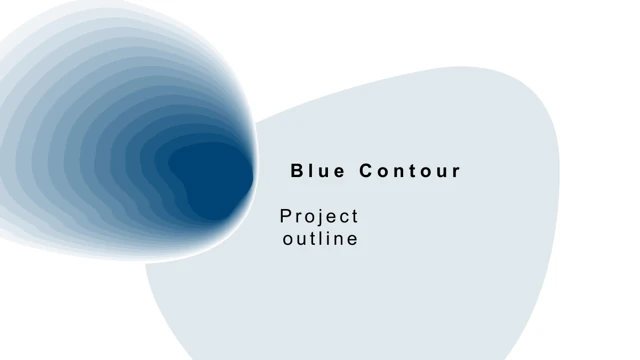
Blue Contour Project Plan Presentation Template uses layered blue contours on a white background. Four sections in Blue Contour Project Plan Presentation Template cover background, solution, goals and implementation. The divider pages of Blue Contour Project Plan Presentation Template list environment and competitor review, project scope and strengths, order and client targets, and team, schedule and risk controls. The file contains 15 slides in 16:9. Photographs in Blue Contour Project Plan Presentation Template include a glass-fronted building, forest scenery and small product or lifestyle details. Blue Contour Project Plan Presentation Template places some pictures in diamonds, overlapping panels or a curved crop. Three blue hexagons in Blue Contour Project Plan Presentation Template offer short numbered points. The January–April bars of Blue Contour Project Plan Presentation Template show separate shape labels 17, 25, 53 and 92. Blue Contour Project Plan Presentation Template also has independent 48%, 94% and 88% labels beside line-based decorations. Replace these examples in Blue Contour Project Plan Presentation Template with figures that match your project. A native pie chart in Blue Contour Project Plan Presentation Template retains one embedded workbook. Its categories in Blue Contour Project Plan Presentation Template are 2012–2016, with original values 0.09, 0.12, 0.16, 0.25 and 0.39. These values in Blue Contour Project Plan Presentation Template remain unchanged and total 1.01; they are samples rather than verified market data. Source headings and Chinese prompts in Blue Contour Project Plan Presentation Template were translated, while promotion and unrelated text became editing instructions. All original photographs and object coordinates of Blue Contour Project Plan Presentation Template remain intact. Enlarge narrow labels and inspect the complete Blue Contour Project Plan Presentation Template preview before choosing the pages to adapt.
Key Features of Blue Contour Project Plan Presentation Template
Blue contours, four project parts and mixed shape-and-chart examples.
Layered blue contours
Organic blue layers and fine rings repeat on white backgrounds.
Four project sections
Background, solution, goals and implementation frame the outline.
Photos in shaped panels
Photos use diamonds, curved crops and overlapping panels.
Independent shape labels
Jan–Apr bars show 17, 25, 53, 92; separate labels show 48%, 94%, 88%.
A native five-slice pie
The 2012–2016 chart preserves its original values and one workbook.
Numbered hexagon points
Three blue hexagons provide compact spaces for brief project points.
How to Use Blue Contour Project Plan Presentation Template
Review the outline, download a copy and verify each project example.
-
Inspect the 15 pages
Check section prompts, photo crops, narrow labels and the pie chart.
-
Download the editable PPTX
An active paid plan permits unlimited repeated daily downloads.
-
Prepare your project plan
Replace prompts, edit workbook data and adjust shape labels; check fonts and sources.
Questions about Blue Contour Project Plan Presentation Template
How can I download Blue Contour Project Plan Presentation Template?
Sign in with an active paid plan and choose Download PPTX for Blue Contour Project Plan Presentation Template. The temporary link provides Blue Contour Project Plan Presentation Template as a PowerPoint package. Downloads of Blue Contour Project Plan Presentation Template may be repeated without a daily limit while your plan remains active. Save a separate copy of Blue Contour Project Plan Presentation Template for your project.
How many slides are in Blue Contour Project Plan Presentation Template?
Blue Contour Project Plan Presentation Template includes 15 slides in 16:9. The four sections of Blue Contour Project Plan Presentation Template introduce background, solution, goals and implementation. A contents page and final thank-you page bookend Blue Contour Project Plan Presentation Template. Select pages of Blue Contour Project Plan Presentation Template to suit your real outline; the headings are prompts, not completed project analysis.
Can I change Blue Contour Project Plan Presentation Template?
Blue Contour Project Plan Presentation Template keeps native text, shapes and one pie chart with its embedded workbook. The January–April bars in Blue Contour Project Plan Presentation Template are shapes, not another chart. Edit the pie data of Blue Contour Project Plan Presentation Template through its workbook; change 17, 25, 53, 92 and the independent percentage labels of Blue Contour Project Plan Presentation Template separately. If you change category years, check all five static year labels separately.
Can I see all of Blue Contour Project Plan Presentation Template before downloading?
Yes. The gallery shows all 15 pages of Blue Contour Project Plan Presentation Template, including the native pie and narrow labels. Use arrows and thumbnails to inspect Blue Contour Project Plan Presentation Template. Enlarge the blue hexagons and shaped photos in Blue Contour Project Plan Presentation Template. The gallery represents the supplied Blue Contour Project Plan Presentation Template; later editing is not part of its preview.
Will Blue Contour Project Plan Presentation Template open in another presentation app?
An application supporting PPTX may open Blue Contour Project Plan Presentation Template, but contour shapes, fonts, chart labels and photo crops can vary. Compare the result with the Blue Contour Project Plan Presentation Template gallery. Retain an unchanged PowerPoint copy of Blue Contour Project Plan Presentation Template when testing conversion, and verify the embedded pie data of Blue Contour Project Plan Presentation Template.
Which fonts are referenced in Blue Contour Project Plan Presentation Template?
Blue Contour Project Plan Presentation Template preserves references to Agency FB, Arial, Calibri, Montserrat Semi, Poppins Medium, Segoe UI Light and Segoe UI Semibold. Verify availability before editing Blue Contour Project Plan Presentation Template. Translated labels in Blue Contour Project Plan Presentation Template were fitted within the original boxes without moving objects. Check headings, month labels and chart text after substituting fonts in Blue Contour Project Plan Presentation Template.
What is the language of Blue Contour Project Plan Presentation Template?
The downloadable Blue Contour Project Plan Presentation Template is English. Chinese source headings and master prompts in Blue Contour Project Plan Presentation Template were translated; promotional text and unrelated passages became concise editing guidance. Website language selection translates the page about Blue Contour Project Plan Presentation Template, while the PowerPoint remains English. Replace sample project statements in Blue Contour Project Plan Presentation Template with verified information.
Is commercial use of Blue Contour Project Plan Presentation Template permitted?
Paid access to Blue Contour Project Plan Presentation Template does not establish commercial permission for the source design or photographs. Confirm the rights required for Blue Contour Project Plan Presentation Template and any retained image. Replace material with uncertain rights in Blue Contour Project Plan Presentation Template, and check redistribution conditions before sharing an edited Blue Contour Project Plan Presentation Template.
How should I share Blue Contour Project Plan Presentation Template?
Use the public page link or share control for Blue Contour Project Plan Presentation Template. Before distributing your version of Blue Contour Project Plan Presentation Template, check dates, project targets, shape labels and the pie workbook. The original pie values in Blue Contour Project Plan Presentation Template total 1.01 and remain examples. Keep an editable Blue Contour Project Plan Presentation Template alongside any PDF used to review the plan.