Blue Frame Product Presentation Template: A Blue Outline for Your Product Story
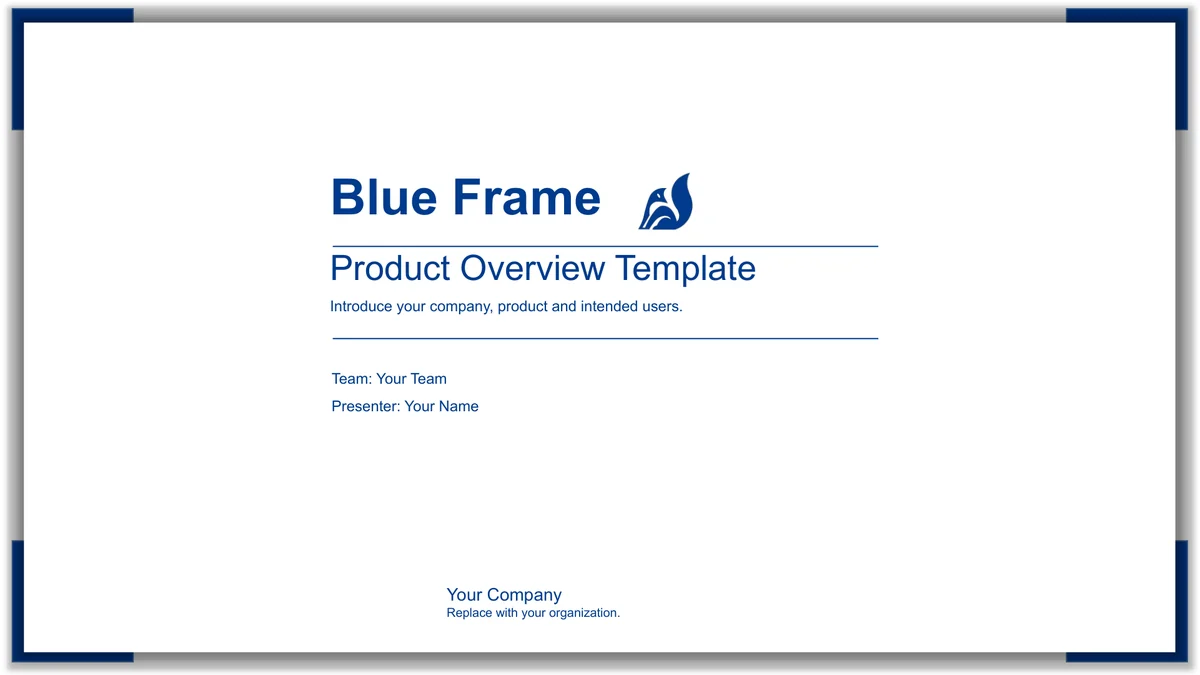
Blue Frame Product Presentation Template gives a company and product introduction a consistent blue-and-white setting. Eighteen widescreen slides use corner blocks, a shadowed border and roomy white backgrounds. Four blue band dividers organise company profile, product overview, features and application contexts. Blue Frame Product Presentation Template combines a company photo, three-image note grids, eight icon highlights and a curved four-stage milestone path ending in a paper plane. Layouts provide three feature cards, four small icon notes, six use-case cards and a photo-led case page. Names and benefits are prompts, not verified business claims. Use Blue Frame Product Presentation Template to explain your own product, audience and supporting examples. Replace the sample notes with concise facts, check each chapter against your outline and make the photographs relevant to what you say. Keep enough space between the text and the frame so the blue border supports a clear message.
Key Features of Blue Frame Product Presentation Template
Blue borders, photo grids and short notes organise a product introduction.
Blue Corner Borders
Blue Frame Product Presentation Template uses blue corners and a shadowed border. Keep headings and short notes clear of the frame to make each page easy to scan.
Four Product Chapters
Blue Frame Product Presentation Template separates company, product, features and uses with blue band dividers. Choose chapters that support your introduction.
Company Photo Grids
Blue Frame Product Presentation Template pairs three workspace photos with three note cards. Give each card a business point and check that its image supports it.
Eight Icon Highlights
Blue Frame Product Presentation Template offers eight icon points in two rows. Give each a short feature label and explain a useful capability in your own words.
Curved Milestone Path
Blue Frame Product Presentation Template shows four stages on a dotted curve ending in a paper plane. Add milestones you can explain and verify.
Use-Case Cards and Photos
Blue Frame Product Presentation Template has six use-case cards and a photo-led example page. Describe a real use and separate a proposed benefit from an outcome.
How to Use Blue Frame Product Presentation Template
Review the layouts, download a copy and add your own product material.
-
Preview the Product Layouts
View every page of Blue Frame Product Presentation Template. Compare chapters, icon points, photo grids and use-case cards with your outline. Choose useful layouts before adding your material.
-
Download a Working Copy
Sign in with an active paid plan to download Blue Frame Product Presentation Template. Paid members have unlimited daily and repeat downloads. Save a working copy before adding your own material.
-
Edit and Share Your Introduction
Replace the prompts in Blue Frame Product Presentation Template with facts, features and real cases. Check fonts, photo relevance and text fit on each page, then share your PPTX or export a PDF.
Blue Frame Product Presentation Template FAQ
How do I download Blue Frame Product Presentation Template?
Sign in with an active paid membership to download Blue Frame Product Presentation Template. The download button supplies the editable PowerPoint file for Blue Frame Product Presentation Template. Paid members have unlimited daily downloads and can download Blue Frame Product Presentation Template again when they need a fresh copy. Save your edited version under a separate name.
How many pages are in Blue Frame Product Presentation Template?
Blue Frame Product Presentation Template contains 18 slides in a 16:9 format. Company, product, features and uses begin at pages 3, 7, 11 and 15. Blue Frame Product Presentation Template closes with a Thank You page. Keep the layouts you need from Blue Frame Product Presentation Template and check that the remaining chapter sequence is clear.
Can I edit the text and colours in Blue Frame Product Presentation Template?
Blue Frame Product Presentation Template combines editable text, native borders, cards and a dotted milestone path with supplied images. Change ordinary text and shape colours in Blue Frame Product Presentation Template to fit your product. The photographs, fox emblem and illustrated icons in Blue Frame Product Presentation Template are image assets; changing a shape colour does not repaint their individual image areas.
Can I preview the whole of Blue Frame Product Presentation Template?
The gallery shows all 18 pages of Blue Frame Product Presentation Template in their download order. Select thumbnails or use the arrow controls to review Blue Frame Product Presentation Template before downloading. Enlarge the photo cards and four small feature-note areas of Blue Frame Product Presentation Template; short labels and compact example text need a careful screen-size check.
Will Blue Frame Product Presentation Template work in another editor?
Blue Frame Product Presentation Template is a PowerPoint (.pptx) file. Another editor with PPTX import may open Blue Frame Product Presentation Template, but fonts, image handling and text wrapping can differ. Test a copy of Blue Frame Product Presentation Template in your intended editor. The web previews are static images and do not demonstrate animation playback.
Which fonts does Blue Frame Product Presentation Template use?
Blue Frame Product Presentation Template uses Microsoft YaHei Regular and Bold, Arial Regular and Bold, and Impact Regular. Blue Frame Product Presentation Template does not embed font files. If your editor substitutes a font in Blue Frame Product Presentation Template, inspect headings, small notes and line breaks before presenting. An alternative font still needs its own applicable licence.
Is the slide text in Blue Frame Product Presentation Template translated?
The downloadable Blue Frame Product Presentation Template contains editable English headings and neutral company, product and use-case prompts. Localised webpages describe the same English file for Blue Frame Product Presentation Template, rather than a separate slide language for each webpage. Replace the prompts in Blue Frame Product Presentation Template with your own wording. Original photographs retain their physical device marks and printed screen text.
Can I use Blue Frame Product Presentation Template commercially?
Check the applicable source and image permissions for Blue Frame Product Presentation Template and your intended use. Paid access to Blue Frame Product Presentation Template does not grant additional rights to photographs, icons, fonts or the fox emblem of unverified identity. Keep relevant credits when adapting Blue Frame Product Presentation Template. Verify permissions for any material you add to Blue Frame Product Presentation Template yourself.
How do I share Blue Frame Product Presentation Template?
Use the share button beside the download panel for Blue Frame Product Presentation Template, or copy this page URL. Other people can preview Blue Frame Product Presentation Template and download through their own eligible accounts. Before distributing an edited Blue Frame Product Presentation Template, check the relevant permissions and send a reviewed PPTX or PDF with your own supported material.