Teal Corner Work Summary Presentation Template: Review Work and Set Future Actions
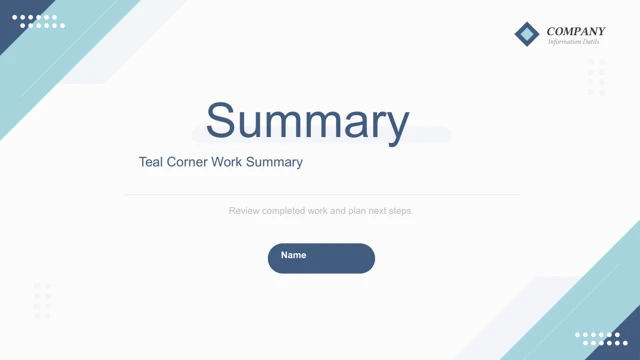
Teal Corner Work Summary Presentation Template starts with a Summary cover framed by teal and navy diagonals. White space, dotted accents and coloured rules repeat across Teal Corner Work Summary Presentation Template. An overview page leads into four chapters in Teal Corner Work Summary Presentation Template: work review, market analysis, solutions and future plans. The review pages of Teal Corner Work Summary Presentation Template mix office photographs with project headings and short text. One page places a photo inside a phone frame; another pairs two photographs with a sample annual-budget percentage. The 98%, 74% and 89% shown in Teal Corner Work Summary Presentation Template are layout examples, not confirmed performance. Replace them with your own evidence. The market chapter of Teal Corner Work Summary Presentation Template includes a native three-series line chart and an embedded Excel workbook. Original values and labels remain intact. A photograph-led page and three interlocking gear shapes offer alternatives to the chart. The solutions chapter in Teal Corner Work Summary Presentation Template sets out numbered points and four circular icons for email, screens, phones and completed tasks. Use these to explain your own actions. Later pages of Teal Corner Work Summary Presentation Template arrange future plans around three layered arrows, a nested triangle and a five-circle network. Teal Corner Work Summary Presentation Template ends with a simple thank-you. Browse every page of Teal Corner Work Summary Presentation Template before choosing a sequence. The Chinese headings and editing prompts in Teal Corner Work Summary Presentation Template have been translated into concise English, with repetitive filler, notes and author metadata cleared. The original photographs, native chart, workbook and slide positions remain unchanged. Keep a working copy of Teal Corner Work Summary Presentation Template and review each photo crop and chart label after editing.
Key Features of Teal Corner Work Summary Presentation Template
Teal corners, office images and a line chart.
Diagonal corner accents
Teal and navy diagonals frame white pages.
Four work chapters
Review, market analysis, solutions and future plans guide the sequence. Keep project labels concise.
Office photo layouts
Keyboard, laptop and meeting photographs include a phone-frame view.
Sample percentages
98%, 74% and 89% are examples to verify or replace.
Native line chart
The three-series chart keeps its original embedded workbook.
Future-plan graphics
Gears, layered arrows, triangles and linked circles arrange ideas.
How to Use Teal Corner Work Summary Presentation Template
Match your outline, verify results and edit.
-
Inspect the preview
Check all 20 pages, photographs and chart labels.
-
Download a copy
Use an active paid account. Daily downloads are unlimited.
-
Adapt and review
Edit titles, data and photos; test your final slides.
Questions about Teal Corner Work Summary Presentation Template
How do I download Teal Corner Work Summary Presentation Template?
Sign in with an active paid plan and select Download PPTX for Teal Corner Work Summary Presentation Template. The temporary link provides Teal Corner Work Summary Presentation Template as a PowerPoint file. Repeat downloads of Teal Corner Work Summary Presentation Template have no daily limit while your plan is active.
How many slides are in Teal Corner Work Summary Presentation Template?
Teal Corner Work Summary Presentation Template has 20 slides in 16:9. The full sequence in Teal Corner Work Summary Presentation Template includes a cover, overview, contents, four chapter breaks, office-photo pages, a line chart, diagrams and a closing page. Download Teal Corner Work Summary Presentation Template for the complete file and choose the pages that support your own work summary. Edit a copy if you want to remove or reorder sections.
Can I edit Teal Corner Work Summary Presentation Template and its line chart?
Teal Corner Work Summary Presentation Template keeps native text, shapes and a three-series line chart with its embedded Excel workbook. The chart values in Teal Corner Work Summary Presentation Template are unchanged from the source. Update the workbook and review the labels in Teal Corner Work Summary Presentation Template after editing. Percentages, gears, arrows and the circle network are slide graphics, not automatically linked data charts. Office photos remain separate images.
Can I see every page of Teal Corner Work Summary Presentation Template before downloading?
Yes. The thumbnails and arrows show all 20 pages of Teal Corner Work Summary Presentation Template. Enlarge the line chart, phone-frame photograph and small labels in Teal Corner Work Summary Presentation Template to assess reading size. The preview represents the supplied Teal Corner Work Summary Presentation Template, so check your finished copy again after replacing text or images.
Can another editor open Teal Corner Work Summary Presentation Template?
An editor that supports PPTX may open Teal Corner Work Summary Presentation Template, but chart values, fonts and photo crops can behave differently. Compare the edited pages with the Teal Corner Work Summary Presentation Template preview and test the embedded workbook. Keep a PowerPoint copy of Teal Corner Work Summary Presentation Template before trying another editor.
Which fonts does Teal Corner Work Summary Presentation Template use?
The translated text in Teal Corner Work Summary Presentation Template uses Arial. The native chart in Teal Corner Work Summary Presentation Template keeps a Calibri-based theme. Review fonts and line breaks on your device before presenting Teal Corner Work Summary Presentation Template. Original text-box positions are retained; keep headings short enough to fit and check small labels on gear and circle diagrams.
Are the example slides in Teal Corner Work Summary Presentation Template translated?
The Chinese headings and prompts in Teal Corner Work Summary Presentation Template are translated into concise English. Selecting a website language translates the page about Teal Corner Work Summary Presentation Template, rather than producing a different PPTX. Sample percentages and chart figures in Teal Corner Work Summary Presentation Template remain examples for you to verify or replace.
Can I use Teal Corner Work Summary Presentation Template commercially?
Paid access to Teal Corner Work Summary Presentation Template does not confirm commercial rights to the source design, office photographs or icons. Verify permissions for Teal Corner Work Summary Presentation Template and replace unclear assets. Review the edited Teal Corner Work Summary Presentation Template before sharing it with clients or distributing files.
How do I share Teal Corner Work Summary Presentation Template?
Use the share button or copy the public page link for Teal Corner Work Summary Presentation Template so others can inspect its gallery. Before distributing an edited Teal Corner Work Summary Presentation Template, check all four chapter headings, remaining prompts and photo permissions. Keep an editable copy of your finished Teal Corner Work Summary Presentation Template.