Clean Editorial Portfolio Presentation Template: white space and a considered project story
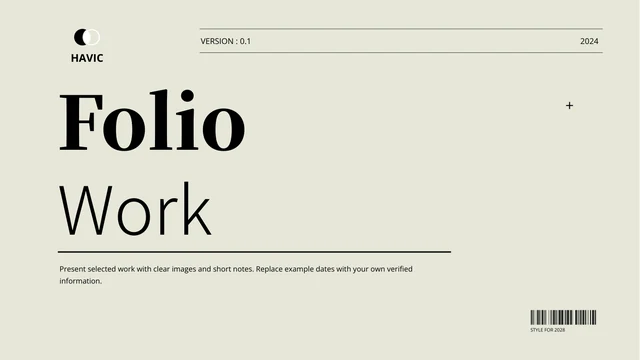
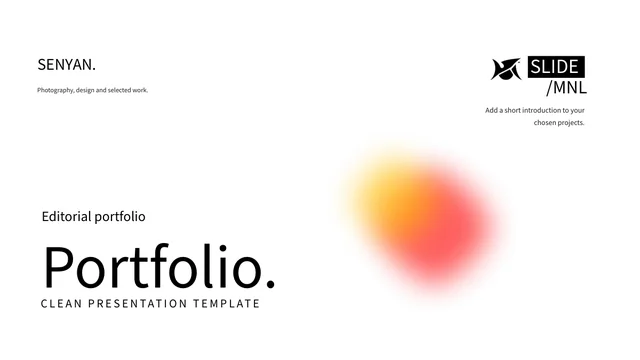
Clean Editorial Portfolio Presentation Template sets large black headings, fine rules and photographs across white pages. A soft red-and-yellow blur accents the cover; later layouts range from a single image to a multi-photo selection. Clean Editorial Portfolio Presentation Template includes 30 slides at roughly 1.79:1 for a project concept, profile, team, process, visual studies and reflection. The prompts do not establish the pictured people’s identities or achievements. Clean Editorial Portfolio Presentation Template also has sample dates, counts and contact fields; replace them with verified information. A native line chart on page 28 contains three series and four categories and a workbook. In Clean Editorial Portfolio Presentation Template, distinguish that chart from static timer-style labels and icon diagrams. SENYAN and MNL marks remain, while retained article quotations and their credits are separate source records in slide notes. Give one idea and one useful image room.
Key Features of Clean Editorial Portfolio Presentation Template
Editorial spacing, photo compositions and editable examples.
Editorial White Space
Clean Editorial Portfolio Presentation Template uses large black headings and fine rules on white pages. Give each page one point and let the spacing support it.
Photo-Led Project Pages
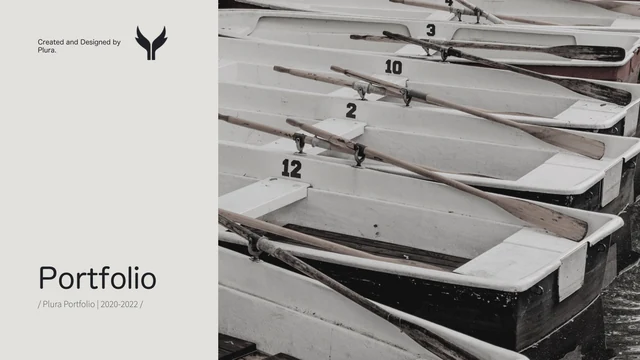
Clean Editorial Portfolio Presentation Template mixes single images with a multi-photo selection. Use your own pictures and check their crops and captions.
Profile and Team Layouts
Clean Editorial Portfolio Presentation Template includes a profile and three-photo team layout. Add names and roles; sample portraits do not prove identities.
Process and Reflection
Clean Editorial Portfolio Presentation Template offers numbered process notes and reflection layouts. Explain a decision or lesson with evidence from your project.
Native Line Chart
Clean Editorial Portfolio Presentation Template has a line chart with three series and four categories. Edit its workbook and label verified values and units.
Static Fields and Mockups
Clean Editorial Portfolio Presentation Template includes date labels, contact lines and device picture frames. These are editable slide layouts, not online tools.
How to Use Clean Editorial Portfolio Presentation Template
Select your work, build the story and check every detail.
-
Select Your Project Pages
Browse all 30 pages of Clean Editorial Portfolio Presentation Template. Choose the concept, process, photographs and reflection that fit your work; remove layouts that do not support your story.
-
Download and Fill the File
Download Clean Editorial Portfolio Presentation Template with an active paid plan. Keep a working copy, then replace sample names, dates, contacts and pictures with material you can verify.
-
Check the Finished Sequence
Review Clean Editorial Portfolio Presentation Template from opening to closing. Check chart data, image credits, small captions and static time labels; inspect the exported PDF before sharing.
Questions about Clean Editorial Portfolio Presentation Template
What kind of work fits Clean Editorial Portfolio Presentation Template?
Clean Editorial Portfolio Presentation Template provides visual layouts for a project introduction, image selection, process explanation and reflection. Choose a sequence that fits the work you actually want to show. Clean Editorial Portfolio Presentation Template does not establish a profession, client history or research result for the presenter. Start Clean Editorial Portfolio Presentation Template with the purpose of your project, then identify your own contribution. The Clean Editorial Portfolio Presentation Template photo pages work best when every selected image has a clear role. Use Clean Editorial Portfolio Presentation Template text areas to explain that role without inventing identities or experiences for the sample photographs.
What does the 30-slide sequence in Clean Editorial Portfolio Presentation Template contain?
Clean Editorial Portfolio Presentation Template moves through project concept and overview, image notes, profile and team layouts, process pages, visual studies and research prompts. Later pages in Clean Editorial Portfolio Presentation Template include a contact-style layout, reflection, comparison, a workshop layout, a line chart and two device picture frames. These layouts are not a fixed set of chapters. In Clean Editorial Portfolio Presentation Template, select the pages that tell your own story and reorder them if needed. Clean Editorial Portfolio Presentation Template can become a shorter presentation. Give each selected page a clear title before replacing its example text.
Is the chart in Clean Editorial Portfolio Presentation Template editable?
Clean Editorial Portfolio Presentation Template includes one native line chart on page 28, with three series, four categories and an embedded workbook. Open the chart data in PowerPoint to enter your own values. The values in Clean Editorial Portfolio Presentation Template are examples, not verified project results. In Clean Editorial Portfolio Presentation Template, name each series, category and unit before discussing a trend. Clean Editorial Portfolio Presentation Template also contains manually written counts elsewhere; changing the chart will not update those separate text labels. There is no native table layout to populate automatically. Check both chart and text when your figures change.
Are the timer and contact fields in Clean Editorial Portfolio Presentation Template functional?
The timer-style numbers and contact lines in Clean Editorial Portfolio Presentation Template are static slide elements. They do not run a countdown, collect responses or send information to a service. Replace dates and time values in Clean Editorial Portfolio Presentation Template with your own schedule. The name, email, region and interest fields in Clean Editorial Portfolio Presentation Template can introduce the details you choose to share. Clean Editorial Portfolio Presentation Template includes phone and laptop picture frames as visual layouts, not working apps. Check your contact information before presenting, and use only the fields your audience needs.
Whose names and credits appear in Clean Editorial Portfolio Presentation Template?
Clean Editorial Portfolio Presentation Template retains the original SENYAN and MNL marks; they are source credits, not a claim that PPT AI created the template. Original article excerpts and the corresponding Judith and Jess credits remain as separate records in slide notes. Those credits do not attribute the new editable project guidance in Clean Editorial Portfolio Presentation Template to those people. In Clean Editorial Portfolio Presentation Template, use your own account of the work and cite any quotation you actually include. The sample portraits in Clean Editorial Portfolio Presentation Template do not establish the identity of a photographer, client or presenter. Check applicable rights before using third-party material.
Is Clean Editorial Portfolio Presentation Template an English file with videos?
Clean Editorial Portfolio Presentation Template supplies an English PowerPoint with editable project guidance, rather than treating the source’s mixed personal and research text as verified claims. The final Clean Editorial Portfolio Presentation Template file contains no embedded video or audio. Photographs and image-based marks in Clean Editorial Portfolio Presentation Template remain pictures. Website language versions describe that same English file, not separately translated PowerPoint downloads. Replace the English examples throughout Clean Editorial Portfolio Presentation Template, including small captions and device-frame contact fields. If you add research or health-related claims, verify them independently instead of presenting the sample layout as supporting evidence.
Which fonts are used in Clean Editorial Portfolio Presentation Template?
Clean Editorial Portfolio Presentation Template uses Source Han Sans SC Regular and Bold for its editable English text. The fonts are not embedded in the PowerPoint. Install them or choose replacements, then inspect Clean Editorial Portfolio Presentation Template for altered line breaks and spacing. In Clean Editorial Portfolio Presentation Template, pay particular attention to large headings, fine captions, compact process notes and the contact fields. Image lettering is not editable font text. Check Clean Editorial Portfolio Presentation Template at the size your audience will see, and review exported pages if you use a replacement font.
How can I download Clean Editorial Portfolio Presentation Template?
Sign in with an active paid plan to download Clean Editorial Portfolio Presentation Template. Paid members have unlimited daily downloads and can download the file again. Save Clean Editorial Portfolio Presentation Template as a working copy before replacing any sample material. Preview the full Clean Editorial Portfolio Presentation Template sequence first so you can choose layouts suited to your outline. If downloading fails, check the account you are signed into and your plan status. The Clean Editorial Portfolio Presentation Template preview does not itself grant membership or prove download access. Reopen the downloaded PowerPoint to confirm the file is ready to edit.
What should I check before sharing Clean Editorial Portfolio Presentation Template?
Before sharing your finished version of Clean Editorial Portfolio Presentation Template, replace sample statements, dates, counts, contact details and photographs as needed. Confirm chart labels and values, and separate your own contribution from collaborators’ work. In Clean Editorial Portfolio Presentation Template, review small captions and original source marks along with the large headings. Inspect your PDF export and test the file on the intended screen. Share the Clean Editorial Portfolio Presentation Template page link for the original preview and download information. The Clean Editorial Portfolio Presentation Template page does not grant extra rights to photographs, quotations or other third-party content you may use.