Coral Rounded Education Training Presentation Template: a flexible course outline
Coral Rounded Education Training Presentation Template gives educators and trainers a visual starting point for a course or workshop. Its 21 widescreen slides use coral, orange-red and deep red shapes with rounded corners, small dot patterns and pale backgrounds. A four-part contents page leads into Section One, Section Two, Section Three and Section Four; these are flexible headings for your own topics. Circular photographs of collaboration, reading and desk work alternate with icon diagrams, numbered points and a five-stage timeline. Bars, percentage rings and peaked columns offer ways to explain sample comparisons, with values and shapes adjusted manually. The deck supplies editable English prompts rather than a finished lesson. Choose the layouts that suit your material, give each example a clear explanation and use the matching section dividers to help participants follow the sequence.
Inside Coral Rounded Education Training Presentation Template
Rounded color blocks, photos and visual explanations.
Rounded Coral Corners
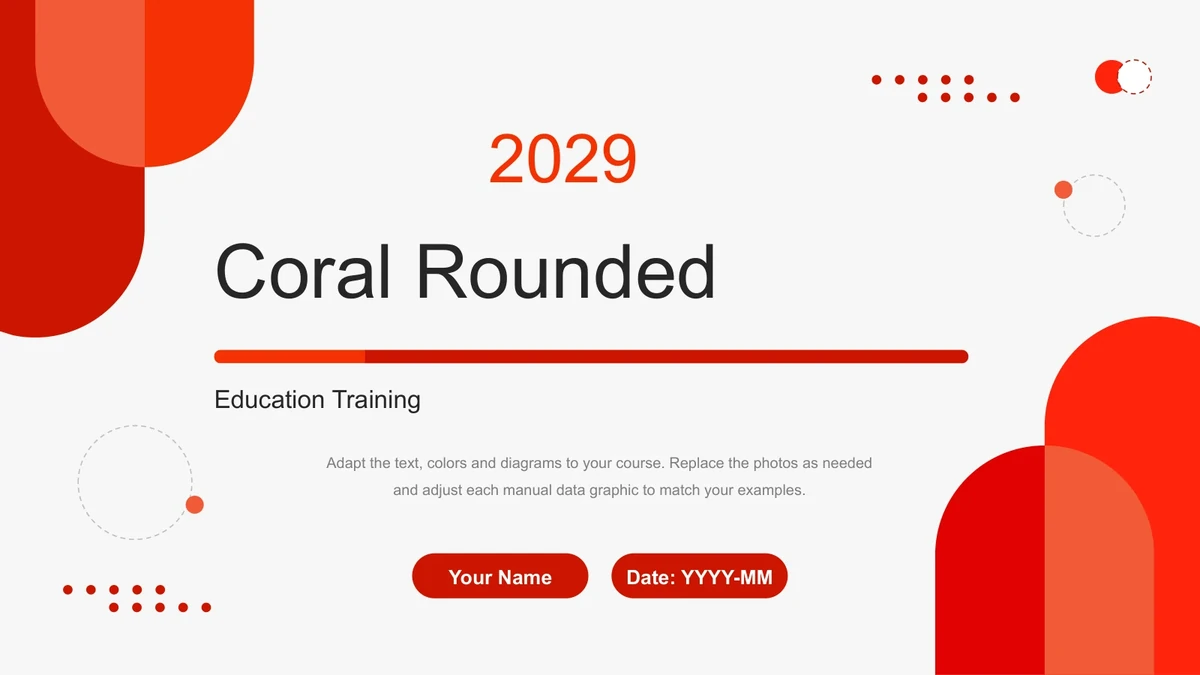
Layered coral, orange-red and deep red blocks curve around pale content areas. Dotted circles and small dot grids repeat across the cover, dividers and closing.
Four Flexible Sections
A numbered contents page and four matching dividers organize the course. Rename Section One through Section Four to suit your subjects and the order you teach them.
Circular Photo Examples
Round crops show people working together, reading materials and desk tasks. A wider writing photo offers another layout for connecting a topic with an example.
Manual Percentage Graphics
Bars, three percentage rings and six peaked columns illustrate comparisons. Edit the shapes and labels together; their sample values have no spreadsheet links.
Icon Cycles and Connections
A monitor-centered diagram, a four-icon cycle and a four-petal layout connect ideas. Short notes beside each symbol leave room to explain a process or relationship.
Steps, Timeline and Cards
Four numbered circles, a five-stage chevron timeline and three outline cards organize sequences. Replace the example dates and keep each step or milestone concise.
How to use Coral Rounded Education Training Presentation Template
Choose topics, add examples and rehearse the sequence.
-
Preview the Course Layouts
Browse all 21 slides and map your material to the four sections. Choose photo pages for examples, diagrams for connections and the timeline when the sequence of events matters.
-
Download and Adapt the PPTX
Download with an active paid membership, then replace the English prompts with your course content. Update dates, photo choices and manual percentages so each visual matches your explanation.
-
Check and Present Your Course
Review short labels, picture crops and animation order in your presentation app. Rehearse the chapter transitions, then share a permitted copy or export with your learners or colleagues.
Questions about Coral Rounded Education Training Presentation Template
How do I download Coral Rounded Education Training Presentation Template?
An active paid membership provides the PowerPoint PPTX with unlimited daily and repeat downloads. Save an untouched copy before you begin, then adapt a working copy for your course or workshop.
How many slides and chapters are included?
The file has 21 slides in 16:9 format, including a cover, contents page, four chapter dividers, content layouts and a matching closing slide. The chapters are labeled Section One, Section Two, Section Three and Section Four. Rename these flexible placeholders for your material; the deck does not contain a complete taught course.
Can I edit the diagrams and percentage graphics?
Text, shape colors and grouped diagrams are editable. The bars, rings and peaked columns use manually arranged shapes and labels, with no native data charts or embedded workbooks. When changing a percentage, adjust its visual as well as its text. Photos remain images and can be replaced or cropped.
Can I see all the slides before downloading?
Yes. The gallery displays all 21 slides in order, from the Coral Rounded opening to the matching closing. Compare the photo pages, icon layouts and timeline to decide which ones give your training examples enough space.
Does the file work in Google Slides or Keynote?
The download is a PowerPoint PPTX. Google Slides and Keynote compatibility has not been verified. After importing, check grouped shapes, picture crops, font substitution and animation order in your chosen app before presenting.
Which font does the English file use?
The slides use Arial in regular and bold styles, with no embedded font files. Keep Arial available on the editing computer and check line breaks after adding your text. Short labels are particularly useful in the small topic headings, percentage graphics and timeline columns.
Is the presentation itself in English?
Yes. The cover, contents, four chapter headings and editable prompts are in English. Every localized web page supplies the same English PPTX. Replace the generic section titles and instructions with your own course topics, examples and explanations.
What usage permissions should I check?
Membership grants download access without expanding rights to third-party material. Retain the source links in the presentation notes and check applicable usage and redistribution terms before commercial use or sharing an edited file. Confirm permission for any photographs or course materials you add.
How can I share the finished training presentation?
Share this template page when someone wants to view the design. Where the applicable terms permit, send your edited presentation or an export after checking its layout. Keep an editable copy so you can update the examples and dates for the next session.