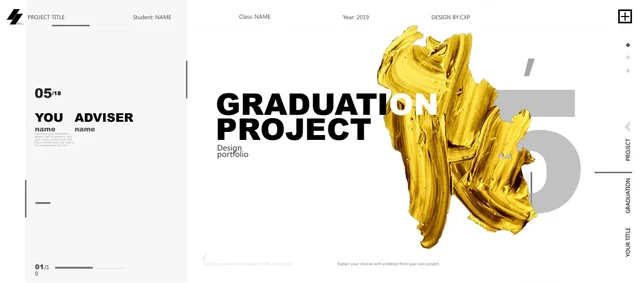
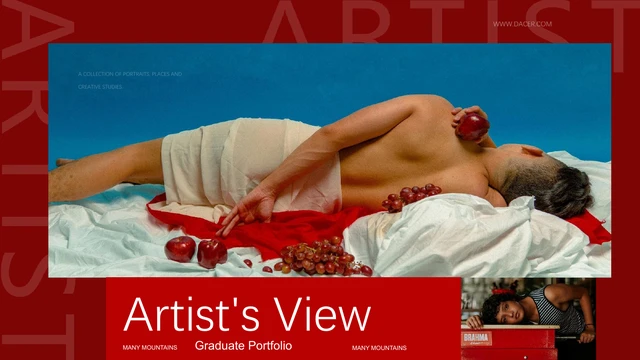
Art Studio Exhibition Presentation Template: red frames and studio photographs
Art Studio Exhibition Presentation Template presents an art-studio portfolio through 20 widescreen slides. Red chapter screens, white content pages and pale grey cover panels give sketches, painting photographs and short explanations a clear setting. Art Studio Exhibition Presentation Template opens with a yellow graduation-exhibition badge and a four-topic contents page, then moves through design theory, graphic work, photography and artworks. Large translucent chapter numbers separate the sections. Later pages pair single images, split photographs and small collages with editable captions. Use the red frames to connect images that belong to the same project and leave room for the work to speak. Art Studio Exhibition Presentation Template finishes with a matching cover-style closing page. Photographs and design figures are sample material; replace them with work and statements you can support.
Key Features of Art Studio Exhibition Presentation Template
Arrange sketches, pictures and project notes.
Red Chapter Screens
Art Studio Exhibition Presentation Template uses red dividers and large pale numbers. Keep related pages within its four topics so viewers can follow the order.
Art-Studio Photographs
Art Studio Exhibition Presentation Template pairs studio photos with captions. Use permitted pictures and check each crop to keep the subject and artwork clear.
Gallery Comparisons
Art Studio Exhibition Presentation Template offers paired images and small collages. Group related works and explain their differences with short captions.
Yellow Exhibition Badge
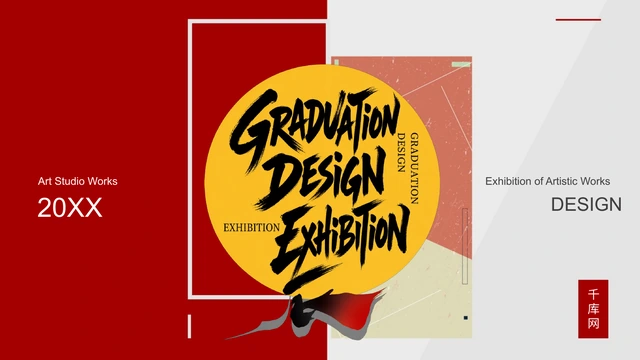
Art Studio Exhibition Presentation Template uses a yellow graduation badge. Its English title is picture lettering. Replace the badge image to change that title.
Editable Caption Space
Art Studio Exhibition Presentation Template leaves room for titles and notes. Edit text and shapes, then adjust picture-based background colors with image editing.
Matching Closing Page
Art Studio Exhibition Presentation Template ends with a matching red and grey page. Add a next step or invite questions, while keeping the source credit intact.
How to Use Art Studio Exhibition Presentation Template
Preview the work, edit the copy and share with care.
-
Preview All 20 Pages
Preview every page of Art Studio Exhibition Presentation Template. Compare its four chapters and image arrangements, then choose pages for your artwork and identify the sample text to replace.
-
Download an English Copy
Sign in with an active paid plan and download Art Studio Exhibition Presentation Template. Keep the original English PPTX untouched and edit a duplicate, so the source layouts remain available.
-
Edit and Share
Edit Art Studio Exhibition Presentation Template with your text and permitted images. Check crops, fonts and credits, export a PDF, then reopen it and inspect every page before sharing your work.
FAQs About Art Studio Exhibition Presentation Template
How do I download Art Studio Exhibition Presentation Template?
Choose an active paid plan, sign in and use Download PPTX on Art Studio Exhibition Presentation Template. The complete Art Studio Exhibition Presentation Template file is available to eligible paid members with no daily download limit. You can download Art Studio Exhibition Presentation Template again when you need a fresh copy. Save Art Studio Exhibition Presentation Template as an original and edit a duplicate for your project.
How many slides are in Art Studio Exhibition Presentation Template?
Art Studio Exhibition Presentation Template contains 20 slides at 16:9. In Art Studio Exhibition Presentation Template, the cover, contents and closing surround 13 content pages and four dividers. Sections of Art Studio Exhibition Presentation Template open on pages 3, 8, 12 and 16 for theory, graphic work, photography and artworks. The Art Studio Exhibition Presentation Template gallery shows this full sequence; after download, select the pages needed for your talk.
Can I edit the text and colors in Art Studio Exhibition Presentation Template?
Use a PPTX editor to change headings, guidance and editable shapes in Art Studio Exhibition Presentation Template. Photographs and the exhibition badges in Art Studio Exhibition Presentation Template are pictures, so their lettering is not native text. Picture-based background colors in Art Studio Exhibition Presentation Template need image editing rather than a theme-color change. Treat the percentage and type-count guidance in Art Studio Exhibition Presentation Template as examples, not research about design performance.
Can I preview all of Art Studio Exhibition Presentation Template?
The public gallery for Art Studio Exhibition Presentation Template displays all 20 pages without buying a plan. Move through Art Studio Exhibition Presentation Template with thumbnails or enlarge a page to read its captions. Inspect the cover and internal collages of Art Studio Exhibition Presentation Template before deciding whether the file suits your work. Each website language shows the same full Art Studio Exhibition Presentation Template preview, rather than a shortened sample.
Which editors can open Art Studio Exhibition Presentation Template?
Art Studio Exhibition Presentation Template is an editable PPTX intended for PowerPoint. When importing Art Studio Exhibition Presentation Template into another editor, compare fonts, crops, transparency and chapter numbers with the preview. Support for the TIFF badge and layered text in Art Studio Exhibition Presentation Template may vary, so compatibility is not guaranteed. Export a PDF from Art Studio Exhibition Presentation Template and reopen it to check the pages before presenting.
Which fonts does Art Studio Exhibition Presentation Template use?
The main font scheme in Art Studio Exhibition Presentation Template names Arial Black, Arial, 思源黑体 CN Bold and 思源黑体 CN Regular. Bullet symbols in Art Studio Exhibition Presentation Template use Wingdings. Art Studio Exhibition Presentation Template has no embedded fonts; use licensed matching families and styles when available. If your editor substitutes fonts in Art Studio Exhibition Presentation Template, check text wrapping, paragraph spacing and the large chapter numbers before presenting.
Is Art Studio Exhibition Presentation Template in English?
The downloadable Art Studio Exhibition Presentation Template has English editable headings and project guidance. Two Chinese business labels in Art Studio Exhibition Presentation Template were redrawn in English inside their pictures; other photographic lettering and the source credit 千库网 remain. All translations of the Art Studio Exhibition Presentation Template webpage describe this same English PPTX, not 15 separate language decks. Original metadata and font names in Art Studio Exhibition Presentation Template remain, so not every internal name or source credit is English.
Can I use Art Studio Exhibition Presentation Template commercially?
Commercial and redistribution permission for Art Studio Exhibition Presentation Template has not been verified. Paid access to Art Studio Exhibition Presentation Template provides a download entitlement, not an additional license for photographs, artwork or source branding. Before using Art Studio Exhibition Presentation Template for a client or circulating the template file, confirm the necessary permissions and retain applicable credits and notices.
How do I share Art Studio Exhibition Presentation Template?
Use the share controls for Art Studio Exhibition Presentation Template or copy this page URL so someone else can preview the template. Anyone downloading Art Studio Exhibition Presentation Template must sign in with their own eligible paid account. For work made with Art Studio Exhibition Presentation Template, use assets you may distribute, retain required credits and check the exported PDF before sending it; share the public page address rather than a private download link.