Dark Interface Portfolio Presentation Template: dark panels, interface pictures and native icon grids
Dark Interface Portfolio Presentation Template combines black and grey gradients with phone pictures, web layouts and white icon grids. Its 24 widescreen pages open with cloud and sea photographs, then introduce a profile example and index. Dark Interface Portfolio Presentation Template has section breaks on pages 4, 12, 17 and 19 for application, website, icon and other visual studies. Dark Interface Portfolio Presentation Template pairs interface artwork with short English guidance for describing your own design choices. Phone screens, graphs, login panels and promotional labels are static pictures, rather than working software or verified results. Dark Interface Portfolio Presentation Template keeps the source images, stock marks and music, and finishes with an editable Thanks page. Ordinary headings and captions can be changed; original wording remains in same-slide reference notes. Replace profile examples with supported information and keep sources distinct from your own work.
Key Features of Dark Interface Portfolio Presentation Template
Dark backgrounds, static interface artwork and editable design notes.
Dark Photo Opening
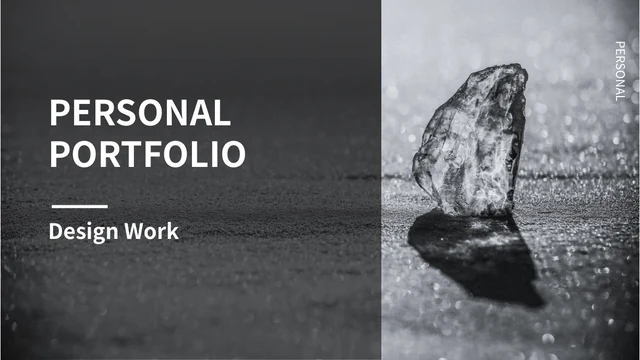
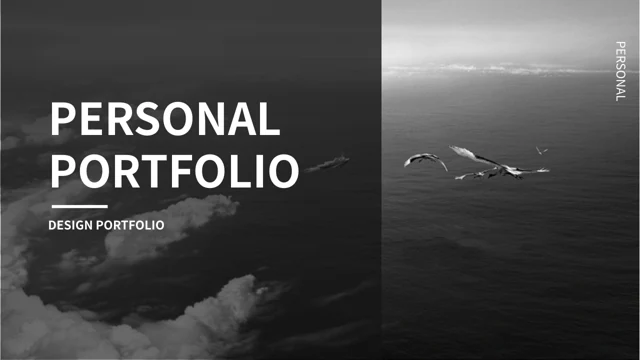
Dark Interface Portfolio Presentation Template opens with cloud and sea photos on dark panels. Keep a short title readable against the grey backgrounds.
Four Design Sections
Dark Interface Portfolio Presentation Template has four breaks for app, web, icon and other studies. Match the index and labels to your selected pages.
Static Phone Pictures
Dark Interface Portfolio Presentation Template shows phone screens and paired posters. Explain your design; pictured buttons are static parts of images.
Web Layout Comparisons
Dark Interface Portfolio Presentation Template groups laptop pictures, login panels and repeated views. Review composition; printed figures are examples.
Native Icon Grids
Dark Interface Portfolio Presentation Template has native white icons and icon-led notes. Keep source brand symbols separate from your project identity.
Editable Design Captions
Dark Interface Portfolio Presentation Template pairs artwork with editable captions. Replace sample profile fields and check narrow labels after edits.
How to Use Dark Interface Portfolio Presentation Template
Choose relevant studies, add your context and review text beside each picture.
-
Choose Your Design Studies
Review all 24 pages of Dark Interface Portfolio Presentation Template. Select app, web, icon and other layouts for your subject, then plan brief captions using information you can verify.
-
Download and Add Your Context
Download Dark Interface Portfolio Presentation Template with an active paid plan. Keep an unchanged copy, replace profile examples and add your design context with relevant picture sources.
-
Review Text and Picture Context
Check Dark Interface Portfolio Presentation Template in your editor. Review narrow captions, text contrast, crops and section order, then reopen a saved or exported copy before sharing.
Questions about Dark Interface Portfolio Presentation Template
What does Dark Interface Portfolio Presentation Template include?
Dark Interface Portfolio Presentation Template contains 24 PowerPoint slides in a 16:9 widescreen format. Dark Interface Portfolio Presentation Template combines dark gradient panels, original cloud and sea photographs, interface pictures and white icon grids. Dark Interface Portfolio Presentation Template includes a sample profile, four-item index, four section breaks and an editable Thanks page. Dark Interface Portfolio Presentation Template supplies short English guidance for ordinary headings and captions while retaining original wording in same-slide reference notes. Browse all previews of Dark Interface Portfolio Presentation Template before selecting pages. Source pictures and printed promotional details remain in the file. Replace the profile examples with supported information rather than claiming that source names, dates or screenshots describe your own work.
How are the sections arranged in Dark Interface Portfolio Presentation Template?
Dark Interface Portfolio Presentation Template has four section breaks on pages 4, 12, 17 and 19. Dark Interface Portfolio Presentation Template uses application, website, icon and other categories in its index. Dark Interface Portfolio Presentation Template follows these breaks with phone picture arrangements, web layout comparisons, native icon grids and graphic studies. Adapt the index of Dark Interface Portfolio Presentation Template together with your selected pages, keeping section labels brief. Review the order of Dark Interface Portfolio Presentation Template before presenting so each caption relates to the adjacent picture. The original 2018 decorations and experience dates are source examples, not evidence of a current release, a verified career or a completed client project.
Are the interface screens in Dark Interface Portfolio Presentation Template working software?
Dark Interface Portfolio Presentation Template retains static phone, laptop and desktop pictures from the source file. Dark Interface Portfolio Presentation Template shows illustrated screens, login panels, promotional posters and printed graphs as visual material. Dark Interface Portfolio Presentation Template does not turn those pictures into working applications, sign-in forms, purchase links or live dashboards. Use Dark Interface Portfolio Presentation Template to explain visible layout, colour and framing with captions you can support. When adapting Dark Interface Portfolio Presentation Template, keep original picture-source information separate from your own contribution. Figures and dates printed in source artwork do not establish your product performance, business results or current offers. Review replacement images for context as well as appearance.
What can I edit in Dark Interface Portfolio Presentation Template?
Dark Interface Portfolio Presentation Template has ordinary editable titles, section labels, profile fields and design captions. Dark Interface Portfolio Presentation Template also contains native icon shapes, graphic elements and numbered layout examples. Pictures in Dark Interface Portfolio Presentation Template remain image assets, so Chinese interface lettering and stock marks are not ordinary text boxes. Dark Interface Portfolio Presentation Template has no native data charts or embedded workbooks; graphs seen inside the screen pictures stay part of those images. Adapt Dark Interface Portfolio Presentation Template with brief descriptions of your selected work, and review the original frames after replacing text. Keep source artwork and credits distinct from your own authorship rather than treating the supplied examples as verified project results.
How should I adapt the profile and design notes in Dark Interface Portfolio Presentation Template?
Dark Interface Portfolio Presentation Template starts with ordinary profile fields and two experience entries containing sample dates. Dark Interface Portfolio Presentation Template provides independent English guidance rather than a verified biography for a pictured person. Dark Interface Portfolio Presentation Template uses short notes beside app pictures, web examples, icon-led lists and other artwork. Replace the sample details in Dark Interface Portfolio Presentation Template with your own supported role, education and project information. Keep captions in Dark Interface Portfolio Presentation Template brief enough for the original writing areas, and describe what the adjacent picture actually shows. Source logos and printed creator or provider marks remain source information; they do not make the new guidance the work of that provider or establish your identity.
Which fonts does Dark Interface Portfolio Presentation Template use?
Dark Interface Portfolio Presentation Template uses Source Han Sans SC Regular and Bold for ordinary editable text. No font files are embedded in Dark Interface Portfolio Presentation Template. Choose suitable fonts in your editor and review narrow profile labels, short captions and rotated section titles. Dark Interface Portfolio Presentation Template places white and grey text beside dark panels, so a substitute can change spacing, contrast and line breaks. Compare Dark Interface Portfolio Presentation Template with its previews after saving or exporting the file. Reopen Dark Interface Portfolio Presentation Template to check missing characters and text beside the original pictures. Printed interface lettering, stock marks and native icon outlines remain separate from ordinary text fonts.
Is the entire file of Dark Interface Portfolio Presentation Template in English?
Dark Interface Portfolio Presentation Template supplies independent English editing guidance for ordinary titles, labels and captions. Dark Interface Portfolio Presentation Template retains the original visible wording in reference notes on the same slides, separate from the new guidance. Dark Interface Portfolio Presentation Template preserves original pictures, including Chinese interfaces, promotional lettering, source marks and printed details. All website languages describe the same Dark Interface Portfolio Presentation Template, rather than separate files translating every picture or reference note. Adapt Dark Interface Portfolio Presentation Template to your audience with supported captions and appropriate sources. Source wording, sample profile names and picture marks do not establish a new presentation creator or verify the identities and claims shown in the artwork.
Does Dark Interface Portfolio Presentation Template include audio or extra media permissions?
Dark Interface Portfolio Presentation Template keeps the source music together with the original pictures. Dark Interface Portfolio Presentation Template retains the approximately 349-second audio asset; its source metadata labels the track Promise from Silent Hill 2 OST. Those labels in Dark Interface Portfolio Presentation Template are source information, not a new licence or independent verification of every music credit. Membership access to Dark Interface Portfolio Presentation Template does not create additional permissions for third-party photographs, stock artwork or music. Before distributing an edited Dark Interface Portfolio Presentation Template, check the permissions for the material you choose and your intended use. Retain relevant source credits and consider whether the existing soundtrack suits the audience. Picture watermarks and printed copyright details remain with the original artwork.
How do I download and share Dark Interface Portfolio Presentation Template?
Download Dark Interface Portfolio Presentation Template with an active paid membership. Active paid members can download Dark Interface Portfolio Presentation Template repeatedly without a daily count limit. Browse all 24 previews and keep an unchanged Dark Interface Portfolio Presentation Template beside your working copy. Choose relevant layouts, add supported design captions and retain image and music sources. Check Dark Interface Portfolio Presentation Template in your presentation app because typography, picture crops and playback can differ across editors. Share your edited Dark Interface Portfolio Presentation Template in a format the recipient can open. Keep an editable copy and inspect exported pages for readable narrow labels, consistent section order and clear contrast on the dark backgrounds.