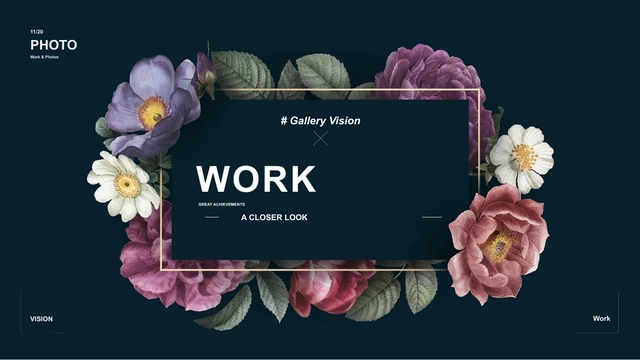
Gallery Vision Presentation Template: photographs framed by flowers and dark backgrounds
Gallery Vision Presentation Template presents an 18-page photo album in widescreen format. A floral frame links its cover and Thanks closing, while deep teal, slate and white give the photographs room to stand out. Inside Gallery Vision Presentation Template, image borders, an eight-picture grid, full-height columns and alternating mosaics offer different ways to group a collection. Forest and botanical pictures appear alongside landscape cards, a panoramic image and rounded photo frames. A three-node timeline and five circular team portraits introduce sequence and people without native data charts. Use Gallery Vision Presentation Template to select a small set of related images, add concise captions and explain what connects them. The Gallery Vision label remains part of the design. Replace sample descriptions with your own information and check permission for every photograph. Gallery Vision Presentation Template is a layout example, not proof of a project history or team identity.
Key Features of Gallery Vision Presentation Template
Floral framing, varied photo arrangements and concise project notes.
Floral opening and closing
Gallery Vision Presentation Template links its cover and Thanks page with a flower frame. Keep your title short and check the contrast against the dark background.
Grids and picture borders
Gallery Vision Presentation Template offers an eight-picture grid and a photo border. Choose related images and check small pictures before presenting the album.
Alternating photo mosaics
Gallery Vision Presentation Template alternates photographs with caption areas. Give each image a role, then replace the sample paragraphs with short explanations.
Landscape and panoramic views
Gallery Vision Presentation Template includes landscape cards and a panoramic photograph. Match replacement images to the existing frames and inspect every crop.
A three-node timeline
Gallery Vision Presentation Template uses three 20XX markers in a timeline. These are manual examples; replace the labels and explain the actual order of your work.
Five circular portraits
Gallery Vision Presentation Template places five team portraits in small circles. Replace sample people with permitted photographs and confirmed names or roles.
How to Use Gallery Vision Presentation Template
Choose a visual sequence, download a copy and replace the examples.
-
Select a photo sequence
Browse all 18 pages of Gallery Vision Presentation Template. Choose grids, mosaics or panoramic layouts that connect your images, then place the timeline and people pages to add context.
-
Download your working copy
Download Gallery Vision Presentation Template with an active paid plan. Daily and repeated downloads are unlimited. Save a working copy and keep the original so you can compare photo arrangements.
-
Replace captions and inspect crops
Edit Gallery Vision Presentation Template in PowerPoint. Replace sample captions, timeline labels and portraits with your content. Review each crop and reopen the exported album before sharing.
Questions about Gallery Vision Presentation Template
How do I download Gallery Vision Presentation Template?
Use the PPTX button on this page to download Gallery Vision Presentation Template. Sign in with an active paid plan; guests must log in first. Paid members have unlimited daily downloads and may download Gallery Vision Presentation Template repeatedly. Review the public gallery before choosing the file. Keep a working copy of Gallery Vision Presentation Template, and preserve the original for comparison as you replace its photographs and captions.
How many slides does Gallery Vision Presentation Template contain?
Gallery Vision Presentation Template contains 18 widescreen slides in a 16:9 format. The floral cover and Thanks closing are included, together with image grids, caption mosaics, landscape cards, a panoramic page, a three-node timeline and five team portraits. There are no numbered four-chapter dividers in Gallery Vision Presentation Template. Select the pages of Gallery Vision Presentation Template that make a clear visual sequence; the finished album can use fewer pages.
Can I edit Gallery Vision Presentation Template?
Gallery Vision Presentation Template contains editable text and shapes, as well as original photographs. Change short captions, title labels and timeline text in PowerPoint. The timeline in Gallery Vision Presentation Template uses manual objects; there are no native charts or linked data workbooks. Inspect the selected object in Gallery Vision Presentation Template: lettering already merged into a photograph may require replacing that image rather than editing separate text.
Can I preview every page of Gallery Vision Presentation Template?
All 18 previews of Gallery Vision Presentation Template are public and free to view without purchasing a plan. Use the thumbnails and arrows to explore Gallery Vision Presentation Template, then enlarge individual pages. Compare picture proportions, small captions and the space between images. The gallery shows the visible pages of Gallery Vision Presentation Template; it does not confirm permissions for the photographs or prove that every detail within a picture is separately editable.
Can I open Gallery Vision Presentation Template in another editor?
Gallery Vision Presentation Template is supplied as a PowerPoint PPTX. Other presentation editors may import it, but compatibility with individual applications has not been verified. Compare an imported copy of Gallery Vision Presentation Template with the gallery, especially floral framing, rounded picture corners, narrow titles and the segmented forest view. Keep the original file. Export and reopen your finished Gallery Vision Presentation Template album, checking every page for changed crops or spacing before presenting it.
Which fonts does Gallery Vision Presentation Template reference?
Gallery Vision Presentation Template references Arial, 微软雅黑, Helvetica Neue, Helvetica Neue Medium, Roboto Light, Calibri, Gill Sans, Open Sans and Open Sans Light. No fonts are embedded, and the exact editions of unembedded source fonts are not confirmed. Use licensed matching families when editing Gallery Vision Presentation Template. Font substitution can alter line breaks and spacing; inspect small captions and titles in Gallery Vision Presentation Template on the intended screen and in any exported file.
Are the slides in Gallery Vision Presentation Template in English?
The downloadable Gallery Vision Presentation Template has English editable labels and short guidance for replacing sample content. Existing Gallery Vision branding, English source descriptions and lettering inside pictures remain original. Website translations describe the same Gallery Vision Presentation Template English PPTX; they do not supply separate translated slide files. Replace sample company statements, people and project descriptions in Gallery Vision Presentation Template with information you can confirm, rather than treating the examples as verified identities or achievements.
Can I use Gallery Vision Presentation Template commercially?
Commercial use and template redistribution permissions for Gallery Vision Presentation Template have not been verified. Paid access to Gallery Vision Presentation Template does not add rights to photographs, illustrations or source wording. Gallery Vision is a repeated source label, while the creator metadata records admin; neither establishes ownership or a license. Check the required permissions before client use or file distribution. Keep necessary credits and use images you can share in your adaptation of Gallery Vision Presentation Template.
How do I share Gallery Vision Presentation Template?
Share the public page for Gallery Vision Presentation Template through the control beside the download button or by copying its URL. Recipients can view the Gallery Vision Presentation Template gallery and download with their own active paid plan. Before sending your finished album, replace private or unsupported statements and use content you have permission to distribute. Export a PDF if useful, reopen it and inspect each page of your adapted Gallery Vision Presentation Template before sharing.