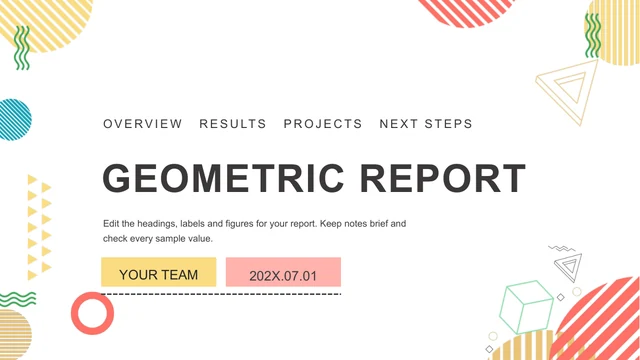
Memphis Work Summary Presentation Template: warm shapes for a focused monthly review
Memphis Work Summary Presentation Template combines cream backgrounds with orange panels, teal headings and yellow accents. Memphis Work Summary Presentation Template uses waves, arcs, dots and outlined cubes around photographs of teams, desks and remote work. Four chapters move from Overview and Results to Projects and Next Plan. Memphis Work Summary Presentation Template places short notes beside large photos, numbered cards and five native charts. Two bar or column layouts compare three series across four items; three doughnut charts appear together on a results page. Separate percentage labels remain sample text and need checking against the chart data. Memphis Work Summary Presentation Template has 20 widescreen slides, from the Memphis opening to the Thanks closing. Replace the English prompts, presenter name, date and sample figures with verified material. Keep photo captions short, choose the pages your review needs, and use authorised images that fit the existing frames.
Key Features of Memphis Work Summary Presentation Template
Warm geometry, team photographs and editable chart layouts.
Cream, Teal and Orange
Memphis Work Summary Presentation Template pairs cream backgrounds with orange panels and teal type. Waves, dots and yellow cubes add a playful visual rhythm.
Four Monthly Review Chapters
Memphis Work Summary Presentation Template has Overview, Results, Projects and Next Plan dividers. Match the contents and chapter order to your own review.
Team and Workspace Photographs
Memphis Work Summary Presentation Template frames team, desk and remote-work photos. Choose authorised replacements and check the original photo crops.
Five Native Chart Objects
Memphis Work Summary Presentation Template includes two comparison charts and three doughnut charts. Edit their workbooks and check separate percentage labels.
Numbered Notes and Photo Cards
Memphis Work Summary Presentation Template places numbered context, action and result notes beside photos. Give each card one verified point and a short title.
Space for Practical Next Actions
Memphis Work Summary Presentation Template closes with priorities, support and next checks. Add an owner and date so each proposed action can be reviewed.
How to Use Memphis Work Summary Presentation Template
Choose your examples, update the figures and check the review.
-
Preview the Monthly Sequence
Browse all 20 pages of Memphis Work Summary Presentation Template. Compare the four chapters, photo frames and chart layouts with your outline, then choose the pages that explain the month.
-
Download and Replace the Examples
Download Memphis Work Summary Presentation Template with an active paid plan. Open a PowerPoint copy, replace the prompts, update chart data and add verified results and authorised photos.
-
Check Charts, Labels and Layouts
Review Memphis Work Summary Presentation Template on your intended screen. Check chart values, separate labels, photo crops and fonts, inspect a PDF and keep an editable copy for the next review.

Questions about Memphis Work Summary Presentation Template
How do I download Memphis Work Summary Presentation Template?
Sign in with an active paid plan and use the download button to save Memphis Work Summary Presentation Template. Paid members have unlimited daily and repeat downloads. Memphis Work Summary Presentation Template is supplied as an English PowerPoint (.pptx), with native text, shapes and five charts alongside picture objects. Save an original copy of Memphis Work Summary Presentation Template before editing. In a separate working file, choose the chapters that explain your month and add the material your audience needs. The prompts in Memphis Work Summary Presentation Template are guidance for replacing examples; they do not describe completed work or verified business results.
How many slides are in Memphis Work Summary Presentation Template?
Memphis Work Summary Presentation Template contains 20 slides in a 16:9 format. A Memphis cover and contents page introduce Overview, Results, Projects and Next Plan, followed by a Thanks closing. Memphis Work Summary Presentation Template combines chapter dividers, photo arrangements, numbered notes, comparison charts and three doughnut charts on one page. Keep the useful pages of Memphis Work Summary Presentation Template or duplicate a suitable layout when further evidence is needed. Update the contents, chapter numbers and reporting date whenever you change the sequence. A completed review based on Memphis Work Summary Presentation Template can be shorter than the original file.
Can I edit text, colours and charts in Memphis Work Summary Presentation Template?
Yes. PowerPoint can edit the native text, geometric shapes and five chart objects in Memphis Work Summary Presentation Template. Change the cream, teal and orange palette, then check contrast on white and coloured panels. Memphis Work Summary Presentation Template has two comparison charts with three series and four items, plus three doughnut charts with associated workbooks. Update the data through each chart and separately review visible sample percentage labels: those labels do not automatically describe every chart slice. Photographs in Memphis Work Summary Presentation Template remain pictures. Use authorised replacements and check their crops, especially the paired and diagonal photo layouts in Memphis Work Summary Presentation Template.
Can I preview every page of Memphis Work Summary Presentation Template?
Yes. The gallery shows all 20 pages of Memphis Work Summary Presentation Template, including the chapter dividers, photo collages, chart pages and closing. Browse thumbnails, use the arrows or enlarge the preview to compare the layouts with your outline. The gallery represents the same English Memphis Work Summary Presentation Template supplied for download. Inspect narrow headings and notes in Memphis Work Summary Presentation Template at the size your audience will see them. If a slide needs several paragraphs of evidence, choose a more suitable layout or separate the material across pages of Memphis Work Summary Presentation Template rather than filling every decorated corner.
Can another presentation editor open Memphis Work Summary Presentation Template?
An editor with PPTX import may open Memphis Work Summary Presentation Template, but chart support, fonts and object spacing can differ. Compare the imported Memphis Work Summary Presentation Template with PowerPoint and the gallery before presenting. Check all five charts, their workbook data and the three separate percentage labels; do not assume another editor preserves every relationship. Memphis Work Summary Presentation Template also uses diagonal picture edges, coloured panels and a vertical headline in a photo collage. Review those details after import. Inspect an exported PDF of Memphis Work Summary Presentation Template for missing characters, shifted captions, changed chart axes and unexpected line breaks.
Which fonts does Memphis Work Summary Presentation Template use?
Memphis Work Summary Presentation Template retains source references such as Montserrat Medium, Source Han Serif CN Heavy, butter sans, Open Sans, Microsoft YaHei Light, Segoe UI Light, Arial and DengXian Light. Four original embedded font parts remain in Memphis Work Summary Presentation Template. The preview uses Montserrat Medium, Microsoft YaHei and an available fallback where a source display family cannot be rendered. Embedded font parts in Memphis Work Summary Presentation Template do not guarantee identical support in every application or device. Choose fonts you may use, then check the cover, coloured cards and vertical photo headline throughout Memphis Work Summary Presentation Template, particularly where a longer label has little spare space.
Are the slides in Memphis Work Summary Presentation Template translated into all site languages?
The website descriptions of Memphis Work Summary Presentation Template are localised, while the downloadable headings, chart labels and editing prompts are English. Every language page provides the same Memphis Work Summary Presentation Template file. The photographs remain images, including any incidental lettering within photographed objects. The original chart numbers and workbook formulas in Memphis Work Summary Presentation Template are preserved as sample data, so replace them with verified values for your review. Translate your own material in a copy of Memphis Work Summary Presentation Template, keep narrow labels concise and inspect the whole sequence for wrapping before sharing it with a different-language audience.
Can I use Memphis Work Summary Presentation Template commercially?
The source design, photographs and font permissions for Memphis Work Summary Presentation Template have not been independently verified. A paid plan provides download access; it does not confirm commercial or redistribution rights for every asset in Memphis Work Summary Presentation Template. Check the permissions needed for your intended use and preserve genuine attribution where required. The team and workspace photographs in Memphis Work Summary Presentation Template are examples, rather than evidence of your organisation or project. Replace uncertain assets in Memphis Work Summary Presentation Template with material you are authorised to use before delivering work to a client, distributing the presentation or offering the source file to others.
How do I share Memphis Work Summary Presentation Template?
Use the sharing controls or copy this page URL to share Memphis Work Summary Presentation Template. Other people can review the gallery and download under their own account conditions. Before sharing a completed review based on Memphis Work Summary Presentation Template, remove private information, confirm image and font permissions and replace the example figures. Check the four chapters and next actions, then inspect a PDF of Memphis Work Summary Presentation Template on the intended screen. Keep an editable working copy of Memphis Work Summary Presentation Template so that the reporting period, chart data, owners and follow-up dates can be updated for a later review.