Lime Annual Report Presentation Template: Light Circles and a Four-Month Plan
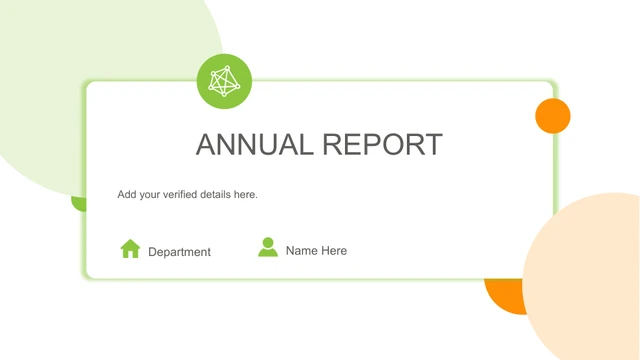
Lime Annual Report Presentation Template pairs fresh lime green with orange highlights on white pages. The cover in Lime Annual Report Presentation Template leaves fields for a name and department inside a thin green frame. Large pale circles sit at opposite corners. Lime Annual Report Presentation Template names four sections: overview, performance, experience and plan. Lime Annual Report Presentation Template marks 01 to 04 on circular dividers with an emblem and orange accent. Lime Annual Report Presentation Template uses photos of plants, flowers, a notebook and a phone-shaped frame. Lime Annual Report Presentation Template has six white photo cards on a green page. A row of five icon columns highlights the center. Lime Annual Report Presentation Template compares three device icons, offset panels and two rows of bars. The bars are editable shapes. Four separate indicators in Lime Annual Report Presentation Template show 89%, 66%, 33% and 15%. Three circular wedges on another page display 10%, 20% and 10%. Lime Annual Report Presentation Template also includes two half-circle gauges, with ticks underneath and independent labels. A phone photo in Lime Annual Report Presentation Template sits beside three sample amounts: 5,250K, 3,594K and 8,496K. The plan section of Lime Annual Report Presentation Template includes four months, each divided into four weeks, above horizontal task lines. Another page groups 37%, 52%, 43% and 60% in a framed panel. These examples in Lime Annual Report Presentation Template are independent values, not parts of a total. The final green page has a Thank You message beside fields for a department, name and team introduction. Lime Annual Report Presentation Template retains the eight original images, native shapes and positions. English prompts replace filler text; headings fit their boxes. Choose a reporting period, replace sample values with verified results and adapt the four-month timeline to your actual dates.
Key Features of Lime Annual Report Presentation Template
Lime circles, botanical photos and an editable monthly timeline.
Light circular cover
Lime Annual Report Presentation Template combines a thin green frame with pale corner circles.
Four named sections
Overview, performance, experience and plan have matching dividers.
Botanical image set
Plants, flowers and notebook photos soften Lime Annual Report Presentation Template.
Six photo cards
White cards with circular photos stand against a solid green page.
Shape-based indicators
Edit bars, wedges and gauge labels separately in Lime Annual Report Presentation Template.
Four-month timeline
Four weekly groups per month align with horizontal task lines.
How to Use Lime Annual Report Presentation Template
Set your period, choose pages and replace the examples.
-
Explore 23 slides
Review the section breaks, photo cards, gauges and timeline.
-
Download the PPTX
An active paid plan gives you unlimited daily downloads.
-
Match shapes and values
Update labels and amounts, adjust the shapes and check dates.
Questions About Lime Annual Report Presentation Template
How do I download Lime Annual Report Presentation Template?
Sign in with an active paid plan and select Download PPTX on the Lime Annual Report Presentation Template page. A temporary private link supplies Lime Annual Report Presentation Template. Paid members can download Lime Annual Report Presentation Template without a daily limit.
How many slides are in Lime Annual Report Presentation Template?
Lime Annual Report Presentation Template has twenty-three widescreen slides and four named section dividers. Overview, performance, experience and plan give Lime Annual Report Presentation Template its structure. Use only the pages needed for your reporting period.
Are the indicators in Lime Annual Report Presentation Template editable charts?
The bars, wedges and gauges in Lime Annual Report Presentation Template are native shapes, with separate labels. Lime Annual Report Presentation Template contains no embedded chart or workbook. Changing a percentage will not automatically redraw a shape; adjust both elements.
Can I see all of Lime Annual Report Presentation Template before downloading?
The gallery shows every page of Lime Annual Report Presentation Template. Use the thumbnails and arrows or open an enlarged preview. Check the gauge ticks and four-month timeline in Lime Annual Report Presentation Template at a useful size before choosing your pages.
Can another presentation editor open Lime Annual Report Presentation Template?
Software with PPTX import may open Lime Annual Report Presentation Template. Photo masks, font spacing and shape effects in Lime Annual Report Presentation Template can differ. Compare the imported Lime Annual Report Presentation Template with the preview, especially the phone-shaped image and overlapping circular dividers.
Which font is used in Lime Annual Report Presentation Template?
The prepared English version of Lime Annual Report Presentation Template uses Arial. Narrow headings and sample amounts in Lime Annual Report Presentation Template have been fitted to their original boxes. Check those areas again if you substitute another font.
Is the text in Lime Annual Report Presentation Template translated?
Lime Annual Report Presentation Template replaces filler sentences with concise English editing prompts. The site descriptions are translated, while every language page downloads the same English Lime Annual Report Presentation Template file. Photos, shapes and example figures in Lime Annual Report Presentation Template are retained.
Can Lime Annual Report Presentation Template be used commercially?
Check the original material’s terms and the permissions for photos or content you add to Lime Annual Report Presentation Template. A paid download does not supply an additional license. Verify those rights before distributing your version of Lime Annual Report Presentation Template.
How do I share Lime Annual Report Presentation Template?
Use the share control beside the download button to share the public Lime Annual Report Presentation Template page or copy its address. It opens the social service you choose. Recipients need an active paid plan to download Lime Annual Report Presentation Template.